What Is Kubernetes? Container Orchestration Explained

Quick answer
Kubernetes is an open-source container orchestration platform that runs containerised applications across a cluster of machines. You declare the state you want — how many copies, how much memory, which network route — and Kubernetes continuously works to make reality match, rescheduling and restarting containers as machines fail.
- What "container orchestration" actually means
- The core idea: declarative state and the reconcile loop
- The objects you will actually meet
- When Kubernetes is the wrong tool
- Common misconceptions
10 min read · Kubernetes
Kubernetes is an open-source container orchestration platform that runs containerised applications across a cluster of machines. You describe the state you want — three copies of this container, 2 GB of memory each, reachable at this address — and Kubernetes continuously works to make reality match that description, rescheduling workloads when a machine dies, restarting containers that crash, and adding or removing copies as load changes. The name comes from the Greek κυβερνήτης, "helmsman", and it is commonly abbreviated K8s (K, eight letters, s).
Kubernetes was released by Google in 2014, drawing on a decade of experience running its internal Borg system, and donated to the Cloud Native Computing Foundation in 2015. It is now the default answer to a specific question: I have containers and more than one machine — what runs them?
What "container orchestration" actually means
A container packages an application with its dependencies so it runs identically anywhere. That solves packaging. It does not solve operations. The moment you have more than a handful of containers across more than one machine, a set of unglamorous questions appears:
- Which machine should this container run on, given what's already there?
- A machine just died. Where do its containers go?
- This container is wedged. Who notices, and who restarts it?
- Traffic tripled. Who starts more copies, and who tells the load balancer they exist?
- How does the new version roll out without dropping requests?
Container orchestration is the automation of exactly those questions — placement, scheduling, health, networking, scaling, and rollout — across a pool of machines. Kubernetes is the most widely adopted orchestrator, but the category also includes Amazon ECS, HashiCorp Nomad, and Docker Swarm.
The thing worth internalising is that Kubernetes is not a better way to run a container. Docker already runs containers, and runs them well. Kubernetes is a way to run many containers across many machines and have somebody other than you handle it at 3 a.m.
The core idea: declarative state and the reconcile loop
Almost everything in Kubernetes follows a single pattern, and if you understand it you understand the system.
You submit a declaration of desired state — usually YAML — to the Kubernetes API server. You do not tell Kubernetes how to achieve it. A controller watches for the gap between what you declared and what actually exists, and takes action to close it. Then it does that again. Forever.
1apiVersion: apps/v1
2kind: Deployment
3metadata:
4  name: checkout
5spec:
6  replicas: 3          # I want three. Not "start three".
7  template:
8    spec:
9      containers:
10        - name: checkout
11          image: acme/checkout:1.4.2
12          resources:
13            requests: { cpu: "250m", memory: "512Mi" }
Apply that and three pods appear. Kill one and a fourth appears seconds later — not because anything reacted to the kill event, but because a controller compared replicas: 3 against the two it could see and created one more. Drain the node they're on and they reappear elsewhere. Nobody wrote that recovery logic; it falls out of the loop.
This is called level-triggered reconciliation, as opposed to edge-triggered event handling, and it is why Kubernetes self-heals after crashes, missed events, and manual meddling. It is the same mechanism that powers Kubernetes operators, which extend the pattern to entire applications, and the same mechanism GitOps leans on when it makes a Git repository the declaration of record.
The practical consequence: Kubernetes YAML describes a destination, not a journey. Engineers arriving from shell scripts and Ansible playbooks tend to fight this for a few weeks before it clicks.
The objects you will actually meet
Kubernetes has a large API, but day-to-day work touches a small, stable core.
| Object | What it is |
|---|---|
| Pod | The smallest deployable unit — one or more containers that share a network namespace and storage. Usually one container. You rarely create these directly. |
| Deployment | Manages a replicated, stateless set of pods and handles rolling updates and rollbacks. The workhorse. |
| StatefulSet | Like a Deployment, but for workloads needing stable identity and storage — databases, queues. |
| Service | A stable virtual IP and DNS name in front of a changing set of pods. Pods are cattle; a Service is the address that outlives them. |
| Ingress / Gateway | Routes external HTTP traffic to Services. Gateway API is superseding Ingress. |
| ConfigMap / Secret | Configuration and credentials injected into pods as files or environment variables. |
| PersistentVolumeClaim | A request for durable storage that outlives the pod — see PV, PVC and StorageClass. |
| Namespace | A soft boundary for grouping resources, applying quotas, and scoping access. |
A cluster is split into a control plane — the API server, scheduler, controller manager, and the etcd datastore holding all cluster state — and worker nodes running the kubelet agent and a container runtime such as containerd. With a managed service (EKS, GKE, AKS) the cloud provider runs and upgrades the control plane; you own the workers and everything on them.
Kubernetes Production Readiness Checklist
The pre-launch checks we run before calling a cluster production-ready — probes, resources, RBAC, upgrades, and backups. Plain Markdown you can commit to your repo.
Free. Instant download. You'll also get the occasional deep-dive from the newsletter — unsubscribe anytime.
When Kubernetes is the wrong tool
Kubernetes is genuinely excellent at what it does, and genuinely expensive to adopt. The cost is not the compute — it's the operational surface. You inherit cluster upgrades, RBAC, network policy, admission control, certificate rotation, storage classes, and a permanent obligation to keep up with a project that ships three releases a year.
Reach for Kubernetes when you have several services, multiple teams, and real availability requirements — the point where you were about to build scheduling and failover yourself.
Do not reach for it when:
- You have one or two services. A managed container service (ECS, Cloud Run, Fly.io) or even a couple of VMs behind a load balancer will serve you better for less. Kubernetes for a single web app is a hobby, not an architecture.
- Nobody owns the cluster. A cluster with no clear operational owner degrades into an outage waiting for a trigger. Team size, not traffic, is usually the honest constraint.
- Your workload is genuinely serverless-shaped. Bursty, stateless, request-driven code often fits Lambda or Cloud Run more cheaply and with far less to maintain.
- You are running one database and nothing else. Databases in Kubernetes can be the right call, but a managed RDS instance is the right call more often.
The most common failure I see is not technical. It's a three-person team adopting Kubernetes for a workload that two VMs would have handled, and then spending the next year operating the platform rather than shipping the product. If you cannot name who upgrades the cluster, you are not ready for one.
Common misconceptions
"Kubernetes replaces Docker." No. They operate at different layers. Docker builds container images and runs containers on one machine; Kubernetes schedules those containers across many. Kubernetes did remove dockershim in v1.24, but that only changed which runtime the kubelet talks to — containerd instead of Docker Engine. Images built with Docker run on Kubernetes exactly as before.
"Kubernetes makes applications scalable." It automates the mechanics of scaling — HPA and VPA will add pods for you. It cannot make a stateful monolith with a single-writer database scale horizontally. Kubernetes scales what is already scalable.
"Kubernetes saves money." Usually the opposite at first. You add a control plane, monitoring, and engineering time. Savings arrive later through bin-packing and higher utilisation, and only if someone is actively managing cost. Treat any cost case that ignores headcount with suspicion.
"Kubernetes is a PaaS." It is a platform for building platforms. Out of the box it gives you no CI, no developer portal, no opinion about how your team ships. Turning it into something developers enjoy using is the discipline of platform engineering.
"Kubernetes is secure by default." It is not. Default settings are permissive — flat pod networking, broad service account tokens, no admission policy. A production cluster needs deliberate hardening.
Frequently Asked Questions
What is Kubernetes used for?
Running containerised applications across a cluster of machines with automated scheduling, self-healing, service discovery, scaling, and rolling deployments. In practice that means microservices and web APIs, batch and CI workloads, and increasingly GPU workloads such as LLM inference. Its sweet spot is many services owned by many teams that need to keep running while machines underneath them fail.
What is the difference between Kubernetes and Docker?
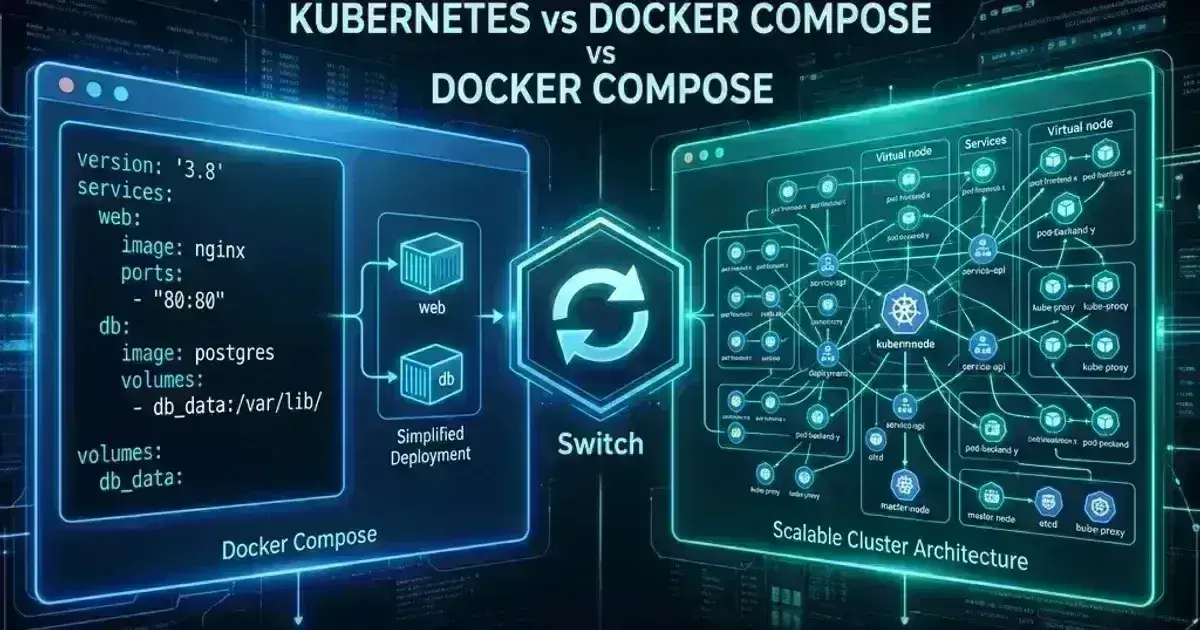
Docker is a container runtime and image toolchain — it builds an image and runs a container on one machine. Kubernetes is an orchestrator — it decides which machine each container runs on across a cluster, restarts them when they fail, and connects them to each other. They are complementary, not alternatives. The comparison people usually mean is Kubernetes versus Docker Swarm or Docker Compose, which are orchestrators.
Why is Kubernetes called K8s?
"K8s" is a numeronym: the letter K, then the count of the eight letters between K and s (ubernete), then s. The same convention gives i18n for "internationalization". It is pronounced identically to "Kubernetes", and the name itself is Greek for "helmsman" — which is also why the package manager is called Helm and its packages are charts.
Is Kubernetes hard to learn?
The core model — declare desired state, let controllers reconcile — is small and learnable in days. The difficulty is operational breadth: networking, storage, RBAC, admission control, upgrades, and debugging failures that span several layers at once. Deploying an app to an existing cluster is straightforward. Running a cluster that other teams depend on is a specialism. Starting on a managed control plane removes a large share of the hardest work.
Do I need Kubernetes for a small application?
Almost certainly not. For one or two services, a managed container platform or a pair of VMs behind a load balancer gives you the same reliability with a fraction of the operational surface. Kubernetes starts paying for itself when you have several services, more than one team deploying independently, and availability requirements that would otherwise force you to build scheduling and failover yourself.
See also
- PodSecurityContext vs Container SecurityContext: Every Field, Explained
- What Is a Kubernetes Operator? — how the reconcile loop extends to whole applications.
- What Is Platform Engineering? — turning a cluster into something developers actually want to use.
- Kubernetes Debugging and Troubleshooting Guide — what to do when a workload misbehaves.
- Helm Best Practices for Production — packaging and templating your manifests.
- Kubernetes 1.36: Upgrade Notes and Breaking Changes — keeping a cluster current.
Trying to work out whether Kubernetes is the right platform for your team — or already running a cluster nobody quite owns? Talk to us at Coding Protocols — we help teams adopt Kubernetes deliberately, and help them avoid it when something simpler will do.
Was this article helpful?
Be the first to rate this article
Related Topics
Found this useful? Share it.