Kubernetes vs Docker Compose: When to Use Which (and When to Stop Using One)
Quick answer
Docker Compose and Kubernetes solve different problems at different scales. The mistake isn't using one — it's using the wrong one for too long. Here's how to know when to make the switch.
- What Docker Compose Actually Is
- What Kubernetes Actually Is
- Where Compose Breaks Down
- Where Kubernetes Breaks Down (or Over-Engineers)
- The Migration Signals
11 min read · Kubernetes
Docker Compose and Kubernetes are not competitors for the same use case. Compose is a local development and simple deployment tool. Kubernetes is a production orchestration platform. The comparison only comes up because teams start with Compose, grow past it, and have to decide when — not whether — to make the switch.
The mistake isn't choosing Compose early. The mistake is staying on it too long because migration feels expensive, or jumping to Kubernetes too early because it feels more serious.
What Docker Compose Actually Is
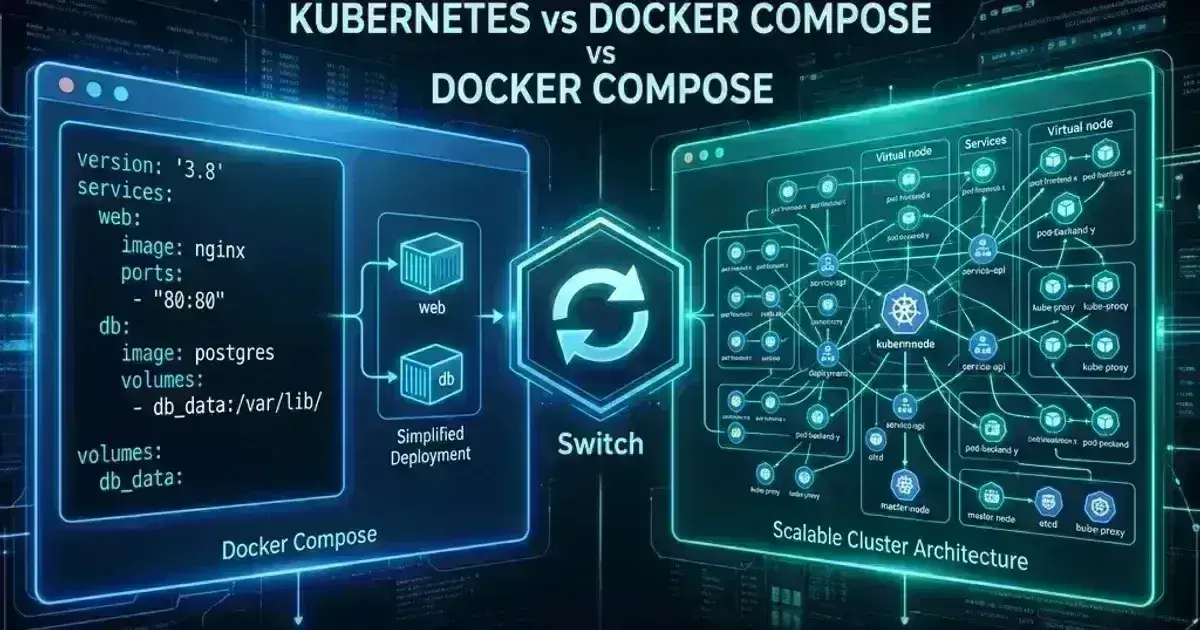
Docker Compose defines a multi-container application as a single YAML file. You specify services, networks, and volumes. docker compose up starts everything. docker compose down stops it.
1services:
2  api:
3    image: myapp:latest
4    ports:
5      - "8080:8080"
6    environment:
7      DATABASE_URL: postgres://user:pass@db:5432/mydb
8    depends_on:
9      - db
10  db:
11    image: postgres:16
12    volumes:
13      - postgres_data:/var/lib/postgresql/data
14
15volumes:
16  postgres_data:
That's the entire deployment model. No nodes, no scheduling, no health checks beyond process-level restarts, no rolling updates, no autoscaling. One machine, one Compose file, one docker compose up.
Compose is genuinely excellent at what it does: reproducing a multi-service environment locally, running integration tests in CI, and running simple production workloads on a single server.
What Kubernetes Actually Is
Kubernetes is a distributed system for scheduling containerised workloads across a cluster of machines, with built-in primitives for:
- Scheduling — placing pods on nodes based on resource requests, affinity, and taints
- Self-healing — restarting failed containers, replacing failed nodes
- Rolling updates — deploying new versions without downtime
- Autoscaling — horizontal pod autoscaling (HPA), vertical pod autoscaling (VPA), node autoscaling (Karpenter, Cluster Autoscaler)
- Service discovery — DNS-based routing between services
- Secret and config management — Secrets, ConfigMaps, external secret operators
- Network policy — traffic isolation between pods and namespaces
- Storage orchestration — dynamic PersistentVolume provisioning
Kubernetes doesn't just run containers. It manages the lifecycle of workloads across infrastructure — handling failures, scaling demand, enforcing resource constraints, and providing the operational primitives that make running many services reliable.
The cost: Kubernetes is meaningfully complex. A production-ready cluster requires decisions about networking (CNI), storage (CSI), ingress, secrets management, RBAC, monitoring, and cluster autoscaling — before you've deployed a single workload.
Where Compose Breaks Down
Single machine. Compose runs on one host. If that host fails, everything fails. There's no concept of distributing workloads across machines or recovering from node failure.
No rolling updates. docker compose up --build stops the old container and starts the new one. There's a gap. For anything requiring high availability, this isn't acceptable.
No autoscaling. Compose has --scale api=3 to run multiple instances of a service, but it provides no mechanism to scale based on load, CPU, or custom metrics. You scale manually or via external scripting.
No health-based routing. Compose's depends_on checks if a container started, not if it's healthy. There's no integration with a load balancer that removes unhealthy containers from rotation.
Port binding conflicts. Running multiple Compose applications on the same machine requires careful port management. Kubernetes eliminates this with per-pod IP addresses and Service abstractions.
No multi-tenancy. On Compose, isolation between teams or environments requires separate machines or Docker networks with careful naming conventions. Kubernetes provides namespaces with RBAC, resource quotas, and network policies.
Where Kubernetes Breaks Down (or Over-Engineers)
Local development. Running Kubernetes locally (minikube, kind, k3d) adds complexity that slows dev loop velocity. Compose starts in seconds. A local Kubernetes cluster adds startup time, resource consumption, and a layer of indirection between your code change and a running service. Most teams are better off using Compose for local development even when running Kubernetes in production.
Simple single-service deployments. A single stateless service with low traffic doesn't need Kubernetes. A VM with Docker (or even a managed container service like AWS App Runner, Cloud Run, or Fly.io) is simpler and cheaper to operate.
Small teams without platform engineering capacity. Kubernetes requires someone who understands it operationally. For a 3-person startup, that investment often isn't justified until you hit the scaling problems Kubernetes solves.
Rapid prototyping. If you're validating a product idea, Compose on a single VPS gets you to production in an hour. The operational simplicity lets you focus on product, not platform.
Kubernetes Production Readiness Checklist
The pre-launch checks we run before calling a cluster production-ready — probes, resources, RBAC, upgrades, and backups. Plain Markdown you can commit to your repo.
Free. Instant download. You'll also get the occasional deep-dive from the newsletter — unsubscribe anytime.
The Migration Signals
These are the signals that tell you Compose is no longer the right tool — not arbitrary team size or funding thresholds:
You've had downtime from container restarts. Compose restarts containers on failure, but the restart has a gap. If users are hitting that gap, you need health-based routing and zero-downtime deployments.
Deployments require manual coordination. If deploying a new version means SSHing to a server, pulling an image, and running docker compose up --build — and that process causes visible downtime or requires a maintenance window — you've outgrown Compose.
You're running services on multiple machines. Once you're managing Compose on more than one server, you're doing Kubernetes' job manually. Container placement, service discovery, and config distribution across machines are Kubernetes primitives.
You need environment isolation for multiple teams. If different teams need separate environments with resource limits and access controls, Kubernetes namespaces are the clean solution. Compose requires separate machines or brittle naming conventions.
You're building infrastructure for a compliance-regulated environment. Audit logging, network segmentation, secrets management, and access control at scale are significantly easier with Kubernetes' native primitives.
The Practical Migration Path
Most teams don't go from Compose to Kubernetes overnight. A common path:
Stage 1: Compose in production — Single server, simple application, low traffic. Fast iteration. Acceptable downtime window.
Stage 2: Managed container service — AWS ECS, Google Cloud Run, or Fly.io. Managed scaling and deployment, no Kubernetes complexity. This is often the right intermediate step for teams that have outgrown a single server but don't yet need Kubernetes.
Stage 3: Kubernetes — Multi-service platform, multiple teams, need for autoscaling, network policy, and operational primitives at scale.
Skipping Stage 2 is common and usually fine, but don't skip it because Kubernetes sounds more impressive. ECS or Cloud Run is the right call for many teams permanently — not just as a stepping stone.
What to Keep From Compose
Even after migrating to Kubernetes, Compose stays useful:
Local development. Keep your docker-compose.yml for running the full stack locally. Most engineers on Kubernetes teams still use Compose for docker compose up locally and only interact with Kubernetes for deployment and production debugging.
CI integration tests. docker compose up in a CI job is simpler than spinning up a Kubernetes cluster for integration testing. Use Compose in CI for service-level tests, reserve Kubernetes for end-to-end tests that need the actual cluster configuration.
Compose as Kubernetes spec documentation. Your docker-compose.yml documents the runtime dependencies of your services — which ports, environment variables, and volumes each service needs. This is useful input when writing Kubernetes manifests, even if the two formats differ.
Side-by-Side Comparison
| Docker Compose | Kubernetes | |
|---|---|---|
| Setup complexity | Minutes | Hours to days |
| Multi-machine support | No | Yes |
| Rolling deployments | No | Yes |
| Autoscaling | No | Yes (HPA, VPA, Karpenter) |
| Health-based routing | No | Yes |
| Local dev experience | Excellent | Acceptable (minikube/kind) |
| Resource overhead | Minimal | Significant (control plane) |
| Best for | Single server, local dev, CI | Multi-service platforms at scale |
Frequently Asked Questions
Can I convert my docker-compose.yml to Kubernetes manifests?
Yes. kompose convert (a CNCF tool) translates Compose files to Kubernetes manifests. The output is a starting point, not production-ready — you'll need to add resource requests, health checks, proper ConfigMaps/Secrets, and ingress configuration. Use it to bootstrap, not to ship.
Should I use Docker Compose in production at all?
Yes, for the right workloads. A personal project, internal tool, or low-traffic service on a single VPS is a legitimate Compose use case. The question isn't "is Compose production-grade?" — it is. The question is whether your production requirements have outgrown what Compose can provide on a single machine.
Is Docker Swarm a middle ground?
Docker Swarm provides multi-node orchestration using Compose-compatible syntax. It's simpler than Kubernetes but has effectively been abandoned by Docker — it receives no new feature development, and the ecosystem (tooling, cloud integrations, documentation) has moved entirely to Kubernetes. Don't start new projects on Swarm.
What about Podman Compose?
Podman Compose is a Compose-compatible implementation that works without a Docker daemon. It's a valid choice for teams migrating from Docker to Podman for security reasons, but it serves the same use case as Docker Compose — single-host, development and simple production deployments.
How long does a Compose-to-Kubernetes migration take?
For a simple 3–5 service application with one team, plan 2–4 weeks: manifest writing, CI/CD pipeline updates, secrets migration, observability setup, and verification. The longer tail is usually cultural — getting the team comfortable with kubectl, understanding Kubernetes failure modes, and building operational runbooks.
For a comparison of Kubernetes against other orchestration platforms, see Docker Swarm vs Kubernetes vs Nomad: Choosing Your Container Orchestrator.
If you are earlier than this comparison, start with what Kubernetes actually is.
Planning a migration from Docker Compose to Kubernetes? Talk to us at Coding Protocols — we've run this migration enough times to know where teams get stuck and how to avoid it.
Official References
- Dockerfile best practices — layer caching, image size and build ordering
- Dockerfile reference — every instruction and its semantics
Was this article helpful?
Be the first to rate this article
Related Topics
Found this useful? Share it.