Kubernetes StatefulSets: Production Patterns for Stateful Workloads
StatefulSets give each pod a stable identity and persistent storage. What they don't give you is production-readiness out of the box. Ordering guarantees slow deployments, default update strategies miss failure modes, and pod management policies need deliberate configuration. Here's how to run StatefulSets in production.
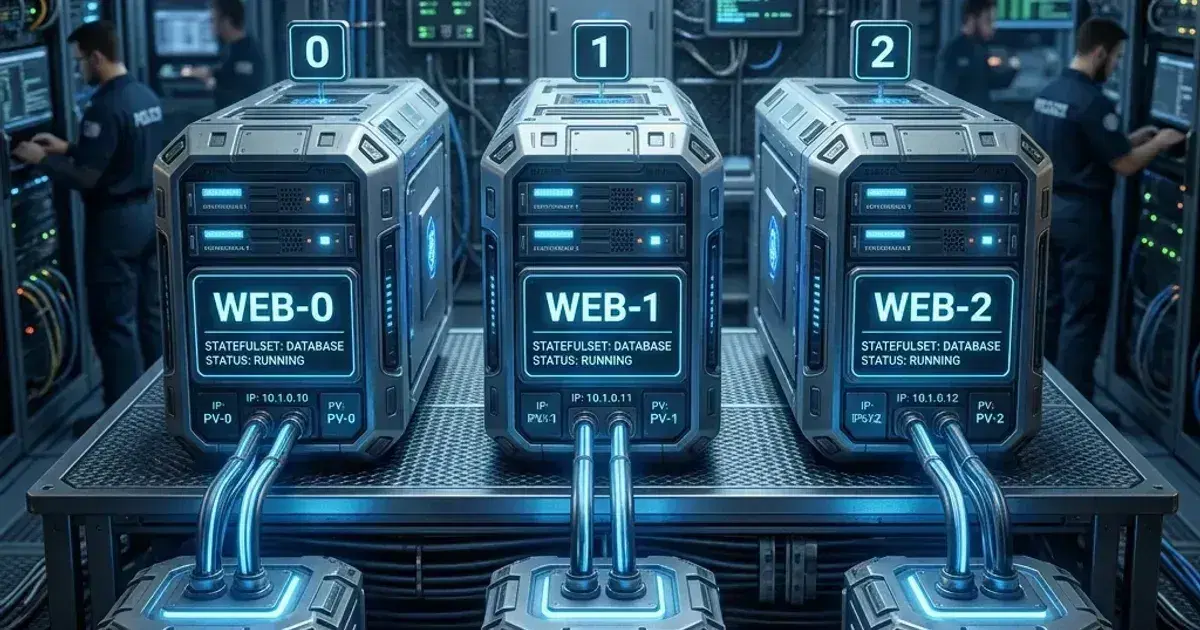
StatefulSets manage pods that need persistent identity. Unlike a Deployment, where pods are interchangeable, a StatefulSet pod has a stable hostname (postgres-0, postgres-1), stable storage bound to that pod, and ordered startup/shutdown guarantees.
These guarantees exist because stateful applications — databases, distributed caches, message brokers — need them. A database replica needs to know it's replica-2. A ZooKeeper node needs its identity to persist across restarts. A Kafka broker needs its log segments tied to a specific broker ID.
This post covers StatefulSet mechanics and the production configuration decisions that matter: ordering policies, update strategies, headless services, scaling safety, and the patterns for common stateful workloads.
StatefulSet vs Deployment
| Property | Deployment | StatefulSet |
|---|---|---|
| Pod identity | Random hash suffix (app-6d4b8) | Ordinal index (app-0, app-1) |
| DNS name | Load-balanced Service DNS | Individual pod DNS via headless service |
| Storage | Shared PVC or ephemeral | Per-pod PVC via volumeClaimTemplates |
| Startup order | Parallel | Ordered (0, 1, 2...) by default |
| Shutdown order | Parallel | Reverse ordered (N, N-1... 0) by default |
| Rolling updates | Surge-based | Reverse-ordinal, one at a time |
Use StatefulSets when your application needs any of: stable pod hostnames, per-pod persistent storage, ordered deployment, or ordered shutdown. Use Deployments for everything else — the ordering guarantees of StatefulSets come with a cost (slower rollouts, more complex PVC lifecycle).
Core StatefulSet Anatomy
1apiVersion: apps/v1
2kind: StatefulSet
3metadata:
4  name: postgres
5  namespace: production
6spec:
7  serviceName: postgres-headless   # Must reference an existing headless Service
8  replicas: 3
9  selector:
10    matchLabels:
11      app: postgres
12  podManagementPolicy: OrderedReady   # Default — or Parallel for faster ops
13  updateStrategy:
14    type: RollingUpdate
15    rollingUpdate:
16      partition: 0       # Default — all pods updated; increase to do canary
17  template:
18    metadata:
19      labels:
20        app: postgres
21    spec:
22      terminationGracePeriodSeconds: 60   # Give the DB time to checkpoint
23      containers:
24        - name: postgres
25          image: postgres:16
26          ports:
27            - containerPort: 5432
28          env:
29            - name: POSTGRES_PASSWORD
30              valueFrom:
31                secretKeyRef:
32                  name: postgres-secret
33                  key: password
34            - name: PGDATA
35              value: /var/lib/postgresql/data/pgdata
36          volumeMounts:
37            - name: data
38              mountPath: /var/lib/postgresql/data
39          readinessProbe:
40            exec:
41              command: ["pg_isready", "-U", "postgres"]
42            initialDelaySeconds: 10
43            periodSeconds: 10
44          livenessProbe:
45            exec:
46              command: ["pg_isready", "-U", "postgres"]
47            initialDelaySeconds: 30
48            periodSeconds: 30
49            failureThreshold: 5
50  volumeClaimTemplates:
51    - metadata:
52        name: data
53      spec:
54        accessModes: ["ReadWriteOncePod"]    # ReadWriteOncePod (K8s 1.29+) — ensures only one pod cluster-wide can write, preventing split-brain
55        storageClassName: gp3
56        resources:
57          requests:
58            storage: 100Gi
Critical: serviceName references the headless Service that provides per-pod DNS. This Service must exist before the StatefulSet is created:
1apiVersion: v1
2kind: Service
3metadata:
4  name: postgres-headless
5  namespace: production
6spec:
7  clusterIP: None   # This makes it headless
8  selector:
9    app: postgres
10  ports:
11    - name: postgres
12      port: 5432
With the headless service, each pod gets a DNS entry: postgres-0.postgres-headless.production.svc.cluster.local. Applications that need to reach a specific replica (read replicas, ZooKeeper ensemble members) use these pod-level DNS names.
For external applications connecting to PostgreSQL, create a separate load-balanced Service that routes to the primary (or to all replicas for read-only):
1apiVersion: v1
2kind: Service
3metadata:
4  name: postgres
5  namespace: production
6spec:
7  selector:
8    app: postgres
9    role: primary   # Pod-level label set by your HA controller (Patroni, etc.)
10  ports:
11    - port: 5432
Pod Management Policy
OrderedReady (default): Pods are created sequentially (0, 1, 2...). Each pod must be Ready before the next is created. During scale-down, pods are terminated in reverse order (2, 1, 0). During rolling updates, pods are updated from the highest ordinal down.
Parallel: All pods are created or deleted simultaneously. No ordering. Useful for stateful sets where individual pods don't depend on each other (caches, read-only replicas).
podManagementPolicy: ParallelThe trade-off: OrderedReady is slower (n sequential starts) but safe for applications that require prior pods to be ready (ZooKeeper quorum, etcd peer discovery). Parallel is faster but requires the application to handle concurrent peer registration.
For databases with HA controllers (Patroni, Galera), Parallel is often correct — the HA controller handles cluster formation independently of Kubernetes pod ordering.
Update Strategies
RollingUpdate (Default)
StatefulSet rolling updates proceed from the highest ordinal down (pod-N, pod-N-1, ..., pod-0). One pod at a time. Each updated pod must become Ready before the next is updated.
Partition-based canary updates:
The partition field in rollingUpdate creates a canary boundary. Pods with ordinal >= partition are updated; pods below partition remain on the old version:
updateStrategy:
  type: RollingUpdate
  rollingUpdate:
    partition: 2   # With 3 replicas (0,1,2): only pod-2 is updated
Workflow:
- Set
partition: 2— onlypod-2is updated to the new image - Verify
pod-2is healthy - Set
partition: 1—pod-1is now updated - Verify, then set
partition: 0—pod-0is updated - Remove partition (or set to 0)
This is the safest update pattern for databases — you always keep at least two replicas on the old version while testing the new version on one.
OnDelete
updateStrategy:
  type: OnDelete
With OnDelete, Kubernetes does not automatically update pods when the StatefulSet template changes. You must manually delete pods to trigger recreation on the new version. Useful when you want full control over the update sequence — delete the replica first, verify it comes back healthy, then delete the primary.
volumeClaimTemplates
volumeClaimTemplates creates one PVC per pod, named <volume-name>-<pod-name>:
data-postgres-0data-postgres-1data-postgres-2
These PVCs are not deleted when the StatefulSet is deleted or when replicas are scaled down. This is intentional — the data should outlive the pod and the StatefulSet. Manual cleanup is required:
1# After scaling from 3 to 2 replicas, PVC for pod-2 remains:
2kubectl get pvc -n production | grep postgres
3# data-postgres-0   Bound
4# data-postgres-1   Bound
5# data-postgres-2   Bound   ← still exists after scale-down
6
7# Delete manually when confirmed safe:
8kubectl delete pvc data-postgres-2 -n production
Important for cloud storage cost: Unused PVCs from scaled-down StatefulSets silently accumulate EBS/GCE PD costs. Audit these periodically.
PersistentVolumeClaim Retention Policy (Kubernetes 1.27+)
By default, PVCs created by volumeClaimTemplates are never automatically deleted — you must clean them up manually. Kubernetes 1.27 introduced persistentVolumeClaimRetentionPolicy to make this explicit and configurable:
spec:
  persistentVolumeClaimRetentionPolicy:
    whenDeleted: Retain    # Retain | Delete — what happens to PVCs when the StatefulSet is deleted
    whenScaled: Delete     # Retain | Delete — what happens to PVCs when replicas are scaled down
Policy guidance:
whenDeleted: Retain— for production databases. Ensures data survives an accidentalkubectl delete statefulset. The PVCs (and underlying EBS volumes) remain; you must delete them manually.whenScaled: Delete— safe for development or CI environments where scaling down should free storage automatically.whenScaled: Retain(default) — for production: preserve PVC data for scaled-down pods, allowing scale-back-up to reattach the original data.
For production StatefulSets, whenDeleted: Retain is non-negotiable. A developer accidentally deleting the StatefulSet should never result in data loss. For CSI driver configuration that backs these PVCs, see Kubernetes Storage: EBS and EFS CSI Drivers on EKS.
Scaling StatefulSets Safely
StatefulSet scaling is ordered by default. Scaling from 1 → 3 creates pods 1, 2 sequentially after pod-0 is Ready. Scaling from 3 → 1 terminates pod-2, waits for it to be fully terminated, terminates pod-1, waits, then stops (pod-0 remains).
Scale-down safety checklist:
- Verify no writes are in flight to the pod being terminated. For databases, check replication lag before scaling down a replica.
- Verify the quorum calculation. Scaling a 3-node etcd to 2 breaks quorum. For quorum-based systems, only scale down to odd numbers (3→1, 5→3, never 3→2).
- Set PodDisruptionBudgets:
1apiVersion: policy/v1
2kind: PodDisruptionBudget
3metadata:
4  name: postgres-pdb
5  namespace: production
6spec:
7  maxUnavailable: 1
8  selector:
9    matchLabels:
10      app: postgres
A PDB with maxUnavailable: 1 prevents more than one pod from being unavailable simultaneously — blocking any operation that would cause a second disruption while the first hasn't recovered.
Common Stateful Workload Patterns
PostgreSQL with Patroni (HA)
Patroni manages primary/replica election and failover. It labels pods with role=master or role=replica:
# Two Services:
# postgres-headless: for Patroni peer discovery (ClusterIP: None)
# postgres: routes to the primary only (selector: role=master)
# postgres-replicas: routes to replicas (selector: role=replica)
Key StatefulSet settings for Patroni:
podManagementPolicy: Parallel— Patroni handles cluster formationterminationGracePeriodSeconds: 60— allow checkpoint on shutdownvolumeClaimTemplates.storageClassName: gp3— gp3 preferred over gp2 for IOPS control- Readiness probe via
pg_isready— but also checkpatronictl listin health probe for cluster state
Redis Sentinel / Cluster
Redis Cluster (with sharding) and Redis Sentinel (HA for single shard) both use StatefulSets:
# Redis Cluster: 6 replicas minimum (3 masters, 3 replicas)
replicas: 6
podManagementPolicy: Parallel   # Redis handles peer discovery

# Headless service for inter-node communication
# redis-<n>.redis-headless resolves to individual pod IPs for cluster discovery
Use the Bitnami Redis Helm chart for production — it handles the bootstrap complexity (cluster init, sentinel config, sentinel coordination) that's painful to write manually.
Kafka
1replicas: 3
2podManagementPolicy: Parallel
3terminationGracePeriodSeconds: 300   # Allow partition leadership migration
4
5# Kafka needs multiple PVCs per pod in some configurations:
6volumeClaimTemplates:
7  - metadata:
8      name: data
9    spec:
10      resources:
11        requests:
12          storage: 500Gi
13      storageClassName: gp3   # High IOPS for Kafka log segments
Kafka brokers are sensitive to storage performance. Use gp3 with explicit IOPS configuration (3000+ IOPS, 250+ MB/s throughput) rather than accepting gp3 defaults for high-throughput Kafka.
Debugging StatefulSets
Pod Stuck in Pending
The most common StatefulSet issue: a pod stuck in Pending because its PVC can't bind.
1kubectl describe pod postgres-1 -n production
2# Look for: "Unable to mount volumes...persistentvolumeclaim not found"
3
4kubectl get pvc -n production | grep postgres-1
5# If missing: the volumeClaimTemplate didn't create it. Check events:
6kubectl describe statefulset postgres -n production
7
8# If PVC exists but Pending:
9kubectl describe pvc data-postgres-1 -n production
10# "WaitForFirstConsumer" is normal for WaitForFirstConsumer StorageClasses
11# "ProvisioningFailed" means the storage provisioner has an error (IAM, quota)
Rolling Update Stuck
If a StatefulSet rolling update hangs on a specific pod:
1kubectl rollout status statefulset/postgres -n production
2# "Waiting for 1 pods to be ready" — check the specific pod
3
4kubectl get pods -n production | grep postgres
5# postgres-0   1/1   Running    ← already updated
6# postgres-1   0/1   Init:0/1   ← stuck
7
8kubectl describe pod postgres-1 -n production
9# Events will show the failure reason (image pull, init container failure, etc.)
Use partition to pause an update at a specific ordinal while you investigate.
PVC Resize
To expand a StatefulSet PVC:
# Edit the PVC directly (not the volumeClaimTemplate — template changes don't resize existing PVCs)
kubectl edit pvc data-postgres-0 -n production
# Change storage: 100Gi to storage: 200Gi

# Verify resize is pending (for online resize)
kubectl describe pvc data-postgres-0 -n production | grep -A 3 "Conditions:"
After resizing PVCs, update the volumeClaimTemplates.spec.resources.requests.storage to match — this ensures new PVCs created for future pods use the correct size. Note: this doesn't resize existing PVCs — you must edit each PVC individually. The StorageClass must have allowVolumeExpansion: true.
Frequently Asked Questions
Should I run databases in Kubernetes or use managed services?
For most organisations: managed services (RDS, Cloud SQL, ElastiCache) for production databases; Kubernetes-based databases for development and testing, or when multi-cloud portability or specific database versions are required.
The operational overhead of running databases in Kubernetes is real: backup automation, HA configuration, storage performance tuning, upgrade management. Managed services abstract most of this. If your team doesn't have deep DBA expertise, managed services are almost always the right call for production.
See Databases in Kubernetes: Smart Move or Unnecessary Risk? for the full analysis.
Can I convert a Deployment to a StatefulSet?
Not directly — the controllers are different, and Deployments use ReplicaSets while StatefulSets manage pods directly. The migration path: create the StatefulSet alongside the Deployment, migrate traffic to the StatefulSet, then delete the Deployment. Data migration depends on your storage setup.
How do I do a zero-downtime primary failover?
With Patroni (PostgreSQL) or Sentinel (Redis): the HA controller handles failover automatically when the primary pod is evicted. The standard StatefulSet rolling update evicts pod-0 last (since updates go from highest ordinal down) — if pod-0 is your primary, it's last to be updated, giving replicas time to be updated and ready before the primary is disrupted.
For manual controlled failover before an update: trigger a switchover via the HA controller CLI to move the primary role to pod-1 before starting the update. Then pod-0 is updated as a replica, and pod-1 serves as primary throughout.
What's the minimum replica count for production?
Three for any quorum-based system (etcd, ZooKeeper). Two for HA systems with external failover (Patroni, Sentinel) — though three is safer (avoids split-brain on network partition). One is never acceptable for production stateful data unless the workload is truly read-only or ephemeral.
For persistent volume configuration and storage classes, see Kubernetes Persistent Volumes: A Production Guide. For backup strategy covering StatefulSet PVCs — Velero schedules, CSI snapshot hooks, and cross-region DR — see Velero: Kubernetes Backup and Disaster Recovery on EKS. For resource configuration to ensure database pods aren't disrupted by the OOM killer, see Kubernetes Resource Requests and Limits.
Running a stateful workload on Kubernetes in production? Talk to us at Coding Protocols — we help platform teams design StatefulSet configurations that survive upgrades, node failures, and scale events.