Velero: Kubernetes Backup and Disaster Recovery
Quick answer
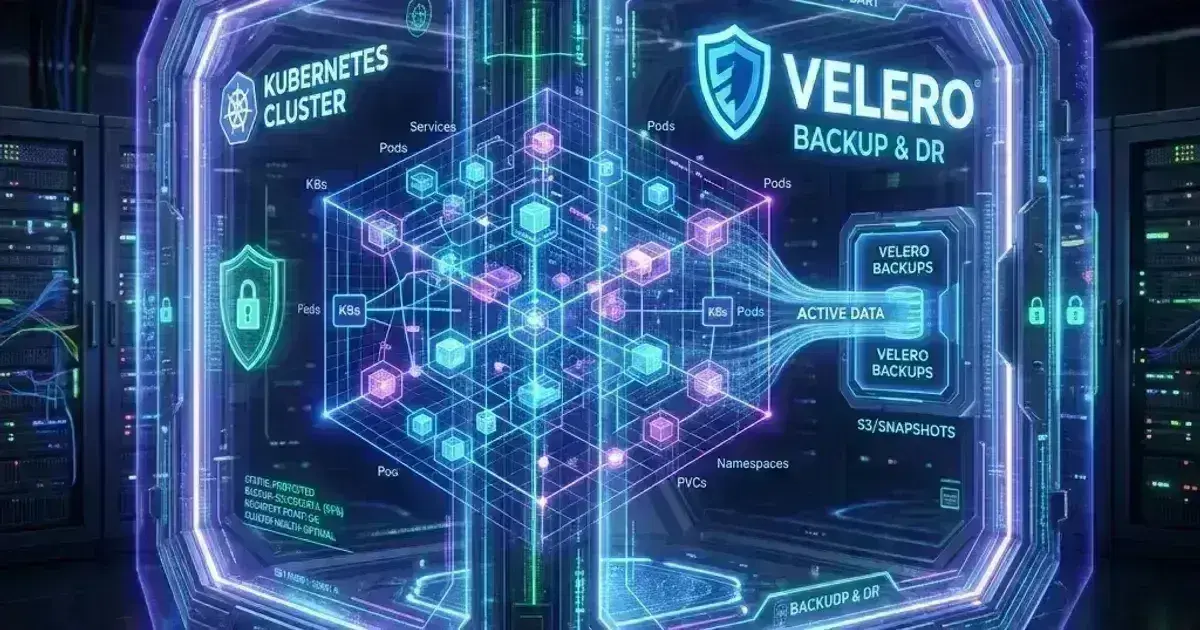
Velero backs up Kubernetes resources and persistent volume data to object storage. A cluster backup captures every Deployment, ConfigMap, Secret, PVC, and custom resource in a namespace — plus the actual volume data via Kopia file-level backup or CSI volume snapshots. This covers Velero installation on EKS with S3 and IRSA, backup schedules, restoring to a different namespace or cluster, database-consistent backups using pre/post hooks, and the cross-region DR pattern for multi-cluster recovery.
- Architecture
- Installation on EKS
- Creating Backups
- Volume Data: Kopia vs CSI Snapshots
- Database-Consistent Backups with Hooks
13 min read · Platform Engineering
A Kubernetes cluster is not inherently durable. etcd contains all cluster state, but etcd backups don't help you if the problem is at the application layer: a misconfigured Helm upgrade that deleted all PVCs, a namespace accidentally deleted, a developer running kubectl delete deploy --all -n production. Velero solves a different problem than etcd backup — it gives you application-layer recovery.
Velero backs up Kubernetes object manifests (everything kubectl get returns) plus the data in PersistentVolumes. Restore means recreating those objects and restoring volume data into new PVCs, in the same cluster or a different one. This is what enables cross-region DR: back up in us-east-1, restore into a pre-provisioned cluster in us-west-2.
Architecture
Velero runs as a Deployment in the cluster. When a backup runs:
- Velero calls the Kubernetes API to list all resources in the target namespace(s)
- It serializes each resource as JSON and uploads to object storage (S3)
- For PersistentVolumes, it either:
- Takes a CSI volume snapshot (fast, crash-consistent, storage-native)
- Or uses the Kopia integration to stream file-level data to object storage (slower, but works across storage backends and clusters)
Restore inverts this: Velero downloads the JSON objects, applies them via kubectl apply, then either restores from the volume snapshot or replays the Kopia backup stream into a new PVC.
Installation on EKS
IAM Setup
Velero needs S3 access for backup storage and EC2 permissions for volume snapshots:
1# Create the S3 backup bucket
2aws s3 mb s3://velero-backups-production --region us-east-1
3
4# Block public access
5aws s3api put-public-access-block \
6  --bucket velero-backups-production \
7  --public-access-block-configuration \
8  BlockPublicAcls=true,IgnorePublicAcls=true,BlockPublicPolicy=true,RestrictPublicBuckets=true
IAM policy for the Velero controller:
1{
2  "Version": "2012-10-17",
3  "Statement": [
4    {
5      "Effect": "Allow",
6      "Action": [
7        "s3:GetObject", "s3:DeleteObject", "s3:PutObject",
8        "s3:AbortMultipartUpload", "s3:ListMultipartUploadParts"
9      ],
10      "Resource": "arn:aws:s3:::velero-backups-production/*"
11    },
12    {
13      "Effect": "Allow",
14      "Action": ["s3:ListBucket"],
15      "Resource": "arn:aws:s3:::velero-backups-production"
16    },
17    {
18      "Effect": "Allow",
19      "Action": [
20        "ec2:DescribeVolumes", "ec2:DescribeSnapshots",
21        "ec2:CreateSnapshot", "ec2:DeleteSnapshot", "ec2:CopySnapshot",
22        "ec2:CreateTags", "ec2:DescribeTags",
23        "ec2:DescribeAvailabilityZones"
24      ],
25      "Resource": "*"
26    }
27  ]
28}
Attach this policy to an IAM role and create a Pod Identity (or IRSA) association for Velero's ServiceAccount:
aws eks create-pod-identity-association \
  --cluster-name production \
  --namespace velero \
  --service-account velero-server \
  --role-arn arn:aws:iam::${AWS_ACCOUNT_ID}:role/VeleroController
Helm Installation
1helm repo add vmware-tanzu https://vmware-tanzu.github.io/helm-charts
2helm repo update
3
4# Check https://github.com/vmware-tanzu/velero/releases for latest version
5# Verify chart version with: helm search repo vmware-tanzu/velero
6helm install velero vmware-tanzu/velero \
7  --namespace velero \
8  --create-namespace \
9 --values velero-values.yaml1# velero-values.yaml
2configuration:
3 backupStorageLocation:
4 - name: default
5 provider: aws
6 bucket: velero-backups-production
7 config:
8 region: us-east-1
9
10 # volumeSnapshotLocation is only used for legacy (non-CSI) volume snapshots.
11 # With EnableCSI + VolumeSnapshotClass, Velero uses the CSI API and ignores this — omit for CSI-only setups.
12
13# AWS provider plugin — version must match your Velero server minor version
14# e.g., Velero 1.14.x → velero-plugin-for-aws:v1.10.x
15# Check: https://github.com/vmware-tanzu/velero-plugin-for-aws/releases
16initContainers:
17 - name: velero-plugin-for-aws
18 image: velero/velero-plugin-for-aws:v1.10.0
19 volumeMounts:
20 - mountPath: /target
21 name: plugins
22
23# EnableCSI is required for Velero < 1.14; in 1.14+ CSI support is GA and on by default
24features: EnableCSI
25
26# Use Kopia for file-level volume backup (alternative to CSI snapshots)
27defaultVolumesToFsBackup: false # Set true to enable Kopia backup for all PVCs by defaultVerify:
velero backup-location get
# NAME      PROVIDER   BUCKET/PREFIX                  PHASE
# default   aws        velero-backups-production       Available
Creating Backups
On-Demand Backup
1# Back up a single namespace
2velero backup create payments-backup-manual \
3  --include-namespaces payments \
4  --wait
5
6# Back up the entire cluster (all namespaces)
7velero backup create cluster-backup-$(date +%Y%m%d) \
8  --exclude-namespaces kube-system,kube-public,kube-node-lease \
9  --wait
10
11# Check backup status
12velero backup describe payments-backup-manual --details
13velero backup logs payments-backup-manual
Scheduled Backups
1apiVersion: velero.io/v1
2kind: Schedule
3metadata:
4  name: daily-payments-backup
5  namespace: velero
6spec:
7  # Standard cron format: daily at 2 AM UTC
8  schedule: "0 2 * * *"
9  template:
10    includedNamespaces:
11      - payments
12      - orders
13    # Snapshot PVCs via CSI (if EBS CSI driver with VolumeSnapshotClass is configured)
14    snapshotVolumes: true
15    # TTL: how long to keep the backup
16    ttl: 720h    # 30 days
17    # Include cluster-scoped resources owned by objects in the namespaces
18    includeClusterResources: true
19    storageLocation: default
20    volumeSnapshotLocations:
21      - default
22    # Hooks: run commands before/after snapshot (see database consistency section)
23 hooks: {}# Apply the schedule
kubectl apply -f schedule.yaml
# View scheduled backups
velero schedule get
velero backup get # Lists all backups including scheduled onesVolume Data: Kopia vs CSI Snapshots
CSI Volume Snapshots (recommended for EBS/EFS)
CSI snapshots are storage-native: EBS creates an incremental snapshot directly on AWS without data leaving the storage layer. This is fast and storage-efficient. Requires:
- The AWS EBS CSI driver installed with snapshot support
- The external-snapshotter controller
- A
VolumeSnapshotClassthat maps to the EBS CSI driver
1apiVersion: snapshot.storage.k8s.io/v1
2kind: VolumeSnapshotClass
3metadata:
4  name: csi-aws-vsc
5  labels:
6    velero.io/csi-volumesnapshot-class: "true"    # Velero discovers this automatically
7driver: ebs.csi.aws.com
8deletionPolicy: Delete    # Delete EBS snapshots when Velero's backup TTL expires
Kopia File-Level Backup
Kopia is Velero's built-in file-level backup engine. It mounts the PVC into a sidecar, reads the filesystem, and streams a deduplicated backup to S3. Use Kopia when:
- The storage driver doesn't support CSI snapshots
- You need to restore to a different cloud/storage type
- You need cross-cluster or cross-region restore where the target cluster can't access the source EBS snapshots
Enable Kopia backup per PVC via annotation (requires Velero ≥ 1.10, which replaced Restic with Kopia as the file-system backup engine):
# On the Pod or Deployment — tells Velero to use Kopia for this pod's volumes
metadata:
  annotations:
    backup.velero.io/backup-volumes: data,config    # Volume names from the pod spec
Or enable cluster-wide in velero-values.yaml (defaultVolumesToFsBackup: true).
Kopia is slower and uses more S3 storage than CSI snapshots for large volumes, but it's portable and doesn't depend on storage provider snapshot APIs.
Kubernetes Production Readiness Checklist
The pre-launch checks we run before calling a cluster production-ready — probes, resources, RBAC, upgrades, and backups. Plain Markdown you can commit to your repo.
Free. Instant download. You'll also get the occasional deep-dive from the newsletter — unsubscribe anytime.
Database-Consistent Backups with Hooks
Filesystem snapshots of running databases are not guaranteed to be consistent — the database may have dirty pages in memory. Use Velero hooks to flush before the snapshot:
1apiVersion: velero.io/v1
2kind: Backup
3metadata:
4  name: payments-db-consistent
5  namespace: velero
6spec:
7  includedNamespaces:
8    - payments
9  hooks:
10    resources:
11      - name: postgres-flush
12        includedNamespaces:
13          - payments
14        labelSelector:
15          matchLabels:
16            app: postgres
17        pre:
18          - exec:
19              container: postgres
20              command:
21                - /bin/sh
22                - -c
23                - "psql -U postgres -c 'CHECKPOINT;'"    # Flush WAL to disk
24              onError: Fail    # Abort backup if the hook fails
25              timeout: 30s
26        post:
27          - exec:
28              container: postgres
29              command:
30                - /bin/sh
31                - -c
32                - "echo 'Backup complete'"
33              timeout: 10s
The pre hook runs inside the postgres container before Velero takes the volume snapshot. CHECKPOINT forces PostgreSQL to flush all dirty pages from memory to disk, making the subsequent filesystem snapshot crash-consistent. For MySQL: FLUSH TABLES WITH READ LOCK (hold the lock during snapshot, then unlock in the post hook).
Restoring
1# List available backups
2velero backup get
3
4# Restore a backup to the same namespace
5velero restore create --from-backup payments-backup-manual
6
7# Restore to a different namespace (for testing/DR drill)
8velero restore create payments-restore-test \
9  --from-backup payments-backup-manual \
10  --namespace-mappings payments:payments-restored
11
12# Restore only specific resource types (do not combine with --exclude-resources — use one filter type)
13velero restore create \
14  --from-backup payments-backup-manual \
15  --include-resources deployments,services,configmaps
16
17# Monitor restore progress
18velero restore describe payments-restore-test --details
Cross-Cluster Restore
To restore into a different cluster:
- Configure Velero in the target cluster pointing at the same S3 bucket (read-only is sufficient for restore)
- Run
velero backup get— it will list backups visible in the configured bucket - Run
velero restore create --from-backup <name>
The target cluster needs compatible StorageClasses (same name, or use --namespace-mappings with volume remapping). EBS snapshots are regional — for cross-region DR, configure Velero to replicate snapshots or use Kopia (which stores data in S3 directly, accessible from any region).
Cross-Region Disaster Recovery Pattern
# In us-east-1: configure S3 replication to us-west-2
aws s3api put-bucket-replication \
  --bucket velero-backups-production \
  --replication-configuration file://replication.json

# replication.json: replicate all objects to velero-backups-dr (us-west-2)
In the DR cluster (us-west-2):
1# velero-values.yaml for DR cluster
2configuration:
3  backupStorageLocation:
4    - name: primary-backups
5      provider: aws
6      bucket: velero-backups-dr    # Replicated from us-east-1
7      config:
8        region: us-west-2
9      accessMode: ReadOnly    # DR cluster only reads; primary writes
With S3 replication, backups from us-east-1 appear in the DR cluster within minutes. Restore from the replicated bucket to the DR cluster restores the application without needing access to the source EBS snapshots (Kopia data lives in S3, which replicated cleanly).
See also
Frequently Asked Questions
Does Velero back up etcd?
No. Velero backs up Kubernetes resources by calling the API server, not etcd directly — it captures the desired state of your applications (Deployments, Services, ConfigMaps, Secrets, CRDs), not internals like lease objects or events. For full cluster recovery, pair Velero (application recovery) with etcd snapshots (control plane recovery). On EKS, AWS manages etcd, so Velero alone covers application-layer DR.
How does Velero handle PVCs that are mounted by running pods during backup?
For CSI snapshots, Velero takes the snapshot while the volume is mounted. Most CSI drivers (EBS, EFS) create crash-consistent snapshots — safe for stateless workloads but potentially inconsistent for databases. Use pre-hooks to quiesce the database before the snapshot (see the database consistency section above).
For Kopia backups, Velero creates a sidecar that mounts the PVC (read-only if possible) and streams data to S3. If the PVC is RWO and already mounted by the pod, the sidecar shares the volume. Data consistency depends on the filesystem — open files and in-flight writes may not be captured correctly without pre-hooks.
Can I restore just one Deployment, not the whole namespace?
Yes. Use --include-resources:
velero restore create \
  --from-backup my-backup \
  --include-namespaces payments \
  --include-resources deployments \
  --selector app=payments-api    # Label selector to filter within the resource type
This restores only Deployment objects in the payments namespace that match app=payments-api. Note that referenced ConfigMaps, Secrets, and Services are not automatically included — you need to add them to --include-resources explicitly or do a full namespace restore.
Additional Backup Patterns
Dual-Track Database Backup: pg_dump Alongside Velero
PVC snapshots are crash-consistent but not always application-consistent for databases. A belt-and-suspenders approach runs pg_dump separately so you have a logical dump that can be restored to any cluster, independent of EBS snapshot availability:
1# CronJob that runs pg_dump to S3, separate from Velero's PVC snapshot
2apiVersion: batch/v1
3kind: CronJob
4metadata:
5  name: postgres-dump
6  namespace: production
7spec:
8  schedule: "0 1 * * *"    # 1 AM — before Velero backup at 2 AM
9  jobTemplate:
10    spec:
11      template:
12        spec:
13          containers:
14            - name: pg-dump
15              image: postgres:16
16              command: ["/bin/sh", "-c"]
17              args:
18                - |
19                  pg_dump -h postgres -U postgres payments_db | \
20                  aws s3 cp - s3://my-velero-backups/pg-dumps/payments_$(date +%Y%m%d).sql.gz \
21                    --sse aws:kms
22          restartPolicy: OnFailure
23          serviceAccountName: pg-backup-sa    # Has S3 put access
This gives you two independent recovery paths: Velero restores the full cluster state (PVCs + manifests) for disaster recovery, while the pg_dump provides a portable logical backup for point-in-time data recovery or schema migrations.
Excluding Events from Scheduled Backups
Kubernetes events are transient, high-volume, and useless in a restore scenario. Excluding them significantly reduces backup size and S3 storage costs:
1apiVersion: velero.io/v1
2kind: Schedule
3metadata:
4  name: production-daily
5  namespace: velero
6spec:
7  schedule: "0 2 * * *"    # 2 AM UTC daily
8  template:
9    includedNamespaces:
10      - production
11      - monitoring
12      - cert-manager
13    excludedResources:
14      - events           # Don't back up events (transient, large volume)
15      - events.events.k8s.io
16    snapshotVolumes: true
17    storageLocation: default
18    ttl: 720h0m0s    # Retain backups for 30 days
Restoring to a Different Namespace
The --namespace-mappings flag restores a namespace under a new name — useful for DR drills (restore production → production-restored to validate without affecting live traffic) or cross-environment migrations:
1# Restore production backup into production-restore for validation
2velero restore create --from-backup payments-backup-manual \
3  --include-namespaces production \
4  --namespace-mappings production:production-restore \
5  --restore-volumes true
6
7# Verify key resources were restored
8kubectl get deployments -n production-restore
9kubectl get services -n production-restore
10kubectl get configmaps -n production-restore
11
12# Clean up after validation
13kubectl delete namespace production-restore
For a companion guide covering scheduling patterns, Kopia vs restic configuration, and cross-region DR runbooks, see Kubernetes Disaster Recovery: Backup and Restore with Velero.
For storage provisioning with EBS and EFS that underpins the PVCs Velero backs up, see Kubernetes Storage: EBS and EFS CSI Drivers on EKS. For Argo CD GitOps workflows where Velero schedules are managed as Git-tracked CRDs alongside application manifests, see Argo CD: GitOps Continuous Delivery for Kubernetes.
Setting up Velero backup schedules for a production EKS cluster or designing a cross-region DR runbook? Talk to us at Coding Protocols — we help platform teams implement backup strategies that hold up under the pressure of an actual incident.
Official References
- Amazon EKS User Guide — cluster architecture, versions and add-ons
- EKS Kubernetes versions — the version support and extended support policy
- Amazon S3 User Guide — storage classes, lifecycle rules and access controls
Was this article helpful?
Be the first to rate this article
Related Topics
Found this useful? Share it.