Kubernetes Storage: EBS and EFS CSI Drivers on EKS
Quick answer
The EBS CSI driver provisions gp3 volumes for StatefulSets and ReadWriteOnce workloads. The EFS CSI driver provides ReadWriteMany persistent storage for workloads that need shared access across pods and nodes. On EKS, both run as managed add-ons with IRSA for IAM access. This covers the full setup: StorageClass configuration, PVC provisioning, EFS access points for multi-tenant isolation, and the operational patterns for resizing, backups, and cross-AZ scheduling.
- CSI Migration: In-Tree to CSI Transparency
- EBS CSI Driver
- StorageClass: gp3
- EFS CSI Driver
- Cross-AZ Scheduling for EBS
12 min read · Platform Engineering
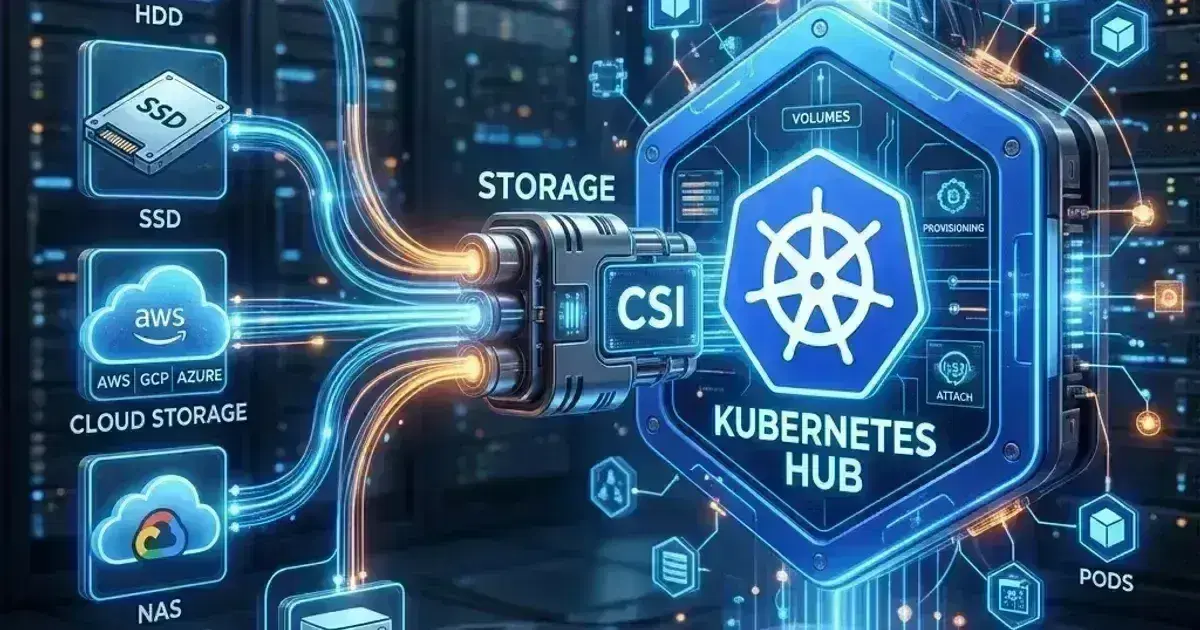
Persistent storage in Kubernetes is managed through the Container Storage Interface (CSI). On EKS, two CSI drivers cover the primary use cases: the EBS CSI driver for block storage (databases, write-heavy workloads that need ReadWriteOnce), and the EFS CSI driver for shared file storage (ML training data, shared configs, multi-pod write workloads that need ReadWriteMany).
Both drivers are available as EKS managed add-ons, which means AWS handles version upgrades and security patches. Both require IAM permissions via IRSA or Pod Identity to provision and manage volumes.
CSI Migration: In-Tree to CSI Transparency
CSI Migration is fully GA in Kubernetes 1.27+ and allows Kubernetes to transparently redirect calls from old in-tree plugins (like kubernetes.io/aws-ebs) to the modern CSI driver (ebs.csi.aws.com). This means:
- Zero Downtime: Existing volumes provisioned by the in-tree
aws-ebsplugin continue to work without manual recreation — Kubernetes remaps them transparently to the EBS CSI driver. - Backward Compatibility: Old manifests referencing the in-tree provisioner still work, but use modern CSI logic under the hood.
- Feature Access: Even legacy in-tree volumes gain access to CSI-only features like VolumeSnapshots and online resizing via the CSI driver.
The in-tree aws-ebs plugin was removed in Kubernetes 1.27. On EKS 1.27+, the EBS CSI managed add-on is required. Ensure the EKS managed add-on is updated to the latest version to maintain CSI migration compatibility during cluster upgrades.
EBS CSI Driver
Installation
1# Install via EKS managed add-on (recommended)
2aws eks create-addon \
3  --cluster-name production \
4  --addon-name aws-ebs-csi-driver \
5  --addon-version v1.37.0-eksbuild.1 \
6  --service-account-role-arn arn:aws:iam::123456789012:role/ebs-csi-driver-role
7
8# The managed add-on creates the ebs-csi-controller ServiceAccount — annotate it with the IAM role
9# Or create the role first with the required permissions, then pass the ARN above
The EBS CSI driver needs an IAM role with the AmazonEBSCSIDriverPolicy AWS-managed policy:
1# Create the IAM role with IRSA trust
2eksctl create iamserviceaccount \
3  --name ebs-csi-controller-sa \
4  --namespace kube-system \
5  --cluster production \
6  --role-name AmazonEKS_EBS_CSI_DriverRole \
7  --attach-policy-arn arn:aws:iam::aws:policy/service-role/AmazonEBSCSIDriverPolicy \
8  --approve
EKS Pod Identity (2026 Standard)
EKS Pod Identity simplifies IAM access by removing the need for OIDC providers. For managed CSI add-ons, you can associate the IAM role directly with the cluster:
1# 1. Create IAM role with Pod Identity trust policy
2aws iam create-role --role-name EKS_EBS_CSI_Role \
3  --assume-role-policy-document '{
4    "Version": "2012-10-17",
5    "Statement": [{
6      "Effect": "Allow",
7      "Principal": { "Service": "pods.eks.amazonaws.com" },
8      "Action": [ "sts:AssumeRole", "sts:TagSession" ]
9    }]
10  }'
11
12# 2. Attach the EBS policy
13aws iam attach-role-policy --role-name EKS_EBS_CSI_Role \
14  --policy-arn arn:aws:iam::aws:policy/service-role/AmazonEBSCSIDriverPolicy
15
16# 3. Create the Pod Identity association
17aws eks create-pod-identity-association \
18  --cluster-name production \
19  --namespace kube-system \
20  --service-account ebs-csi-controller-sa \
21  --role-arn arn:aws:iam::123456789012:role/EKS_EBS_CSI_Role
Pod Identity makes IAM management "cluster-native" and significantly reduces the friction of multi-cluster role management.
StorageClass: gp3
EKS creates a default gp2 StorageClass. Create a gp3 StorageClass for better performance and lower cost:
1apiVersion: storage.k8s.io/v1
2kind: StorageClass
3metadata:
4  name: gp3
5  annotations:
6    storageclass.kubernetes.io/is-default-class: "true"    # Make gp3 the default
7parameters:
8  type: gp3
9  iops: "3000"           # Baseline IOPS (gp3 default; up to 16000)
10  throughput: "125"      # MB/s (gp3 default; up to 1000)
11  encrypted: "true"      # Encrypt EBS volumes at rest
12  kmsKeyId: ""           # Empty = use AWS-managed key; set ARN for CMK
13provisioner: ebs.csi.aws.com
14volumeBindingMode: WaitForFirstConsumer    # Don't provision until pod is scheduled
15reclaimPolicy: Delete     # Delete EBS volume when PVC is deleted — use Retain for production databases
16allowVolumeExpansion: true
WaitForFirstConsumer is critical for multi-AZ clusters — it waits until the pod is scheduled to a node before provisioning the EBS volume, ensuring the volume is created in the same AZ as the pod. Without this (Immediate), the volume might be in a different AZ than the pod, causing mount failures.
PersistentVolumeClaim
1apiVersion: v1
2kind: PersistentVolumeClaim
3metadata:
4  name: postgres-data
5  namespace: payments
6spec:
7  storageClassName: gp3
8  accessModes:
9    - ReadWriteOnce    # EBS: only one pod can mount at a time
10  resources:
11    requests:
12      storage: 100Gi
For StatefulSets, define PVCs via volumeClaimTemplates instead — Kubernetes creates one PVC per pod automatically. See Kubernetes StatefulSets: Running Stateful Workloads in Production for the StatefulSet pattern.
Volume Resizing
Resize an EBS-backed PVC without pod downtime (requires allowVolumeExpansion: true on the StorageClass):
1# Resize the PVC
2kubectl patch pvc postgres-data -n payments \
3  -p '{"spec":{"resources":{"requests":{"storage":"200Gi"}}}}'
4
5# Watch the resize complete
6kubectl get pvc postgres-data -n payments --watch
7# STATUS will show "FileSystemResizePending" then "Bound" once complete
EBS volume expansion is online — the pod doesn't need to restart. The EBS CSI driver triggers the filesystem resize live (resize2fs for ext4, xfs_growfs for xfs) while the volume is mounted. No remount or pod restart is required.
EBS Snapshots
1# VolumeSnapshotClass for EBS
2apiVersion: snapshot.storage.k8s.io/v1
3kind: VolumeSnapshotClass
4metadata:
5  name: ebs-vsc
6driver: ebs.csi.aws.com
7deletionPolicy: Delete    # Delete the EBS snapshot when VolumeSnapshot is deleted
8
9---
10# Create a snapshot of the PVC
11apiVersion: snapshot.storage.k8s.io/v1
12kind: VolumeSnapshot
13metadata:
14  name: postgres-data-snapshot-20260509
15  namespace: payments
16spec:
17  volumeSnapshotClassName: ebs-vsc
18  source:
19    persistentVolumeClaimName: postgres-data
The external-snapshotter (snapshot controller + CRDs) must be installed separately. It is NOT bundled with the EBS CSI driver addon. Verify it isn't already present on your cluster before installing to avoid duplicate controllers:
1# Install at a pinned tag — check github.com/kubernetes-csi/external-snapshotter for the latest release
2SNAPSHOTTER_VERSION=v8.2.0
3kubectl apply -f https://raw.githubusercontent.com/kubernetes-csi/external-snapshotter/${SNAPSHOTTER_VERSION}/client/config/crd/snapshot.storage.k8s.io_volumesnapshotclasses.yaml
4kubectl apply -f https://raw.githubusercontent.com/kubernetes-csi/external-snapshotter/${SNAPSHOTTER_VERSION}/client/config/crd/snapshot.storage.k8s.io_volumesnapshotcontents.yaml
5kubectl apply -f https://raw.githubusercontent.com/kubernetes-csi/external-snapshotter/${SNAPSHOTTER_VERSION}/client/config/crd/snapshot.storage.k8s.io_volumesnapshots.yaml
6kubectl apply -f https://raw.githubusercontent.com/kubernetes-csi/external-snapshotter/${SNAPSHOTTER_VERSION}/deploy/kubernetes/snapshot-controller/rbac-snapshot-controller.yaml
7kubectl apply -f https://raw.githubusercontent.com/kubernetes-csi/external-snapshotter/${SNAPSHOTTER_VERSION}/deploy/kubernetes/snapshot-controller/setup-snapshot-controller.yaml
Inspecting VolumeSnapshotContent
Once a VolumeSnapshot is created, Kubernetes creates a backing VolumeSnapshotContent object that records the actual cloud snapshot handle. Use these to confirm snapshots are real and to retrieve the EBS snapshot ID:
1# Check snapshot status — READYTOUSE must be true
2kubectl get volumesnapshot postgres-data-snapshot-20260509 -n payments
3# NAME                                  READYTOUSE   SOURCEPVC         SNAPSHOTCONTENT         AGE
4# postgres-data-snapshot-20260509       true         postgres-data     snapcontent-abc123      5m
5
6# Get the backing VolumeSnapshotContent name
7kubectl get volumesnapshot postgres-data-snapshot-20260509 -n payments \
8  -o jsonpath='{.status.boundVolumeSnapshotContentName}'
9
10# Inspect the VolumeSnapshotContent for the cloud snapshot handle (EBS snapshot ID)
11kubectl get volumesnapshotcontent snapcontent-abc123 \
12  -o jsonpath='{.status.snapshotHandle}'
13# snap-0abcdef1234567890
14
15# Verify the EBS snapshot exists directly in AWS
16aws ec2 describe-snapshots \
17  --snapshot-ids snap-0abcdef1234567890 \
18  --query 'Snapshots[0].State'
Handling Stuck Volume Detachments
When a node crashes or loses connectivity without cleanly unmounting its EBS volumes, the Multi-Attach error appears and the volume is stuck in Terminating or the new pod cannot mount:
1# Find the EBS volume ID for the stuck PVC
2kubectl get pv $(kubectl get pvc postgres-data -n payments -o jsonpath='{.spec.volumeName}') \
3  -o jsonpath='{.spec.csi.volumeHandle}'
4# vol-0a1b2c3d4e5f67890
5
6# Identify which node currently holds the attachment
7kubectl get pv $(kubectl get pvc postgres-data -n payments -o jsonpath='{.spec.volumeName}') \
8  -o jsonpath='{.spec.nodeAffinity.required.nodeSelectorTerms[0].matchExpressions[0].values[0]}'
9
10# Force detach via AWS CLI (only safe after confirming the node is truly offline)
11aws ec2 detach-volume --volume-id vol-0a1b2c3d4e5f67890 --force
12
13# After force-detach, delete the stale VolumeAttachment object if it lingers
14kubectl get volumeattachments | grep vol-0a1b2c3d4e5f67890
15kubectl delete volumeattachment <attachment-name>
Do not force-detach if the node is still running — this can cause filesystem corruption or split-brain writes. Only force-detach after confirming the node is terminated or isolated.
Kubernetes Production Readiness Checklist
The pre-launch checks we run before calling a cluster production-ready — probes, resources, RBAC, upgrades, and backups. Plain Markdown you can commit to your repo.
Free. Instant download. You'll also get the occasional deep-dive from the newsletter — unsubscribe anytime.
EFS CSI Driver
EFS provides a POSIX-compliant NFS filesystem. Multiple pods across multiple nodes and AZs can mount the same EFS filesystem simultaneously (ReadWriteMany). This makes it the right choice for:
- ML/data workloads where many training pods read the same dataset
- Shared configuration or code that multiple pods need to read
- Multi-pod write workloads (CMS, shared upload directories)
Installation
aws eks create-addon \
  --cluster-name production \
  --addon-name aws-efs-csi-driver \
  --addon-version v2.1.4-eksbuild.1 \
  --service-account-role-arn arn:aws:iam::123456789012:role/efs-csi-driver-role
IAM role for the EFS CSI driver:
1eksctl create iamserviceaccount \
2  --name efs-csi-controller-sa \
3  --namespace kube-system \
4  --cluster production \
5  --role-name AmazonEKS_EFS_CSI_DriverRole \
6  --attach-policy-arn arn:aws:iam::aws:policy/service-role/AmazonEFSCSIDriverPolicy \
7  --approve
The EFS filesystem itself must be created separately in AWS and its security group must allow inbound NFS (port 2049) from the cluster's node security group.
Access Points for Multi-Tenant Isolation
EFS access points scope filesystem access to a specific directory and enforce a POSIX UID/GID — the right pattern when multiple teams share one EFS filesystem:
# Create an EFS access point scoped to /payments directory
aws efs create-access-point \
  --file-system-id fs-0a1b2c3d4e5f67890 \
  --posix-user '{"Uid":1000,"Gid":1000}' \
  --root-directory '{"Path":"/payments","CreationInfo":{"OwnerUid":1000,"OwnerGid":1000,"Permissions":"755"}}'
# Returns AccessPointId: fsap-0a1b2c3d4e5f67890
StorageClass with Dynamic Provisioning
1apiVersion: storage.k8s.io/v1
2kind: StorageClass
3metadata:
4  name: efs-sc
5provisioner: efs.csi.aws.com
6parameters:
7  provisioningMode: efs-ap    # Provision via EFS access points
8  fileSystemId: fs-0a1b2c3d4e5f67890
9  directoryPerms: "700"
10  gidRangeStart: "1000"
11  gidRangeEnd: "2000"
12  basePath: "/dynamic"    # Root path for dynamically created directories
13reclaimPolicy: Delete
14volumeBindingMode: Immediate    # EFS is multi-AZ — no need for WaitForFirstConsumer
With provisioningMode: efs-ap, each PVC gets its own EFS access point (and its own subdirectory). This is the recommended pattern for dynamic provisioning — it provides directory-level isolation between PVCs on the same filesystem.
PVC Using EFS
1apiVersion: v1
2kind: PersistentVolumeClaim
3metadata:
4  name: ml-training-data
5  namespace: ml
6spec:
7  storageClassName: efs-sc
8  accessModes:
9    - ReadWriteMany    # Multiple pods across nodes can mount simultaneously
10  resources:
11    requests:
12 storage: 5Gi # EFS ignores this value — it uses actual bytes; set to request quota tracking only1# Pod that mounts the EFS PVC
2spec:
3 containers:
4 - name: trainer
5 image: ml-trainer:1.0.0
6 volumeMounts:
7 - name: training-data
8 mountPath: /data
9 volumes:
10 - name: training-data
11 persistentVolumeClaim:
12 claimName: ml-training-dataCross-AZ Scheduling for EBS
EBS volumes are AZ-scoped. A pod using an EBS-backed PVC must run in the same AZ as the volume. This becomes a problem when nodes restart or reschedule pods:
1# Force pods to schedule in the same AZ as their PVC
2# Option 1: Use node affinity to lock the pod to the AZ (StatefulSet only)
3affinity:
4  nodeAffinity:
5    requiredDuringSchedulingIgnoredDuringExecution:
6      nodeSelectorTerms:
7        - matchExpressions:
8            - key: topology.kubernetes.io/zone
9              operator: In
10              values:
11                - us-east-1a    # Must match the AZ where the EBS volume was created
12
13# Option 2: Let WaitForFirstConsumer handle it (preferred for new volumes)
14# StorageClass with volumeBindingMode: WaitForFirstConsumer ensures the volume
15# is provisioned in the same AZ as the node the pod is scheduled to.
For StatefulSets, the combination of WaitForFirstConsumer on the StorageClass and pod anti-affinity (spread across nodes/AZs) means the first pod determines the volume's AZ. If that pod is evicted and rescheduled to a different AZ, it won't be able to mount the EBS volume. Use topologyKey: topology.kubernetes.io/zone in anti-affinity to spread StatefulSet pods across AZs from the start.
Monitoring Storage
1# PVC close to capacity — alert when > 85% full
2(kubelet_volume_stats_capacity_bytes - kubelet_volume_stats_available_bytes)
3/ kubelet_volume_stats_capacity_bytes > 0.85
4
5# PVC expansion pending (resize requested but not yet complete)
6kube_persistentvolumeclaim_status_condition{condition="FileSystemResizePending"} == 1
7
8# PVCs not bound (provisioning failed)
9kube_persistentvolumeclaim_status_phase{phase!="Bound"} == 1
10
11# EFS latency (via CloudWatch — not directly available in Prometheus)
12# Use aws_efs_total_io_bytes and aws_efs_permitted_throughput via CloudWatch exporter
Frequently Asked Questions
When should I use EBS vs EFS?
EBS for single-pod, high-performance workloads: databases (PostgreSQL, MySQL, Redis), message brokers, anything writing heavily that needs low-latency block I/O. EFS for multi-pod shared access: ML datasets, shared artifact storage, NFS-compatible legacy apps. EBS throughput/IOPS are predictable; EFS's default Elastic mode scales throughput with workload demand but has higher latency than local EBS (~1-3ms vs ~0.1ms). Never use EFS for database data files.
Can I move a PVC from gp2 to gp3?
There's no direct PVC migration. Options: (1) Use the AWS EBS ModifyVolume API to change the underlying EBS volume type from gp2 to gp3 in-place — the PV continues pointing to the same volume, no pod restart needed. (2) Create a new gp3 PVC, copy data (e.g., with a migration Job), update the Deployment to use the new PVC. For StatefulSets, option 1 is simpler: modify each underlying EBS volume via AWS CLI while the pod is running.
1# Get the EBS volume ID for a PVC
2kubectl get pv $(kubectl get pvc postgres-data -n payments -o jsonpath='{.spec.volumeName}') \
3  -o jsonpath='{.spec.csi.volumeHandle}'
4
5# Modify to gp3 in-place (no downtime)
6aws ec2 modify-volume \
7  --volume-id vol-0a1b2c3d4e5f67890 \
8  --volume-type gp3 \
9  --iops 3000 \
10  --throughput 125
What happens to EBS volumes when a PVC is deleted?
With reclaimPolicy: Delete (the default for dynamically-provisioned PVCs), deleting the PVC also deletes the underlying EBS volume — and all data on it. With reclaimPolicy: Retain, the EBS volume and PV are preserved after PVC deletion, and can be manually rebound. For production databases, either use Retain on your StorageClass, or ensure you have EBS snapshots or application-level backups before PVC deletion.
For StatefulSets that use these storage primitives, see Kubernetes StatefulSets: Running Stateful Workloads in Production. For backup and point-in-time recovery of PV data using VolumeSnapshots and Velero, see Velero: Kubernetes Backup and Disaster Recovery. For the cost implications of EBS volume sizing and snapshot retention, see Kubernetes Cost Optimization and FinOps.
Designing persistent storage for a Kubernetes platform on EKS? Talk to us at Coding Protocols — we help platform teams configure EBS and EFS for production workloads with the right IOPS, retention, and cross-AZ scheduling.
Official References
- Persistent Volumes — access modes, reclaim policies and binding
- Storage Classes — provisioner parameters and volume binding modes
- Amazon EKS User Guide — cluster architecture, versions and add-ons
- EKS Kubernetes versions — the version support and extended support policy
Was this article helpful?
Be the first to rate this article
Related Topics
Found this useful? Share it.