Kubernetes RBAC in Practice: Least Privilege Without the Headache

Quick answer
RBAC in theory is simple. RBAC in production is a graveyard of over-permissioned ClusterRoles and service accounts with wildcard verbs. Here's how to design and maintain least-privilege access for real multi-team Kubernetes clusters.
- The Core RBAC Mental Model
- Common Over-Permission Patterns (and Fixes)
- Designing Roles for Service Accounts
- Auditing Existing RBAC
- RBAC at Scale: Multi-Team Patterns
13 min read · Kubernetes
Every Kubernetes cluster starts with good RBAC intentions. Six months later, it has a ClusterRole with verbs: ["*"] bound to a service account that was "just for testing," three different teams each with cluster-admin "for now," and a default service account that can list secrets because someone copy-pasted a Stack Overflow answer.
Least privilege is easy to describe and hard to maintain. This post covers the practical patterns that keep RBAC defensible over time — not just at initial setup.
The Core RBAC Mental Model
RBAC is additive. There are no deny rules — only grants. A subject (user, group, or service account) has access to a resource if and only if some binding grants it. If no binding covers the request, access is denied by default.
This means:
- You cannot use RBAC to override a too-permissive binding — you can only add more grants, not subtract them
- The only way to reduce permissions is to remove or modify the binding that grants them
cluster-adminis irreversible short of removing the binding entirely
The implication for practice: start minimal and add, never start maximal and trim. Trimming is harder, often skipped, and you can't trim what you didn't track.
Common Over-Permission Patterns (and Fixes)
Pattern 1: ClusterRole Instead of Role
The most common mistake: creating a ClusterRole when a namespace-scoped Role would do.
1# Wrong — cluster-wide read on secrets
2apiVersion: rbac.authorization.k8s.io/v1
3kind: ClusterRole
4metadata:
5  name: app-reader
6rules:
7  - apiGroups: [""]
8    resources: ["secrets"]
9    verbs: ["get", "list"]
If the application only needs secrets from its own namespace, this grants it the ability to read secrets from every namespace in the cluster — including kube-system.
1# Right — namespace-scoped
2apiVersion: rbac.authorization.k8s.io/v1
3kind: Role
4metadata:
5  name: app-reader
6  namespace: production
7rules:
8  - apiGroups: [""]
9    resources: ["secrets"]
10    verbs: ["get", "list"]
Rule of thumb: Always start with a Role in the relevant namespace. Only use ClusterRole when the workload genuinely needs cluster-wide access (node-level agents, cluster-wide controllers, monitoring exporters).
Pattern 2: Wildcard Verbs
# Wrong
rules:
  - apiGroups: ["apps"]
    resources: ["deployments"]
    verbs: ["*"]
verbs: ["*"] includes delete, patch, and create in addition to get and list. If the application only needs to read deployments (to check their status, for example), grant only ["get", "list", "watch"].
Use kubectl auth can-i --list to see what a role actually allows:
kubectl auth can-i --list --as=system:serviceaccount:production:my-app -n productionThe output shows every verb/resource combination the service account can exercise. Any * in the verb column is a red flag.
Pattern 3: Wildcard Resources
# Wrong
rules:
  - apiGroups: [""]
    resources: ["*"]
    verbs: ["get", "list"]
This grants read access to all core API resources — pods, secrets, configmaps, serviceaccounts, persistentvolumes, nodes, and more. Unless the workload genuinely needs all of these, enumerate the specific resources.
Pattern 4: Using the default Service Account
Applications that don't specify a serviceAccountName run as the default service account in their namespace. If any RoleBinding or ClusterRoleBinding grants permissions to default, every pod in that namespace that doesn't explicitly opt out inherits those permissions.
# Check what the default service account can do
kubectl auth can-i --list --as=system:serviceaccount:production:default -n production
Fix: create a dedicated service account for each application. Grant only what that application needs.
apiVersion: v1
kind: ServiceAccount
metadata:
  name: my-app
  namespace: production
automountServiceAccountToken: false  # opt-out of automatic token mounting if not needed
Then reference it explicitly in the pod spec:
spec:
  serviceAccountName: my-app
Pattern 5: cluster-admin for Humans
Users with cluster-admin can do anything in the cluster, including deleting namespaces, modifying RBAC, and accessing secrets in kube-system. For day-to-day operations, this is unnecessary.
Segment human access by function:
1# Developers: read + exec in their namespace
2apiVersion: rbac.authorization.k8s.io/v1
3kind: Role
4metadata:
5  name: developer
6  namespace: team-a
7rules:
8  - apiGroups: ["", "apps", "batch"]
9    resources: ["pods", "deployments", "jobs", "cronjobs", "configmaps"]
10    verbs: ["get", "list", "watch"]
11  - apiGroups: [""]
12    resources: ["pods/log", "pods/exec"]
13 verbs: ["get", "create"]1# Platform engineers: broader read + ability to modify workloads, not RBAC
2apiVersion: rbac.authorization.k8s.io/v1
3kind: ClusterRole
4metadata:
5 name: platform-engineer
6rules:
7 - apiGroups: ["", "apps", "batch", "networking.k8s.io"]
8 resources: ["*"]
9 verbs: ["get", "list", "watch", "create", "update", "patch", "delete"]
10 - apiGroups: ["rbac.authorization.k8s.io"]
11 resources: ["*"]
12 verbs: ["get", "list", "watch"] # can view RBAC but not modify itReserve cluster-admin for break-glass scenarios and the initial cluster setup bootstrap. Bind it to a group or role that requires MFA or time-limited credentials.
Designing Roles for Service Accounts
For each application, ask:
-
Does it need to call the Kubernetes API at all? Many applications don't. If
automountServiceAccountToken: falseand no RBAC grants exist, the application has zero cluster API access. Start here. -
What specific resources does it read? List them.
ConfigMapfor app config?Secretfor credentials?Endpointsfor service discovery? Be specific. -
What verbs does it need? Read-only operations need
["get", "list", "watch"]. Operators that create resources need["create", "update", "patch", "delete"]. Most applications only need read. -
What namespace scope? Almost always the application's own namespace. Cluster-wide access is the exception.
Example: a monitoring agent that needs to scrape pod metrics:
1apiVersion: rbac.authorization.k8s.io/v1
2kind: ClusterRole
3metadata:
4  name: prometheus-scrape
5rules:
6  - apiGroups: [""]
7    resources: ["nodes", "nodes/proxy", "nodes/metrics", "services", "endpoints", "pods"]
8    verbs: ["get", "list", "watch"]
9  - apiGroups: ["networking.k8s.io"]    # extensions apiGroup removed in K8s 1.22
10    resources: ["ingresses"]
11    verbs: ["get", "list", "watch"]
12  - nonResourceURLs: ["/metrics", "/metrics/cadvisor"]
13    verbs: ["get"]
This is a legitimate ClusterRole — Prometheus needs cluster-wide pod and node access. But it's read-only and scoped to the specific resources it actually scrapes.
Kubernetes Production Readiness Checklist
The pre-launch checks we run before calling a cluster production-ready — probes, resources, RBAC, upgrades, and backups. Plain Markdown you can commit to your repo.
Free. Instant download. You'll also get the occasional deep-dive from the newsletter — unsubscribe anytime.
Auditing Existing RBAC
Tool: kubectl who-can
kubectl who-can (open source, Aqua Security — aquasecurity/kubectl-who-can) answers "who can perform this action". Installed via kubectl krew install who-can. Alternative: standalone kubectl-who-can binary.
kubectl who-can get secrets -n production
kubectl who-can create pods --all-namespaces
kubectl who-can delete namespaces
Use this to find overly broad bindings. kubectl who-can delete namespaces should return only cluster-admin bindings. If it returns more, investigate.
Tool: rakkess
rakkess generates a matrix of what a service account or user can do across all resources:
# What can the karpenter service account do?
rakkess --sa kube-system:karpenter

# What can a specific user do in a namespace?
rakkess --as alice -n production
The output is a table of resources vs. verbs — immediately shows where wildcards are.
Tool: rbac-lookup
rbac-lookup finds all RBAC bindings for a given subject:
rbac-lookup karpenter -k serviceaccount -o wideShows all roles and cluster roles bound to the service account. Good for answering "why does this service account have this permission?"
Native: kubectl auth can-i
For spot-checking specific permissions:
1# Can the CI service account create deployments in staging?
2kubectl auth can-i create deployments \
3  --as=system:serviceaccount:staging:ci-deployer \
4  -n staging
5
6# List everything a service account can do
7kubectl auth can-i --list \
8  --as=system:serviceaccount:production:my-app \
9  -n production
Tool: audit2rbac
audit2rbac watches Kubernetes audit logs and generates the minimum RBAC rules needed to authorise the observed API calls. This is the "learn from production" approach — run your application with a permissive role, observe what it actually calls, then generate the minimal role.
audit2rbac --filename audit.log --serviceaccount production:my-appThis generates a Role and RoleBinding that covers exactly the API calls observed. Review and apply.
RBAC at Scale: Multi-Team Patterns
Namespace-per-Team Isolation
Give each team their own namespace. Bind team members to a Role in their namespace. This limits blast radius by construction — a misconfigured deployment in team-a can't affect team-b's namespace.
# Platform creates namespace and grants team ownership
kubectl create namespace team-a
kubectl create rolebinding team-a-admin \
  --clusterrole=admin \
  --group=team-a \
  -n team-a
The built-in admin ClusterRole (when bound with a RoleBinding, not ClusterRoleBinding) grants full control within a namespace but cannot create namespaces, modify RBAC at the cluster level, or access other namespaces.
Aggregated ClusterRoles
Kubernetes supports aggregationRule on ClusterRoles — roles that are automatically aggregated from other roles matching a label selector. The built-in admin, edit, and view roles use this pattern.
You can extend the built-in roles by adding new ClusterRoles with the correct aggregate label:
1apiVersion: rbac.authorization.k8s.io/v1
2kind: ClusterRole
3metadata:
4  name: custom-resource-view
5  labels:
6    rbac.authorization.k8s.io/aggregate-to-view: "true"
7rules:
8  - apiGroups: ["monitoring.coreos.com"]
9    resources: ["servicemonitors", "prometheusrules"]
10    verbs: ["get", "list", "watch"]
Any user with the built-in view ClusterRole now also gets read access to Prometheus operator CRDs — without modifying the built-in role. This pattern keeps your RBAC modular and avoids forking the built-in roles.
GitOps RBAC Management
Store all RBAC manifests in Git. Apply via Argo CD or Flux. Changes go through PR review. Drift detection alerts you if someone applies a binding directly with kubectl.
Structure:
rbac/
├── cluster-roles/
│   ├── platform-engineer.yaml
│   ├── developer.yaml
│   └── read-only.yaml
├── bindings/
│   ├── team-a/
│   │   ├── rolebinding-developers.yaml
│   │   └── rolebinding-platform.yaml
│   └── team-b/
│       └── rolebinding-developers.yaml
└── service-accounts/
    ├── production/
    │   ├── my-app.yaml
    │   └── my-app-role.yaml
    └── staging/
See also
Frequently Asked Questions
How do I give a CI system deploy access without cluster-admin?
Create a service account for CI with a Role covering only what deploys require: create/update/patch on Deployments, Services, ConfigMaps, and Secrets in the target namespace. For image updates, patch on Deployments is usually sufficient.
1rules:
2  - apiGroups: ["apps"]
3    resources: ["deployments"]
4    verbs: ["get", "list", "watch", "create", "update", "patch"]
5  - apiGroups: [""]
6    resources: ["services", "configmaps"]
7    verbs: ["get", "list", "watch", "create", "update", "patch"]
8  - apiGroups: [""]
9    resources: ["secrets"]
10    verbs: ["get", "list", "watch"]  # read secrets, not create/modify
Never give CI cluster-admin. The blast radius of a compromised CI token with cluster-admin is the entire cluster.
Should I ever use system:masters?
system:masters is a built-in group that bypasses all RBAC (it's hardcoded in the authoriser). It exists for break-glass and bootstrapping scenarios — if RBAC is misconfigured and you can't access the cluster, a certificate in system:masters gets you in. It should never be in a regularly-used credential. Rotate immediately if you find it in production kubeconfigs.
How do I prevent developers from exec-ing into pods?
Remove pods/exec from their Role:
# Developers can view logs but not exec
resources: ["pods/log"]
verbs: ["get"]
# Do NOT include:
# resources: ["pods/exec"]
If developers need exec for debugging, create a separate Role for it and use a time-limited binding (via a tool like kube-privileged-access or a custom operator that auto-expires bindings).
What about CRD access for operators?
Operators typically need full CRUD on their own CRDs. Scope this with the operator's specific API group:
rules:
  - apiGroups: ["cert-manager.io"]
    resources: ["certificates", "certificaterequests", "issuers", "clusterissuers"]
    verbs: ["get", "list", "watch", "create", "update", "patch", "delete"]
Don't give operators apiGroups: ["*"] — they only need their own group and the core API resources they interact with.
Try the toolkit: Generate Kubernetes Role, ClusterRole, and binding YAML without handwriting verbose manifests — the RBAC Generator produces correct, minimal RBAC configurations from a form.
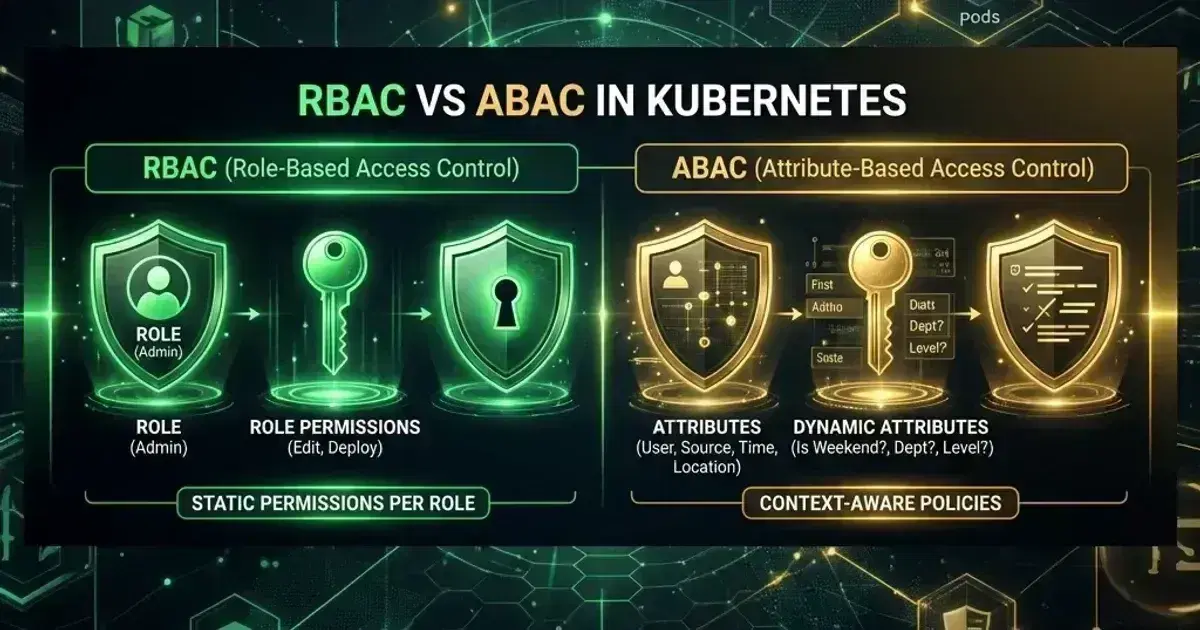
For the RBAC vs ABAC comparison and what to use when RBAC isn't expressive enough, see RBAC vs ABAC in Kubernetes: Why ABAC Is Dead and What to Use Instead. For common RBAC mistakes that cause production incidents, see RBAC Misconfigurations That Break Production. For the broader security hardening checklist, see Kubernetes Security Hardening Guide.
Designing RBAC for a multi-team platform? Talk to us at Coding Protocols — we help teams build access models that are enforceable over months, not just at day one.
Official References
- RBAC authorization — Role, ClusterRole and binding semantics
- Configure service accounts — token projection and the default service account
Was this article helpful?
Be the first to rate this article
Related Topics
Found this useful? Share it.