External Secrets Operator: Syncing Secrets from AWS, Vault, and GCP
Quick answer
Kubernetes Secrets are base64-encoded and visible to anyone with cluster access — not a secret store. The operational question is where secrets actually live (AWS Secrets Manager, Vault, SSM, GCP Secret Manager) and how to get them into pods without committing plaintext or encrypted keys to Git. External Secrets Operator automates this synchronisation.
14 min read · Security
Kubernetes Secrets solve the "how do I get configuration into a pod" problem, but they don't solve the "how do I manage secrets securely" problem. A Secret stored in etcd is base64-encoded (not encrypted by default), visible to anyone with kubectl get secret, and synced to every node where a pod might run. Actual secret management — rotation, access control, audit logging, encryption at rest — lives in dedicated secret stores: AWS Secrets Manager, HashiCorp Vault, GCP Secret Manager, Azure Key Vault.
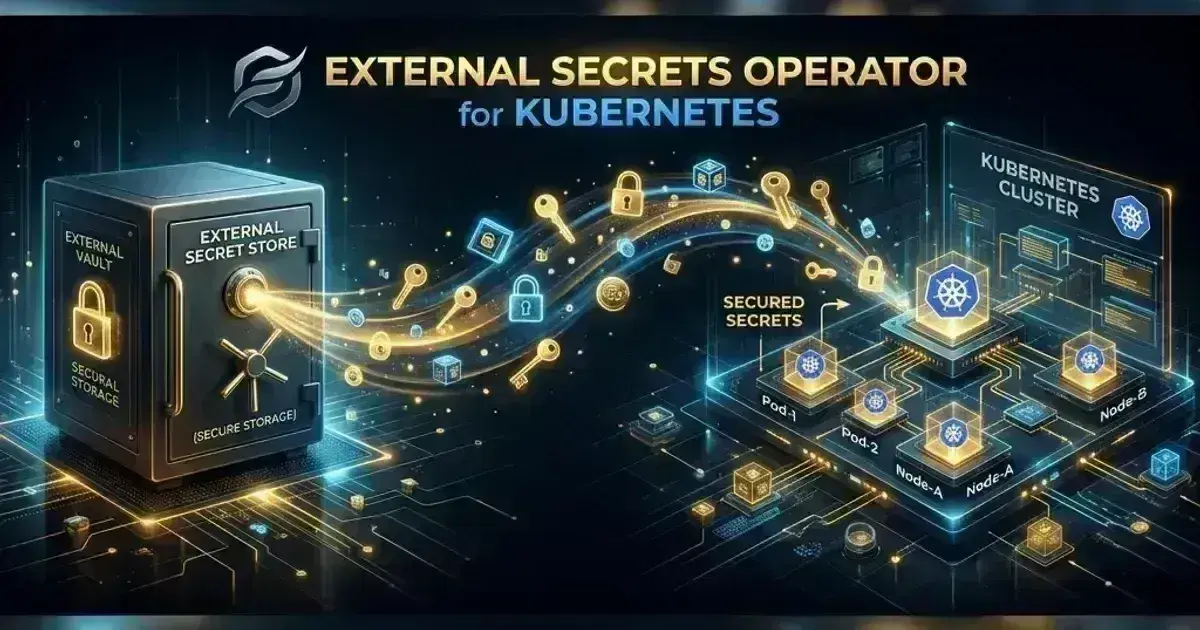
External Secrets Operator (ESO, CNCF Sandbox) bridges these stores and Kubernetes: you declare in a Kubernetes resource which external secret you need, and ESO syncs it into a Kubernetes Secret on a configurable interval. When the secret rotates in the external store, ESO picks up the new value and updates the Kubernetes Secret automatically.
Architecture
ESO introduces four main concepts:
| Resource | Scope | Purpose |
|---|---|---|
SecretStore | Namespace | Access credentials to one secret store backend (per namespace) |
ClusterSecretStore | Cluster | Same as SecretStore, but usable from any namespace |
ExternalSecret | Namespace | Declares which secret to sync and where to store it |
PushSecret | Namespace | Writes a Kubernetes Secret to an external store (reverse direction) |
The typical production pattern: one ClusterSecretStore per secret store backend (AWS Secrets Manager, Vault), multiple ExternalSecret resources across application namespaces referencing that store.
Installation
1helm repo add external-secrets https://charts.external-secrets.io
2helm repo update
3
4helm install external-secrets external-secrets/external-secrets \
5  --namespace external-secrets \
6  --create-namespace \
7  --set crds.install=true
Verify the controller is running and the webhook is healthy:
kubectl get pods -n external-secrets
# NAME                                        READY   STATUS    AGE
# external-secrets-xxxxx                      1/1     Running   2m
# external-secrets-webhook-xxxxx              1/1     Running   2m
# external-secrets-cert-controller-xxxxx      1/1     Running   2m
AWS Secrets Manager
ClusterSecretStore with IRSA or Pod Identity
ESO's controller needs IAM permissions to read from Secrets Manager. Using EKS Pod Identity (no OIDC required):
# Create the IAM role and PodIdentityAssociation
aws eks create-pod-identity-association \
  --cluster-name my-cluster \
  --namespace external-secrets \
  --service-account external-secrets \
  --role-arn arn:aws:iam::123456789:role/external-secrets-role
IAM policy for the role:
1{
2  "Version": "2012-10-17",
3  "Statement": [
4    {
5      "Effect": "Allow",
6      "Action": [
7        "secretsmanager:GetSecretValue",
8        "secretsmanager:DescribeSecret"
9      ],
10      "Resource": "arn:aws:secretsmanager:us-east-1:123456789:secret:production/*"
11    }
12  ]
13}
With EKS Pod Identity (recommended — no OIDC configuration needed), the auth block can be omitted entirely. The AWS SDK default credential chain resolves credentials from the Pod Identity endpoint automatically:
1# ClusterSecretStore with Pod Identity — no explicit auth block needed
2apiVersion: external-secrets.io/v1beta1
3kind: ClusterSecretStore
4metadata:
5  name: aws-secretsmanager
6spec:
7  provider:
8    aws:
9      service: SecretsManager
10      region: us-east-1
11      # No auth block: AWS SDK picks up Pod Identity credentials from
12      # http://169.254.170.23/v1/credentials automatically
With IRSA (OIDC-based, older approach), specify the controller's service account explicitly:
1# ClusterSecretStore with IRSA
2apiVersion: external-secrets.io/v1beta1
3kind: ClusterSecretStore
4metadata:
5  name: aws-secretsmanager
6spec:
7  provider:
8    aws:
9      service: SecretsManager
10      region: us-east-1
11      auth:
12        jwt:
13          serviceAccountRef:
14            name: external-secrets         # ESO controller's ServiceAccount
15            namespace: external-secrets
The jwt auth block explicitly presents the controller's projected service account token to the IRSA STS endpoint for federation.
ExternalSecret
1apiVersion: external-secrets.io/v1beta1
2kind: ExternalSecret
3metadata:
4  name: database-credentials
5  namespace: production
6spec:
7  refreshInterval: 1h           # Re-sync from Secrets Manager every hour
8  secretStoreRef:
9    name: aws-secretsmanager
10    kind: ClusterSecretStore
11  target:
12    name: database-credentials  # Kubernetes Secret name to create/update
13    creationPolicy: Owner       # ESO owns this Secret (deletes it when ExternalSecret is deleted)
14    deletionPolicy: Retain      # Keep the K8s Secret if ExternalSecret is deleted (safer for prod)
15  data:
16    # Map individual JSON fields from the external secret to K8s Secret keys
17    - secretKey: DB_PASSWORD
18      remoteRef:
19        key: production/myapp/database    # AWS Secrets Manager secret name
20        property: password                # JSON field within the secret
21    - secretKey: DB_USERNAME
22      remoteRef:
23        key: production/myapp/database
24        property: username
If the AWS secret is a JSON object and you want all its keys as separate Secret data entries:
  dataFrom:
    - extract:
        key: production/myapp/database
        # Creates K8s Secret keys: password, username, host, port
        # from the JSON object {"password":"...","username":"...","host":"...","port":"..."}
Check ExternalSecret status:
1kubectl get externalsecret -n production
2# NAME                   STORE               REFRESH INTERVAL   STATUS         READY
3# database-credentials   aws-secretsmanager  1h                 SecretSynced   True
4
5kubectl describe externalsecret database-credentials -n production
6# Status:
7#   Conditions:
8#     Type:    Ready
9#     Status:  True
10#     Reason:  SecretSynced
11#     Message: Secret was synced
12#   Refresh Time: 2026-05-09T10:00:00Z
AWS SSM Parameter Store
SSM Parameter Store is preferred over Secrets Manager for non-sensitive configuration and for secrets that don't need the rotation/versioning features of Secrets Manager:
1apiVersion: external-secrets.io/v1beta1
2kind: ClusterSecretStore
3metadata:
4  name: aws-ssm
5spec:
6  provider:
7    aws:
8      service: ParameterStore
9      region: us-east-1
10      auth:
11        jwt:
12          serviceAccountRef:
13            name: external-secrets
14            namespace: external-secrets
15---
16apiVersion: external-secrets.io/v1beta1
17kind: ExternalSecret
18metadata:
19  name: app-config
20  namespace: production
21spec:
22  refreshInterval: 15m
23  secretStoreRef:
24    name: aws-ssm
25    kind: ClusterSecretStore
26  target:
27    name: app-config
28  dataFrom:
29    - find:
30        path: /production/myapp    # Sync all parameters under this path
31        name:
32          regexp: ".*"
The find directive syncs all SSM parameters under /production/myapp/ as separate Secret keys. A parameter /production/myapp/DATABASE_URL becomes DATABASE_URL in the Kubernetes Secret.
Server & SSH Hardening Checklist
The firewall, SSH, fail2ban, and update baseline every internet-facing Linux box should pass. Plain Markdown you can run down in an afternoon.
Free. Instant download. You'll also get the occasional deep-dive from the newsletter — unsubscribe anytime.
HashiCorp Vault
ESO connects to Vault using the Kubernetes auth method — Vault validates the pod's projected service account token against the cluster's OIDC endpoint:
1# Configure Vault Kubernetes auth (one-time setup)
2vault auth enable kubernetes
3
4vault write auth/kubernetes/config \
5  kubernetes_host="https://kubernetes.default.svc.cluster.local" \
6  kubernetes_ca_cert=@/var/run/secrets/kubernetes.io/serviceaccount/ca.crt
7
8# Create a Vault policy for ESO
9vault policy write external-secrets-policy - <<EOF
10path "secret/data/production/*" {
11  capabilities = ["read"]
12}
13EOF
14
15# Bind the policy to the ESO service account
16vault write auth/kubernetes/role/external-secrets \
17  bound_service_account_names=external-secrets \
18  bound_service_account_namespaces=external-secrets \
19  policies=external-secrets-policy \
20 ttl=1h1apiVersion: external-secrets.io/v1beta1
2kind: ClusterSecretStore
3metadata:
4 name: vault-backend
5spec:
6 provider:
7 vault:
8 server: "https://vault.example.com"
9 path: "secret" # KV v2 mount path
10 version: "v2" # KV v2 API
11 auth:
12 kubernetes:
13 mountPath: "kubernetes" # Vault auth mount
14 role: "external-secrets" # Vault role
15 serviceAccountRef:
16 name: external-secrets
17 namespace: external-secrets
18---
19apiVersion: external-secrets.io/v1beta1
20kind: ExternalSecret
21metadata:
22 name: vault-secret
23 namespace: production
24spec:
25 refreshInterval: 30m
26 secretStoreRef:
27 name: vault-backend
28 kind: ClusterSecretStore
29 target:
30 name: vault-secret
31 dataFrom:
32 - extract:
33 key: production/myapp/config # Vault KV path (without "data/" prefix for v2)Secret Templating
ESO can transform external secret data using Go templates before writing to the Kubernetes Secret. This is useful for constructing connection strings, Docker config JSON, or other formatted values:
1spec:
2  target:
3    name: app-credentials
4    template:
5      engineVersion: v2
6      type: Opaque
7      data:
8        # Construct a database URL from individual fields
9        DATABASE_URL: "postgresql://{{ .username }}:{{ .password }}@{{ .host }}:{{ .port }}/{{ .dbname }}?sslmode=require"
10        # Base64-encode a value
11        ENCODED_KEY: "{{ .api_key | b64enc }}"
12  dataFrom:
13    - extract:
14        key: production/myapp/database
For Docker registry credentials (imagePullSecret):
1  target:
2    template:
3      type: kubernetes.io/dockerconfigjson
4      data:
5        .dockerconfigjson: |
6          {
7            "auths": {
8              "{{ .registry }}": {
9                "username": "{{ .username }}",
10                "password": "{{ .password }}",
11                "auth": "{{ printf "%s:%s" .username .password | b64enc }}"
12              }
13            }
14          }
Generators
Generators create secrets dynamically rather than syncing them from an external store:
1# ECR authorization token — automatically refreshed every 12h
2apiVersion: generators.external-secrets.io/v1alpha1
3kind: ECRAuthorizationToken
4metadata:
5  name: ecr-token
6  namespace: production
7spec:
8  region: us-east-1
9  auth:
10    jwt:
11      serviceAccountRef:
12        name: external-secrets
13        namespace: external-secrets
14---
15# Reference the generator from an ExternalSecret
16apiVersion: external-secrets.io/v1beta1
17kind: ExternalSecret
18metadata:
19  name: ecr-pull-secret
20  namespace: production
21spec:
22  refreshInterval: 6h
23  dataFrom:
24    - sourceRef:
25        generatorRef:
26          apiVersion: generators.external-secrets.io/v1alpha1
27          kind: ECRAuthorizationToken
28          name: ecr-token
29  target:
30    name: ecr-pull-secret
31    template:
32      type: kubernetes.io/dockerconfigjson
Other generators include Password (generate random passwords), GCRAccessToken, and VaultDynamicSecret (generate dynamic Vault credentials for each reconciliation).
Monitoring
1# Key metrics:
2# externalsecrets_sync_calls_total{name, namespace, status}
3# externalsecrets_sync_call_errors_total{name, namespace}
4# externalsecrets_store_last_sync_error_condition
5
6# Alert: ExternalSecret failing to sync
7- alert: ExternalSecretSyncFailed
8  expr: externalsecrets_sync_call_errors_total > 0
9  for: 15m
10  labels:
11    severity: critical
12  annotations:
13    summary: "ExternalSecret {{ $labels.name }} in {{ $labels.namespace }} failing to sync"
14
15# Alert: ExternalSecret sync error rate
16- alert: ExternalSecretSyncError
17  expr: rate(externalsecrets_sync_calls_total{status="error"}[5m]) > 0
18  for: 5m
19  annotations:
20    summary: "ExternalSecret sync failing"
See also
- Install External Secrets Operator and Sync AWS Secrets Manager into Kubernetes
- Install HashiCorp Vault on Kubernetes and Inject Secrets into Pods
Frequently Asked Questions
Should I use ESO or SOPS for secrets in GitOps?
They solve different problems. SOPS encrypts secret values and commits the encrypted form to Git, so the material still lives in your repository. ESO keeps it out of Git entirely — it lives only in the external store (AWS Secrets Manager, Vault) with IAM, rotation, and audit logging, and syncs into Kubernetes. SOPS is simpler since it needs no secret store, but gives less lifecycle control. For platforms with a secret store already, ESO is the better pattern.
What happens to the Kubernetes Secret if the external secret is deleted?
Controlled by target.deletionPolicy:
Delete(default): Kubernetes Secret is deleted when the ExternalSecret is deletedRetain: Kubernetes Secret persists after ExternalSecret deletion — safer for production secrets that applications may still referenceMerge: External data keys are removed from the Secret, but keys added by other sources remain
For production secrets that applications depend on, use deletionPolicy: Retain to prevent accidental deletion of in-use Secrets when cleaning up ExternalSecrets.
Can ESO trigger a pod restart when a secret rotates?
Not directly — ESO updates the Kubernetes Secret value, but running pods won't see the change until they restart. Options:
- Mount secrets as environment variables with a sidecar that polls for changes (Reloader/Stakater)
- Use volume-mounted Secrets — pods can watch for inotify changes on the mounted file (but most apps don't do this)
- Deploy
Reloader(stakater/Reloader), which watches for Secret/ConfigMap changes and automatically restarts Deployments that reference them
Is there a way to test ExternalSecret configuration without creating a real Kubernetes Secret?
1# Use ESO's SecretStore validation
2kubectl get clustersecretstores
3# Check READY column — True means the store is reachable and credentials work
4
5# Force an immediate sync
6kubectl annotate externalsecret database-credentials \
7  force-sync.external-secrets.io/reconcile-at=$(date +%s) \
8  -n production
After rotating secrets, running pods won't pick up the new values until they restart — see Kubernetes PodDisruptionBudget and Graceful Shutdown Patterns for how to restart pods with zero downtime using PDBs. For GitOps workflows that manage ESO's own configuration declaratively, see Flux CD: GitOps for Kubernetes. For how ESO replaces SOPS in GitOps secret management, and for the broader platform architecture, see Platform Engineering: Building an Internal Developer Platform. For EKS Pod Identity setup (used for ESO's AWS auth), see EKS Networking Deep Dive. For advanced ESO patterns — multiple SecretStore backends, PushSecret for writing secrets back to external stores, and ESO monitoring — see External Secrets Operator: Syncing AWS, GCP, and Vault Secrets to Kubernetes.
Setting up centralised secret management across a multi-cluster Kubernetes platform? Talk to us at Coding Protocols — we help platform teams connect their secret stores to Kubernetes without storing credentials in Git.
Official References
- Secrets — secret types, mounting and the risks of etcd storage
- Encrypting confidential data at rest — EncryptionConfiguration providers and key rotation
- Vault documentation — secret engines, auth methods and lease management
Was this article helpful?
Be the first to rate this article
Related Topics
Found this useful? Share it.