EKS Networking Deep Dive: VPC CNI, IP Exhaustion, and Pod Identity

Quick answer
EKS uses the Amazon VPC CNI, which assigns real VPC IP addresses to pods — a design that integrates natively with VPC routing but creates a critical operational problem: IP exhaustion. Here's how VPC CNI works, how to solve IP exhaustion, and how EKS Pod Identity changes the way pods authenticate to AWS.
- How VPC CNI Assigns IPs
- The IP Exhaustion Problem
- Solution 1: Prefix Delegation
- Solution 2: Custom Networking (Secondary CIDR)
- Solution 3: IPv6 Clusters
15 min read · AWS
EKS uses the Amazon VPC CNI plugin, which takes a fundamentally different approach to pod networking than most CNI plugins. Instead of overlaying a virtual network on top of VPC, each pod gets a real secondary IP address from the VPC subnet. This means pod traffic is natively routed by the VPC, there's no encapsulation overhead, and you can use VPC security groups and Flow Logs on pod traffic — but it also means pods consume IPs from your subnets at a 1:1 ratio, which runs out faster than most teams expect.
The same architecture that makes EKS networking simple and performant creates the most common operational problem in large EKS clusters: IP exhaustion. Understanding why it happens — and how to fix it — is essential for anyone running production EKS at scale.
How VPC CNI Assigns IPs
The aws-node DaemonSet (VPC CNI) runs on every node and manages a pool of secondary IPs attached to ENIs (Elastic Network Interfaces). When a pod is scheduled, VPC CNI assigns a pre-warmed IP from this pool. When the pod terminates, the IP goes back to the pool.
The pool is managed by three environment variables:
# Check current CNI configuration
kubectl get daemonset aws-node -n kube-system -o yaml | grep -A 30 env| Variable | Default | Behaviour |
|---|---|---|
WARM_ENI_TARGET | 1 | Keep 1 full ENI worth of spare IPs pre-warmed |
WARM_IP_TARGET | unset | Pre-warm N spare IPs (overrides WARM_ENI_TARGET if set) |
MINIMUM_IP_TARGET | unset | Always maintain at least N IPs available |
The default (WARM_ENI_TARGET=1) means each node pre-allocates an entire spare ENI worth of IPs before any pods are scheduled. On an m5.xlarge (4 ENIs, 15 IPs per ENI), that's 14 IPs consumed just for warming — before a single pod exists.
Consequence: In a 50-node cluster, that's 700+ IPs consumed by warming before any workloads run. A /22 subnet (1024 IPs) exhausts before you hit meaningful pod density.
The IP Exhaustion Problem
The maximum number of pods per node without prefix delegation is:
max_pods = (number_of_ENIs × (IPs_per_ENI - 1)) + 2
For an m5.xlarge: (4 × 14) + 2 = 58 pods maximum — and that's before warming overhead.
For a cluster with 50 m5.xlarge nodes at full capacity:
- Pods: 50 × 58 = 2,900 IPs
- Warming overhead: ~50 × 14 = 700 IPs
- Node IPs: 50 IPs
- Total: ~3,650 IPs — exhausting a /22 in one cluster
With multiple clusters or mixed workloads, teams routinely exhaust /22s and even /20s (4096 IPs).
Solution 1: Prefix Delegation
Prefix delegation assigns /28 CIDR blocks (16 IPs each) to ENI slots instead of individual secondary IPs. This multiplies pod density dramatically while reducing the number of EC2 API calls for IP management.
# Enable prefix delegation on the CNI
kubectl set env daemonset aws-node -n kube-system \
  ENABLE_PREFIX_DELEGATION=true \
  WARM_PREFIX_TARGET=1 \
  MINIMUM_IP_TARGET=10
With prefix delegation on an m5.xlarge (4 ENIs, up to 10 prefixes per ENI):
- Maximum IPs available: 4 × 10 × 16 = 640 IPs per node
- EKS caps max-pods per node based on instance type; update the node group with the new max-pods value
After enabling, update the node group launch template to set --max-pods for the kubelet:
1# Get the recommended max-pods for your instance type with prefix delegation
2aws eks describe-addon-versions --kubernetes-version 1.32
3
4# The max-pods-calculator.sh script that used to live in the amazon-eks-ami
5# repo was removed along with the AL2 templates. Compute it directly instead:
6#   without prefix delegation: (ENIs x (IPs per ENI - 1)) + 2
7#   with prefix delegation:    (ENIs x ((IPs per ENI - 1) x 16)) + 2
8# then cap at 110 for nodes with 30 or fewer vCPUs, per AWS guidance.
9# m5.xlarge = 4 ENIs x 15 IPs -> (4 x 14) + 2 = 58 without prefix delegation.
10# With prefix delegation the raw formula yields far more than the node can
11# usefully run, so AWS caps max-pods at 110 for <=30 vCPU instances.
Set in the launch template user data:
#!/bin/bash
/etc/eks/bootstrap.sh my-cluster \
  --use-max-pods false \
  --kubelet-extra-args '--max-pods=250'
Important: Prefix delegation requires subnet CIDR blocks that are at least /28-aligned. It works with any subnet size but is most beneficial with larger subnets where prefixes can be allocated efficiently. Existing nodes don't automatically gain the higher limit — rolling replacement is required after enabling prefix delegation.
Solution 2: Custom Networking (Secondary CIDR)
When your primary VPC CIDR is exhausted and you can't resize it, custom networking routes pod IPs from a secondary CIDR block while keeping node IPs in the original CIDR. This is common in enterprises where VPC CIDR allocations are centrally managed.
1# Step 1: Associate a secondary CIDR with your VPC (100.64.0.0/16 is RFC 6598 space)
2aws ec2 associate-vpc-cidr-block \
3  --vpc-id vpc-xxxxx \
4  --cidr-block 100.64.0.0/16
5
6# Step 2: Create subnets in secondary CIDR (one per AZ)
7aws ec2 create-subnet \
8  --vpc-id vpc-xxxxx \
9  --cidr-block 100.64.0.0/18 \
10  --availability-zone us-east-1a
11
12# Step 3: Enable custom networking on the CNI
13kubectl set env daemonset aws-node -n kube-system \
14  AWS_VPC_K8S_CNI_CUSTOM_NETWORK_CFG=true \
15 ENI_CONFIG_LABEL_DEF=topology.kubernetes.io/zone1# Step 4: Create ENIConfig per AZ
2apiVersion: crd.k8s.amazonaws.com/v1alpha1
3kind: ENIConfig
4metadata:
5 name: us-east-1a # Must match the AZ name exactly
6spec:
7 subnet: subnet-secondary-1a # Subnet in secondary CIDR
8 securityGroups:
9 - sg-xxxxx # Node security group
10---
11apiVersion: crd.k8s.amazonaws.com/v1alpha1
12kind: ENIConfig
13metadata:
14 name: us-east-1b
15spec:
16 subnet: subnet-secondary-1b
17 securityGroups:
18 - sg-xxxxxWith custom networking, pods get IPs from the 100.64.0.0/16 space (65,536 IPs), while nodes keep their existing IPs. The limitation: you can't use Security Groups for Pods when custom networking is enabled.
Solution 3: IPv6 Clusters
EKS IPv6 clusters assign IPv6 addresses to pods from the VPC's IPv6 CIDR (/56 assigned by AWS, providing a /64 per subnet = 18 quintillion IPs per subnet). IP exhaustion is effectively eliminated.
# Create an IPv6-enabled cluster with eksctl
eksctl create cluster \
  --name my-cluster \
  --region us-east-1 \
  --ip-family ipv6 \
  --version 1.32
Constraints:
- IPv6 clusters can't be converted from IPv4 (must be created as IPv6)
- All node-to-node and pod-to-pod traffic is IPv6
- External IPv4 traffic reaches pods via NAT64 (handled by VPC)
- Some third-party tools have incomplete IPv6 support — verify your toolchain before committing
IPv6 is the long-term solution for new greenfield clusters. For existing IPv4 clusters with IP exhaustion, prefix delegation or custom networking is the migration path.
AWS Cost & Architecture Review Checklist
The questions we ask in a paid AWS review — rightsizing, storage classes, network egress, and the usual five-figure surprises. Plain Markdown.
Free. Instant download. You'll also get the occasional deep-dive from the newsletter — unsubscribe anytime.
Security Groups for Pods
By default, all pods on a node share the node's security group — you can't apply different VPC security group rules to different pods. Security Groups for Pods solves this by attaching a dedicated ENI (branch ENI) to each pod, allowing per-pod security group enforcement.
Requirements:
- Nitro-based instance types only (m5, c5, r5, m6i, etc. — not t3)
- VPC CNI version ≥ 1.7.7
ENABLE_POD_ENI=trueon aws-node
kubectl set env daemonset aws-node -n kube-system ENABLE_POD_ENI=trueApply security groups to pods via SecurityGroupPolicy:
1apiVersion: vpcresources.k8s.aws/v1beta1
2kind: SecurityGroupPolicy
3metadata:
4  name: payments-db-policy
5  namespace: production
6spec:
7  podSelector:
8    matchLabels:
9      app: payments-api
10  securityGroups:
11    groupIds:
12      - sg-payments-api       # Pod-specific SG (e.g., allows RDS port)
13      - sg-cluster-default    # Base cluster SG for pod-to-pod communication
The SecurityGroupPolicy controller watches for pod creation matching the selector and assigns the specified security groups via a branch ENI. The pod gets its own ENI separate from the node's ENIs.
Limitations:
- Each Nitro instance supports a limited number of branch ENIs (varies by instance type — m5.xlarge supports up to 14; see the AWS EC2 limits documentation for your instance type)
- Incompatible with custom networking (can't use both)
- Pods with security groups can't communicate with pods without security groups using pod-to-pod paths by default — ensure your cluster SG covers cross-pod communication
- Increases pod startup latency slightly (ENI attachment takes a few seconds)
EKS Pod Identity vs IRSA
Pods often need to call AWS APIs (S3, DynamoDB, SQS, SSM). Two mechanisms exist for giving pods IAM credentials:
IRSA (IAM Roles for Service Accounts)
IRSA uses OIDC federation: the EKS cluster has an OIDC provider, and pods use projected service account tokens to assume IAM roles via sts:AssumeRoleWithWebIdentity.
1# Create OIDC provider for the cluster (one-time setup)
2eksctl utils associate-iam-oidc-provider \
3  --cluster my-cluster \
4  --approve
5
6# Create IAM role with OIDC trust
7aws iam create-role --role-name my-app-role \
8  --assume-role-policy-document '{
9    "Version": "2012-10-17",
10    "Statement": [{
11      "Effect": "Allow",
12      "Principal": {
13        "Federated": "arn:aws:iam::123456789:oidc-provider/oidc.eks.us-east-1.amazonaws.com/id/XXXXX"
14      },
15      "Action": "sts:AssumeRoleWithWebIdentity",
16      "Condition": {
17        "StringEquals": {
18          "oidc.eks.us-east-1.amazonaws.com/id/XXXXX:sub": "system:serviceaccount:production:my-app"
19        }
20      }
21    }]
22 }'1# Annotate the Kubernetes ServiceAccount
2apiVersion: v1
3kind: ServiceAccount
4metadata:
5 name: my-app
6 namespace: production
7 annotations:
8 eks.amazonaws.com/role-arn: arn:aws:iam::123456789:role/my-app-roleIRSA works, but has operational friction: each cluster needs its own OIDC provider, role trust policies are cluster-specific (tying a role to one cluster's OIDC endpoint), and session names are not very informative.
EKS Pod Identity (Recommended)
EKS Pod Identity (GA November 2023) removes the OIDC dependency. It uses a dedicated DaemonSet agent on each node that intercepts AWS SDK credential requests and exchanges projected service account tokens for IAM credentials on behalf of the pod.
1# Step 1: Install the EKS Pod Identity Agent add-on
2aws eks create-addon \
3  --cluster-name my-cluster \
4  --addon-name eks-pod-identity-agent
5
6# Step 2: Create a PodIdentityAssociation (via AWS API, not Kubernetes)
7aws eks create-pod-identity-association \
8  --cluster-name my-cluster \
9  --namespace production \
10  --service-account my-app \
11  --role-arn arn:aws:iam::123456789:role/my-app-role
The IAM role trust policy for Pod Identity is simpler — it trusts the EKS service, not a cluster-specific OIDC endpoint:
1{
2  "Version": "2012-10-17",
3  "Statement": [{
4    "Effect": "Allow",
5    "Principal": {
6      "Service": "pods.eks.amazonaws.com"
7    },
8    "Action": [
9      "sts:AssumeRole",
10      "sts:TagSession"
11    ]
12  }]
13}
The agent listens at http://169.254.170.23/v1/credentials — AWS SDKs (boto3, AWS SDK for Go v2, etc.) automatically discover this endpoint. Pods don't need any special configuration beyond the PodIdentityAssociation.
Pod Identity advantages over IRSA:
- No OIDC provider to manage
- Same IAM role can be associated with service accounts across multiple clusters (no per-cluster trust policy)
- Session tags include cluster name, namespace, service account name, and pod name — enabling more granular IAM conditions
- Simpler cross-account access patterns
When to keep IRSA:
- You're using older AWS SDKs that don't support the Pod Identity endpoint
- You need the OIDC token directly for non-IAM use cases (e.g., Vault OIDC auth)
- Terraform modules already manage IRSA and migration cost exceeds benefit
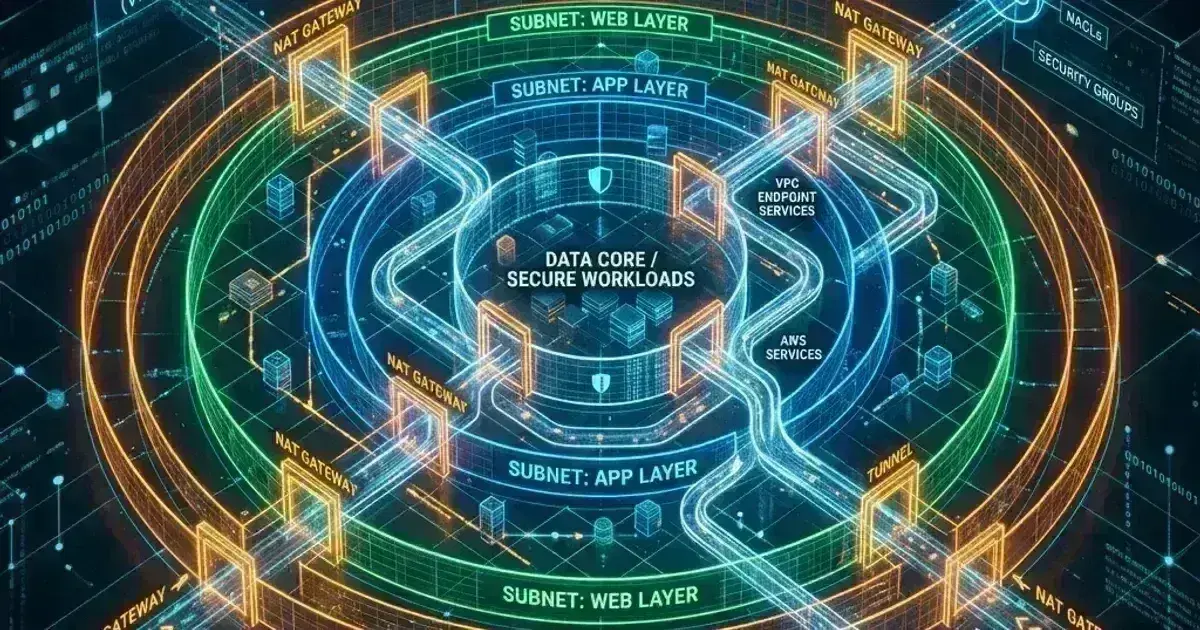
VPC Design for EKS
Subnet sizing is the most consequential architecture decision for EKS clusters. Getting it wrong means re-architecting your VPC when the cluster scales.
Recommendations:
Primary CIDR: 10.0.0.0/16 (65,536 IPs)
├── Public subnets (3 AZs): /24 each (254 IPs)
│   └── Used for: ALBs, NAT Gateways, bastion hosts
├── Private subnets (3 AZs): /18 each (16,384 IPs each)
│   └── Used for: EKS nodes + pods (with prefix delegation)
└── Reserved: /17 for future use or additional clusters

Secondary CIDR (if needed): 100.64.0.0/16 (RFC 6598)
└── Pod-only subnets (3 AZs): /18 each
    └── Used for: pod IPs via custom networking
Tag subnets for EKS to discover them:
1# Private subnets (for internal load balancers and nodes)
2aws ec2 create-tags --resources subnet-xxxxx --tags \
3  Key=kubernetes.io/cluster/my-cluster,Value=shared \
4  Key=kubernetes.io/role/internal-elb,Value=1
5
6# Public subnets (for internet-facing load balancers)
7aws ec2 create-tags --resources subnet-public-xxxxx --tags \
8  Key=kubernetes.io/cluster/my-cluster,Value=shared \
9  Key=kubernetes.io/role/elb,Value=1
CoreDNS and NodeLocal DNSCache
Every Kubernetes DNS query goes through CoreDNS. At scale, DNS latency becomes a performance bottleneck and CoreDNS a reliability concern. NodeLocal DNSCache runs a caching DNS agent as a DaemonSet on each node, intercepting queries before they reach CoreDNS:
# Deploy NodeLocal DNSCache manually (no EKS managed add-on exists for it)
# Note: `coredns-autoscaler` scales CoreDNS replicas; it is NOT NodeLocal DNSCache.
# NodeLocal DNSCache has no EKS managed add-on and requires manual installation.
# See: https://kubernetes.io/docs/tasks/administer-cluster/nodelocaldns/
kubectl apply -f https://raw.githubusercontent.com/kubernetes/kubernetes/master/cluster/addons/dns/nodelocaldns/nodelocaldns.yaml
NodeLocal DNSCache listens on 169.254.20.10 (link-local). Applications query this address; cache hits never leave the node. Cache misses go to CoreDNS.
For high-DNS-throughput workloads (microservices making many service-to-service calls), NodeLocal DNSCache typically reduces P99 DNS latency from 10-50ms to sub-millisecond.
CoreDNS pod count should scale with cluster size:
1# CoreDNS ConfigMap — tune based on your cluster size
2data:
3  Corefile: |
4    .:53 {
5        errors
6        health
7        kubernetes cluster.local in-addr.arpa ip6.arpa {
8          pods insecure
9          fallthrough in-addr.arpa ip6.arpa
10        }
11        prometheus :9153
12        forward . /etc/resolv.conf {
13          max_concurrent 1000
14        }
15        cache 30
16        loop
17        reload
18        loadbalance
19    }
Frequently Asked Questions
How do I check if I'm approaching IP exhaustion?
1# Check available IPs per subnet
2aws ec2 describe-subnets \
3  --filters "Name=vpc-id,Values=vpc-xxxxx" \
4  --query 'Subnets[*].[SubnetId,CidrBlock,AvailableIpAddressCount]' \
5  --output table
6
7# Check IP usage per node
8kubectl get nodes -o custom-columns=\
9  NAME:.metadata.name,\
10  CAPACITY:.status.capacity.pods,\
11  ALLOCATABLE:.status.allocatable.pods,\
12  USED:.status.allocatedResources.pods
Set a CloudWatch alarm on aws.ec2.subnet.available_ip_address_count to get alerted before exhaustion hits.
Can I use Cilium or Calico instead of VPC CNI?
Yes. Cilium, Calico (in VPC-native mode), and other CNI plugins can replace VPC CNI. Cilium with kube-proxy replacement is popular for teams that want eBPF-based networking and don't need native VPC integration. The tradeoff: you lose Security Groups for Pods, VPC Flow Logs at the pod level, and tight VPC routing integration. See Cilium eBPF Kubernetes Networking for the Cilium setup.
What happens when a node runs out of IPs to assign?
Without prefix delegation, if all pre-warmed IPs are assigned and no new IPs can be attached (ENI limit reached), new pod scheduling on that node fails with an error from the CNI. Pods go to ContainerCreating with a failed to assign an IP address error. This is the IP exhaustion failure mode — nodes appear schedulable (CPU/memory available) but pods can't start.
Is EKS Pod Identity available with Fargate?
No. Fargate profiles don't run the Pod Identity agent DaemonSet. For Fargate workloads, IRSA remains the only supported mechanism for pod-level IAM credentials.
For eBPF-based networking as an alternative to VPC CNI, see Cilium eBPF Kubernetes Networking. For securing pod-to-pod traffic with network policies, see Kubernetes Security Hardening: A Production Checklist. For optimising node costs alongside this networking work, see Kubernetes Cost Optimisation.
Running into IP exhaustion or pod networking issues on EKS? Talk to us at Coding Protocols — we help teams redesign their VPC and CNI configuration before it becomes a scaling blocker.
Was this article helpful?
Be the first to rate this article
Related Topics
Found this useful? Share it.