External Secrets Operator: Syncing AWS, GCP, and Vault Secrets to Kubernetes

Quick answer
External Secrets Operator (ESO) syncs secrets from external stores (AWS Secrets Manager, GCP Secret Manager, HashiCorp Vault, Azure Key Vault) into Kubernetes Secrets. It eliminates the practice of committing secret values to Git while keeping them available to pods as standard Kubernetes Secrets. This covers ESO installation, SecretStore and ClusterSecretStore configuration for AWS and Vault, ExternalSecret resource definitions, refreshInterval-based rotation, generators for dynamic secrets, and the PushSecret pattern for writing from Kubernetes back to external stores.
- Installation
- AWS Secrets Manager: SecretStore Setup
- ClusterSecretStore: Cluster-Wide Provider
- ExternalSecret: Syncing a Secret
- HashiCorp Vault SecretStore
13 min read · Security
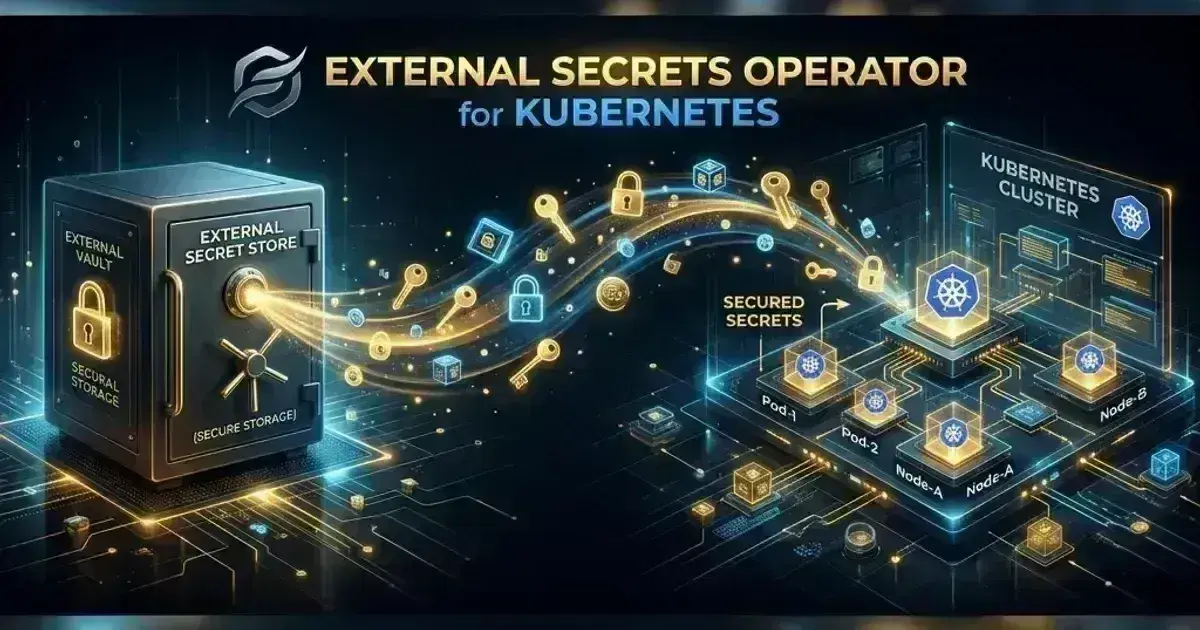
Kubernetes Secrets are not secret. They're base64-encoded data stored in etcd, accessible to anyone with the right RBAC permissions, and frequently end up committed to Git in Helm values or Kubernetes manifests. External Secrets Operator (ESO) solves the source-of-truth problem: secrets live in a dedicated secrets store (AWS Secrets Manager, HashiCorp Vault, GCP Secret Manager), and ESO syncs them to Kubernetes Secrets on a configurable interval. Applications consume the Kubernetes Secret as before — no code changes required.
The sync model means you never store secret values in Git. You store only the reference: which path in Secrets Manager maps to which Kubernetes Secret. The actual values stay in the external store.
Installation
1helm repo add external-secrets https://charts.external-secrets.io
2helm repo update
3
4# Check https://github.com/external-secrets/external-secrets/releases for latest
5helm install external-secrets \
6  external-secrets/external-secrets \
7  --namespace external-secrets \
8  --create-namespace \
9  --version 0.10.7 \
10  --set crds.install=true    # installCRDs=true was deprecated in v0.9; crds.install=true is correct for v0.9+
Verify:
kubectl get pods -n external-secrets
# external-secrets-<hash>              Running
# external-secrets-cert-controller-<hash>  Running
# external-secrets-webhook-<hash>      Running
AWS Secrets Manager: SecretStore Setup
SecretStore is namespace-scoped: it can only be used by ExternalSecret resources in the same namespace. Configure one per team namespace using IRSA or Pod Identity for per-namespace IAM isolation.
1apiVersion: external-secrets.io/v1beta1
2kind: SecretStore
3metadata:
4  name: aws-secretsmanager
5  namespace: payments
6spec:
7  provider:
8    aws:
9      service: SecretsManager
10      region: us-east-1
11      auth:
12        jwt:
13          serviceAccountRef:
14            name: payments-eso-sa    # ServiceAccount with Pod Identity or IRSA annotation
Create the ServiceAccount with Pod Identity:
aws eks create-pod-identity-association \
  --cluster-name production \
  --namespace payments \
  --service-account payments-eso-sa \
  --role-arn arn:aws:iam::${AWS_ACCOUNT_ID}:role/ESOPaymentsReader
The IAM role needs secretsmanager:GetSecretValue and secretsmanager:DescribeSecret on the target secrets:
1{
2  "Effect": "Allow",
3  "Action": [
4    "secretsmanager:GetSecretValue",
5    "secretsmanager:DescribeSecret"
6  ],
7  "Resource": "arn:aws:secretsmanager:us-east-1:*:secret:payments/*"
8}
ClusterSecretStore: Cluster-Wide Provider
ClusterSecretStore is cluster-scoped — any ExternalSecret in any namespace can reference it. Use it for centralized secrets (shared infrastructure credentials, TLS CA) while using namespace-scoped SecretStore for team-specific secrets.
1apiVersion: external-secrets.io/v1beta1
2kind: ClusterSecretStore
3metadata:
4  name: aws-global
5spec:
6  provider:
7    aws:
8      service: SecretsManager
9      region: us-east-1
10      auth:
11        jwt:
12          serviceAccountRef:
13            name: eso-cluster-sa
14            namespace: external-secrets    # ClusterSecretStore SA must specify namespace
ExternalSecret: Syncing a Secret
1apiVersion: external-secrets.io/v1beta1
2kind: ExternalSecret
3metadata:
4  name: payments-db-credentials
5  namespace: payments
6spec:
7  refreshInterval: 1h    # Re-sync from AWS every hour; rotation window
8
9  secretStoreRef:
10    name: aws-secretsmanager
11    kind: SecretStore    # or ClusterSecretStore
12
13  target:
14    name: payments-db-secret    # The Kubernetes Secret to create/update
15    creationPolicy: Owner       # ESO owns this Secret; deletes it when ExternalSecret is deleted
16    template:
17      type: Opaque
18      data:
19        # Transform: construct connection string from individual secret fields
20        DATABASE_URL: "postgresql://{{ .username }}:{{ .password }}@{{ .host }}:{{ .port }}/payments"
21
22  data:
23    # Map AWS Secrets Manager fields to Kubernetes Secret keys
24    - secretKey: username    # Key in the Kubernetes Secret
25      remoteRef:
26        key: payments/database    # Path in AWS Secrets Manager
27        property: username        # JSON field within the secret (if the secret is JSON)
28
29    - secretKey: password
30      remoteRef:
31        key: payments/database
32        property: password
33
34    - secretKey: host
35      remoteRef:
36        key: payments/database
37        property: host
Check sync status:
kubectl get externalsecret payments-db-credentials -n payments
# NAME                     STORE                   REFRESH INTERVAL   STATUS   READY
# payments-db-credentials  aws-secretsmanager       1h                 Valid    True

kubectl describe externalsecret payments-db-credentials -n payments
# Events: Synchronized successfully
Bulk Sync with dataFrom
If your AWS secret is a JSON object and you want all fields as Kubernetes Secret keys without listing them individually:
spec:
  dataFrom:
    - extract:
        key: payments/database    # All JSON fields from this secret become Secret keys
This creates a Kubernetes Secret with keys username, password, host, port — one key per top-level JSON field in the AWS secret.
Server & SSH Hardening Checklist
The firewall, SSH, fail2ban, and update baseline every internet-facing Linux box should pass. Plain Markdown you can run down in an afternoon.
Free. Instant download. You'll also get the occasional deep-dive from the newsletter — unsubscribe anytime.
HashiCorp Vault SecretStore
1apiVersion: external-secrets.io/v1beta1
2kind: ClusterSecretStore
3metadata:
4  name: vault-backend
5spec:
6  provider:
7    vault:
8      server: https://vault.vault.svc.cluster.local:8200
9      path: secret    # KV v2 secrets mount path
10      version: v2     # KV v2 API
11      caBundle: <base64-vault-ca>    # Vault's TLS CA
12
13      auth:
14        kubernetes:
15          mountPath: kubernetes
16          role: eso-reader    # Vault Kubernetes auth role
17          serviceAccountRef:
18            name: eso-cluster-sa
19 namespace: external-secrets1# ExternalSecret referencing Vault KV v2
2apiVersion: external-secrets.io/v1beta1
3kind: ExternalSecret
4metadata:
5 name: payments-stripe-keys
6 namespace: payments
7spec:
8 refreshInterval: 30m
9 secretStoreRef:
10 name: vault-backend
11 kind: ClusterSecretStore
12 target:
13 name: stripe-credentials
14 creationPolicy: Owner
15 data:
16 - secretKey: STRIPE_SECRET_KEY
17 remoteRef:
18 key: payments/stripe # Path relative to the KV v2 mount (ESO prepends /data/ automatically; don't include it)
19 property: secret_keySecret Rotation: refreshInterval and Reloading
ESO re-fetches the secret from the external store on every refreshInterval. If the value changed (e.g., you rotated the database password in Secrets Manager), the Kubernetes Secret is updated automatically within the interval.
Pods don't automatically restart when the Secret changes. The Kubernetes Secret is a volume mount or environment variable — pods only see the change when they restart. Two options:
- Stakater Reloader: a separate controller that watches Secrets and ConfigMaps and restarts Deployments when they change.
helm install reloader stakater/reloader --namespace reloader-system# Annotation on the Deployment triggers Reloader to watch the secret
metadata:
annotations:
reloader.stakater.com/auto: "true"- Volume mount with periodic reload: mount the Secret as a volume (not envFrom). Kubernetes updates the volume when the Secret changes without restarting the pod — only if your application watches the file and reloads it.
Generators: Dynamic Secrets
ESO generators create secrets dynamically at sync time. The ECRAuthorizationToken generator fetches an ECR login token (valid for 12 hours):
1apiVersion: generators.external-secrets.io/v1alpha1
2kind: ECRAuthorizationToken
3metadata:
4  name: ecr-token
5  namespace: payments
6spec:
7  region: us-east-1
The generator produces keys username, password, and proxy_endpoint. Use a template to construct the dockerconfigjson from those values:
1apiVersion: external-secrets.io/v1beta1
2kind: ExternalSecret
3metadata:
4  name: ecr-pull-secret
5  namespace: payments
6spec:
7  refreshInterval: 6h    # Refresh before the 12h token expires
8  dataFrom:
9    - sourceRef:
10        generatorRef:
11          apiVersion: generators.external-secrets.io/v1alpha1
12          kind: ECRAuthorizationToken
13          name: ecr-token
14  target:
15    name: ecr-pull-credentials
16    template:
17      type: kubernetes.io/dockerconfigjson
18      data:
19        # Construct dockerconfigjson from the generator's username/password/proxy_endpoint fields
20        .dockerconfigjson: |
21          {"auths":{"{{ .proxy_endpoint }}":{"username":"{{ .username }}","password":"{{ .password }}","auth":"{{ printf "%s:%s" .username .password | b64enc }}"}}}
This keeps ECR pull credentials fresh without storing a static Docker config in the cluster.
PushSecret: Writing to External Stores
PushSecret is the inverse — it writes a Kubernetes Secret (typically auto-generated) to an external store. Useful for distributing a Kubernetes-generated certificate or database password to other systems:
1apiVersion: external-secrets.io/v1alpha1
2kind: PushSecret
3metadata:
4  name: push-tls-cert
5  namespace: payments
6spec:
7  refreshInterval: 24h
8  secretStoreRef:
9    name: aws-secretsmanager
10    kind: SecretStore
11  selector:
12    secret:
13      name: payments-api-tls    # Kubernetes Secret to push (e.g., cert-manager issued cert)
14  data:
15    - match:
16        secretKey: tls.crt    # Key in the Kubernetes Secret
17        remoteRef:
18          remoteKey: payments/tls/certificate    # Destination in AWS Secrets Manager
19    - match:
20        secretKey: tls.key
21        remoteRef:
22          remoteKey: payments/tls/private-key
See also
- Install External Secrets Operator and Sync AWS Secrets Manager into Kubernetes
- Encrypting Kubernetes Secrets at Rest
Frequently Asked Questions
How does ESO differ from Vault Agent Injector?
Vault Agent Injector adds a sidecar to every pod that fetches secrets from Vault into an in-memory volume. ESO instead syncs secrets into standard Kubernetes Secrets with no sidecar — simpler to operate, supports multiple backends in one cluster, and visible to normal Kubernetes tooling. The tradeoff: ESO's secrets live in etcd behind Kubernetes RBAC, while Vault Agent enforces finer-grained access with Vault policies directly.
How do I handle multi-region secret replication?
Deploy an ESO SecretStore or ClusterSecretStore per region, pointing at the Secrets Manager endpoint for that region. ExternalSecrets in each cluster reference the local region's store. AWS Secrets Manager supports cross-region replication — enable it on the source secret and use the regional endpoint in each cluster's SecretStore.
What happens if AWS Secrets Manager is unavailable?
ESO logs the error and does not update the Kubernetes Secret. The existing Secret value (from the last successful sync) remains in place. Pods continue reading the existing Secret. If the Secret doesn't exist yet (first sync failed), pods that depend on it will fail to start. ESO emits a SecretSyncError event and metric — monitor externalsecrets_sync_call_errors_total in Prometheus.
For Argo CD GitOps that manages ExternalSecret manifests alongside application resources (the recommended pattern for secret references in Git), see Argo CD: GitOps Continuous Delivery for Kubernetes. For cert-manager that generates TLS certificates which can be pushed to AWS Secrets Manager via PushSecret, see cert-manager: Automated TLS Certificates for Kubernetes. For the ESO getting-started guide covering installation, basic SecretStore configuration for AWS Secrets Manager, and ExternalSecret field mapping, see External Secrets Operator on Kubernetes.
Choosing between the two operators in this space? See Vault Secrets Operator vs External Secrets Operator.
Setting up ESO for a multi-team EKS cluster or migrating from Kubernetes Secrets stored in Git to Secrets Manager? Talk to us at Coding Protocols — we help platform teams implement secrets management that satisfies audit requirements without adding operational complexity to every application deployment.
Official References
- Secrets — secret types, mounting and the risks of etcd storage
- Encrypting confidential data at rest — EncryptionConfiguration providers and key rotation
- Vault documentation — secret engines, auth methods and lease management
Was this article helpful?
Be the first to rate this article
Related Topics
Found this useful? Share it.