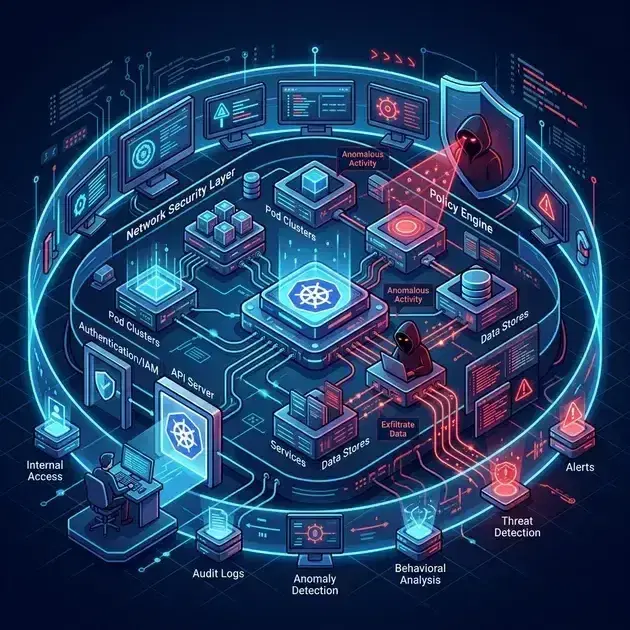
Kubernetes RBAC Advanced Patterns

Quick answer
Kubernetes RBAC is the authorization layer between who makes an API request and what they're allowed to do. Beyond the basics (Role, ClusterRole, RoleBinding), production RBAC design involves least-privilege service accounts for workloads, aggregated ClusterRoles for platform teams, OIDC group mapping from your identity provider, and audit logging to detect excessive permissions. This covers the patterns that prevent RBAC from becoming a maintenance burden or a security gap.
- How Kubernetes RBAC Works
- Built-In ClusterRoles
- Least-Privilege Service Accounts for Workloads
- Aggregated ClusterRoles
- OIDC Group Mapping on EKS
12 min read · Security
Every Kubernetes cluster has RBAC — but most clusters have RBAC that was configured once, never reviewed, and now has service accounts with cluster-admin and developers who can read Secrets in production. Production RBAC design is about two things: making the principle of least privilege achievable (small, focused roles that are easy to audit) and maintaining it (automation that prevents drift back toward permissive).
How Kubernetes RBAC Works
Request → Authentication (who are you?) → Authorization (what can you do?)
                                                ↓
                                      RBAC checks:
                                      1. RoleBindings in the request namespace
                                      2. ClusterRoleBindings (cluster-wide)
                                      3. RoleBindings in any namespace that bind ClusterRoles
Four objects:
- Role — namespace-scoped set of permissions
- ClusterRole — cluster-scoped set of permissions (or template for RoleBindings)
- RoleBinding — binds a Role or ClusterRole to subjects in a specific namespace
- ClusterRoleBinding — binds a ClusterRole to subjects cluster-wide
Key principle: a ClusterRole can be bound via RoleBinding to limit it to a namespace. A ClusterRoleBinding applies cluster-wide regardless of namespace.
Built-In ClusterRoles
| ClusterRole | What it allows |
|---|---|
view | Read-only access to most resources (no Secrets, no RBAC) |
edit | Create/update/delete most resources; does not include access to Secrets (since Kubernetes 1.22), RBAC, ResourceQuota, or LimitRange |
admin | Full access within a namespace including RBAC management; cannot manage the namespace itself or cluster resources |
cluster-admin | Full access to everything — equivalent to root |
Prefer binding these built-in roles via namespace-scoped RoleBinding (not ClusterRoleBinding) to limit scope.
Least-Privilege Service Accounts for Workloads
The most common RBAC mistake: using the default ServiceAccount (which has no permissions but exists in every namespace and accumulates bindings over time) or creating a blanket ServiceAccount with broad permissions.
The correct pattern: one ServiceAccount per workload, with the minimum permissions it actually needs:
1# ServiceAccount for the payments API
2apiVersion: v1
3kind: ServiceAccount
4metadata:
5  name: payments-api
6  namespace: payments
7  annotations:
8    eks.amazonaws.com/role-arn: arn:aws:iam::123456789:role/payments-api    # IRSA for AWS access
9
10---
11# Role: only what payments-api needs
12apiVersion: rbac.authorization.k8s.io/v1
13kind: Role
14metadata:
15  name: payments-api
16  namespace: payments
17rules:
18  - apiGroups: [""]
19    resources: ["secrets"]
20    resourceNames: ["payments-db-credentials", "payments-api-key"]    # Named Secrets only
21    verbs: ["get"]
22  - apiGroups: [""]
23    resources: ["configmaps"]
24    resourceNames: ["payments-config"]
25    verbs: ["get", "watch"]
26
27---
28apiVersion: rbac.authorization.k8s.io/v1
29kind: RoleBinding
30metadata:
31  name: payments-api
32  namespace: payments
33roleRef:
34  apiGroup: rbac.authorization.k8s.io
35  kind: Role
36  name: payments-api
37subjects:
38  - kind: ServiceAccount
39    name: payments-api
40    namespace: payments
Using resourceNames restricts access to specific named resources — the service account can only read the two Secrets it needs, not all Secrets in the namespace.
Disable auto-mounting the ServiceAccount token for workloads that don't need API server access. Set it on the ServiceAccount itself (applies to all pods using it by default):
1# On the ServiceAccount (preferred — applies to all pods using this SA)
2apiVersion: v1
3kind: ServiceAccount
4metadata:
5  name: payments-api
6  namespace: payments
7automountServiceAccountToken: false
A specific pod can override with automountServiceAccountToken: true in its spec if it needs the token.
Aggregated ClusterRoles
The aggregation rule lets you build ClusterRoles from smaller pieces. New ClusterRoles with matching labels are automatically included:
1# Platform team role — aggregates all roles labeled platform.codingprotocols.com/aggregate-to-platform-admin
2apiVersion: rbac.authorization.k8s.io/v1
3kind: ClusterRole
4metadata:
5  name: platform-admin
6aggregationRule:
7  clusterRoleSelectors:
8    - matchLabels:
9        platform.codingprotocols.com/aggregate-to-platform-admin: "true"
10rules: []    # Populated automatically from matching ClusterRoles
11
12---
13# Add new capabilities to platform-admin without modifying it
14apiVersion: rbac.authorization.k8s.io/v1
15kind: ClusterRole
16metadata:
17  name: karpenter-operator
18  labels:
19    platform.codingprotocols.com/aggregate-to-platform-admin: "true"    # Automatically included
20rules:
21  - apiGroups: ["karpenter.sh"]
22    resources: ["nodepools", "nodeclaims"]
23    verbs: ["get", "list", "watch", "create", "update", "patch", "delete"]
24  - apiGroups: ["karpenter.k8s.aws"]
25    resources: ["ec2nodeclasses"]
26    verbs: ["get", "list", "watch", "create", "update", "patch", "delete"]
When a new Karpenter version adds a CRD, you create a new ClusterRole with the label and it's automatically included in platform-admin — without modifying the binding.
The built-in view, edit, and admin ClusterRoles use the same pattern with labels like rbac.authorization.k8s.io/aggregate-to-view: "true".
OIDC Group Mapping on EKS
EKS supports authenticating users via OIDC (your SSO provider — Okta, Azure AD, Google). Map SSO groups to Kubernetes groups:
EKS Access Entry (newer approach, preferred over aws-auth ConfigMap)
1# Create an access entry for an SSO group
2aws eks create-access-entry \
3  --cluster-name production \
4  --principal-arn arn:aws:iam::123456789:role/payments-team-role \
5  --type STANDARD
6
7# Associate the access entry with a Kubernetes group
8aws eks associate-access-policy \
9  --cluster-name production \
10  --principal-arn arn:aws:iam::123456789:role/payments-team-role \
11  --policy-arn arn:aws:eks::aws:cluster-access-policy/AmazonEKSViewPolicy \
12  --access-scope type=namespace,namespaces=payments
EKS Access Entry vs aws-auth (2026 Standard)
The aws-auth ConfigMap is a legacy artifact. In 2026, EKS Access Entry is the recommended way to manage cluster access on EKS — aws-auth still works but is no longer the preferred approach. It offers several critical advantages:
- API-Driven: No manual YAML edits in
kube-systemthat can break node joining. - Auditability: Every access change is recorded in AWS CloudTrail.
- Immutability: Prevents the "configmap race condition" where nodes fail to join during high-velocity scaling events.
If your cluster still uses aws-auth, migrating to Access Entries is the single most important stability improvement you can make to your EKS platform.
OIDC Group → Kubernetes Group
For fine-grained control with custom groups from your IdP, configure the EKS OIDC identity provider and use groups in RoleBindings:
# Configure OIDC identity provider on EKS
# Use JSON for --oidc to avoid shell parsing issues with colons and commas
aws eks associate-identity-provider-config \
  --cluster-name production \
--oidc '{"issuerUrl":"https://accounts.google.com","clientId":"<client-id>","usernameClaim":"email","groupsClaim":"groups","usernamePrefix":"oidc:","groupsPrefix":"oidc:"}'1# RoleBinding using OIDC group (with groupsPrefix "oidc:")
2apiVersion: rbac.authorization.k8s.io/v1
3kind: RoleBinding
4metadata:
5 name: payments-team-edit
6 namespace: payments
7roleRef:
8 apiGroup: rbac.authorization.k8s.io
9 kind: ClusterRole
10 name: edit
11subjects:
12 - kind: Group
13 name: oidc:payments-team # Prefix from groupsPrefix configuration
14 apiGroup: rbac.authorization.k8s.ioServer & SSH Hardening Checklist
The firewall, SSH, fail2ban, and update baseline every internet-facing Linux box should pass. Plain Markdown you can run down in an afternoon.
Free. Instant download. You'll also get the occasional deep-dive from the newsletter — unsubscribe anytime.
Detecting Excessive Permissions
Audit What Can Be Done
1# Can my service account read Secrets in the payments namespace?
2kubectl auth can-i get secrets -n payments --as=system:serviceaccount:payments:payments-api
3
4# List all permissions for a service account
5kubectl auth can-i --list --as=system:serviceaccount:payments:payments-api -n payments
6
7# Find all ClusterRoleBindings to cluster-admin (should be minimal)
8kubectl get clusterrolebindings -o json | \
9  jq '.items[] | select(.roleRef.name == "cluster-admin") |
10  {name: .metadata.name, subjects: .subjects}'
Audit What's Actually Being Used
Enable Kubernetes audit logging on EKS to capture RBAC decisions:
1// audit-policy.yaml (EKS logging configuration)
2{
3  "rules": [
4    {
5      "level": "RequestResponse",
6      "verbs": ["create", "update", "patch", "delete"],
7      "resources": [
8        {"group": "rbac.authorization.k8s.io", "resources": ["roles", "rolebindings", "clusterroles", "clusterrolebindings"]}
9      ]
10    },
11    {
12      "level": "Metadata",
13      "verbs": ["get", "list"],
14      "resources": [
15        {"group": "", "resources": ["secrets"]}
16      ]
17    }
18  ]
19}# In CloudWatch: find Secret reads by unexpected actors
aws logs filter-log-events \
--log-group-name "/aws/eks/production/cluster" \
--filter-pattern '{ $.objectRef.resource = "secrets" && $.verb = "get" }'Common Privilege Escalation Paths
These RBAC permissions look safe but enable privilege escalation:
create on pods/exec: Exec into any pod → if that pod has a service account with high permissions or runs as root, you've escalated.
# Don't grant this without careful consideration
rules:
  - apiGroups: [""]
    resources: ["pods/exec"]
    verbs: ["create"]
create on pods: Create a pod with hostNetwork: true, hostPID: true, or a privileged security context → can access the node.
get/list on secrets: Read Secrets → credential theft. Always use resourceNames to restrict to specific Secrets.
patch/update on rolebindings: Can add yourself to any RoleBinding → grants any namespace permission.
escalate verb on ClusterRoles: Allows binding permissions you don't currently have → full privilege escalation. Never grant.
# Find all subjects with pod/exec access
kubectl get clusterroles -o json | \
  jq '.items[] | select(.rules[]? | .resources[]? == "pods/exec") | .metadata.name'
Frequently Asked Questions
Should workload service accounts have any RBAC bindings?
Most workloads don't need Kubernetes API access at all. The default ServiceAccount has no permissions — if your workload doesn't call the Kubernetes API, leave it on the default and set automountServiceAccountToken: false. Only create custom ServiceAccounts with RBAC when the workload genuinely needs API access (operators, controllers, tools that watch Pods or update Custom Resources).
How do I manage RBAC across many namespaces without copy-pasting?
Use ClusterRoles (not Roles) and bind them via namespace-scoped RoleBindings. The ClusterRole defines the permissions once; each namespace gets a RoleBinding to it. For cross-team platform policies, use aggregated ClusterRoles so new tool permissions are added without modifying existing bindings. For namespace provisioning, use Kyverno generate rules to automatically create RoleBindings when namespaces are created with the right labels.
What's the difference between the aws-auth ConfigMap and EKS Access Entries?
aws-auth is the older mechanism: a ConfigMap in kube-system that maps IAM roles/users to Kubernetes usernames and groups. EKS Access Entries (GA since EKS 1.29) manage identity mappings through the EKS API instead of a ConfigMap — no manual ConfigMap editing, and access entry changes are auditable in CloudTrail. New clusters should use Access Entries. Existing clusters can migrate but aws-auth continues to work.
User Impersonation
Platform engineers often need to act as a specific user or ServiceAccount for debugging — checking what a ServiceAccount can access, reproducing a permission error. Impersonation allows this without sharing credentials:
1# Grant platform team the ability to impersonate any ServiceAccount in production
2apiVersion: rbac.authorization.k8s.io/v1
3kind: ClusterRole
4metadata:
5  name: impersonate-production-serviceaccounts
6rules:
7  - apiGroups: [""]
8    resources: ["serviceaccounts"]
9    verbs: ["impersonate"]
10    resourceNames: []    # Empty = all ServiceAccounts (restrict to specific ones in practice)
11---
12apiVersion: rbac.authorization.k8s.io/v1
13kind: RoleBinding
14metadata:
15  name: platform-team-impersonation
16  namespace: production
17subjects:
18  - kind: Group
19    name: platform-engineers
20    apiGroup: rbac.authorization.k8s.io
21roleRef:
22  kind: ClusterRole
23  name: impersonate-production-serviceaccounts
24 apiGroup: rbac.authorization.k8s.io1# Act as the payments-api ServiceAccount to test its permissions
2kubectl auth can-i --list \
3 --as=system:serviceaccount:production:payments-api
4
5# Test a specific action
6kubectl get secrets -n production \
7 --as=system:serviceaccount:production:payments-api
8# Error from server (Forbidden): if the SA doesn't have access — this is the expected checkImpersonation is audited — the original user's identity is recorded alongside the impersonated identity in the audit log. This makes it safe to grant to platform team members without losing accountability.
Projected Service Account Tokens
The legacy service account token (long-lived, no expiry) is insecure for workloads that call external APIs. Projected tokens are short-lived, audience-bound, and automatically rotated:
1spec:
2  volumes:
3    - name: token
4      projected:
5        sources:
6          - serviceAccountToken:
7              path: token
8              expirationSeconds: 3600      # 1-hour tokens (Kubernetes auto-rotates at 80% TTL)
9              audience: "https://my-api.example.com"    # Bound to a specific audience
10          - configMap:
11              name: kube-root-ca.crt
12              items:
13                - key: ca.crt
14                  path: ca.crt
15  containers:
16    - name: app
17      volumeMounts:
18        - name: token
19          mountPath: /var/run/secrets/myapp
20          readOnly: true
Projected tokens are the mechanism behind EKS Pod Identity and IRSA — the token in /var/run/secrets/eks.amazonaws.com/serviceaccount/token is a projected token with audience sts.amazonaws.com.
Disabling Automount
Most workloads don't need the auto-mounted Kubernetes API token. Disable it by default:
1apiVersion: v1
2kind: ServiceAccount
3metadata:
4  name: payments-api
5  namespace: production
6automountServiceAccountToken: false    # Service-level default
7
8---
9# Override per-pod when Kubernetes API access is needed
10spec:
11  automountServiceAccountToken: true   # Pod-level override
12  serviceAccountName: payments-api
Setting automountServiceAccountToken: false at the ServiceAccount level means the token is never mounted unless explicitly re-enabled. This eliminates the attack surface for pods that only need to serve HTTP — they can't be used to exfiltrate Kubernetes API credentials.
For service account RBAC in the context of workload identity (IRSA, Pod Identity), see Kubernetes Service Accounts and Workload Identity. For admission webhook policies that enforce RBAC constraints (blocking cluster-admin bindings), see Kubernetes Admission Webhooks: OPA Gatekeeper and Kyverno.
Auditing and tightening RBAC across a multi-team cluster? Talk to us at Coding Protocols — we help platform teams implement least-privilege RBAC that's maintainable as the cluster grows.
Official References
- RBAC authorization — Role, ClusterRole and binding semantics
- Configure service accounts — token projection and the default service account
Was this article helpful?
Be the first to rate this article
Related Topics
Found this useful? Share it.