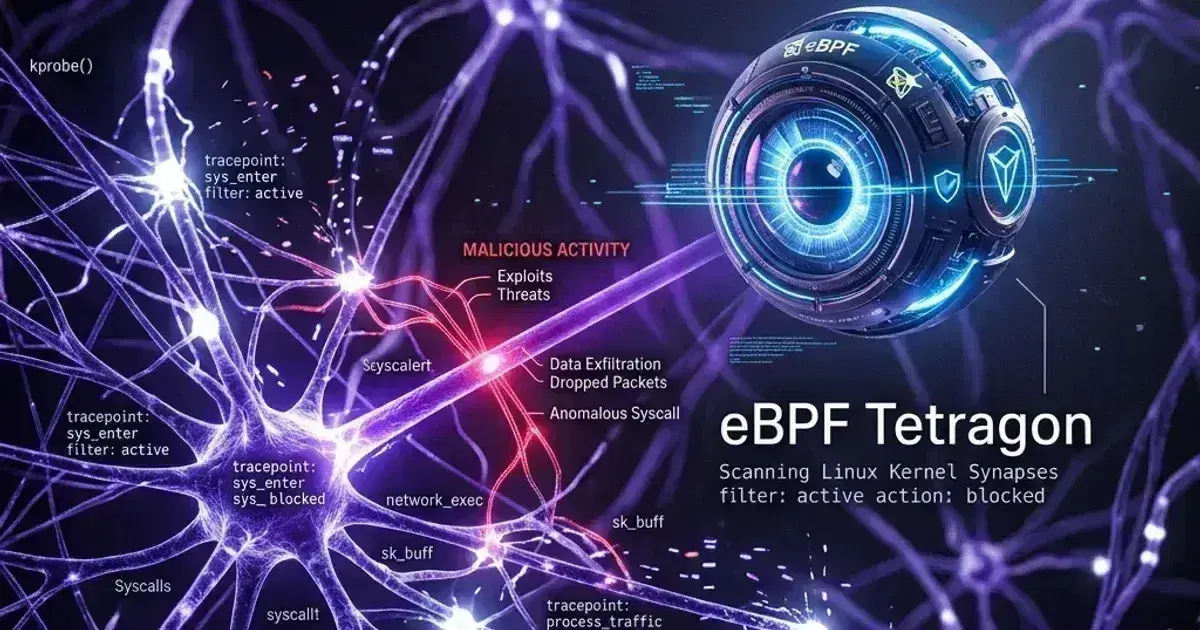
Cilium and eBPF: High-Performance Kubernetes Networking

Quick answer
Cilium replaces iptables-based kube-proxy and CNI with eBPF programs loaded directly into the Linux kernel. The result is faster networking, richer network policy, and observability that was previously impossible without a service mesh. Here's how Cilium works and how to run it in production.
- How eBPF Changes Kubernetes Networking
- Installation
- Cilium Network Policies
- Hubble: Network Observability
- Encryption
15 min read · Kubernetes
Every packet between Kubernetes pods in a standard cluster goes through iptables. The kube-proxy daemon maintains iptables rules for every Service in the cluster — thousands of rules on a large cluster, evaluated sequentially for each packet. At scale, this is both a performance bottleneck and a maintenance challenge.
Cilium replaces this architecture with eBPF: small programs loaded directly into the Linux kernel that process packets at line rate without traversing iptables. The performance improvement is real, but it's not the primary reason most teams adopt Cilium. The primary reasons are network policy (Cilium implements policy at the identity level, not just IP/port), and observability (Hubble provides per-flow visibility without a service mesh).
How eBPF Changes Kubernetes Networking
Traditional kube-proxy uses iptables NAT rules to redirect traffic destined for a Service's ClusterIP to one of its backing pod IPs. For a cluster with 1,000 Services and 10,000 endpoints, kube-proxy maintains tens of thousands of iptables rules. Adding or updating a rule requires rewriting the entire chain — O(n) for each Service update.
eBPF programs use kernel-resident hash maps for Service-to-endpoint lookup. Adding a new endpoint is an O(1) map update. The eBPF program runs at the socket layer — before packets even enter the network stack. For pod-to-pod traffic within the same node, this enables direct delivery without going through the host network namespace at all.
Measured impact (CNCF benchmark, 10,000 Service cluster):
- CPU usage: 40–60% reduction in network-related kernel CPU
- Latency (P99): 30–50% reduction for inter-pod calls
- Connection setup time: Near-zero for same-node pod-to-pod traffic (kernel bypass)
Installation
Prerequisites
- Linux kernel 4.9+ (5.10+ recommended for all Cilium features)
- kube-proxy disabled (for full kube-proxy replacement mode)
- No existing CNI installed
EKS Installation
On EKS, replace the default AWS VPC CNI with Cilium:
1# Disable kube-proxy DaemonSet (Cilium replaces it)
2kubectl patch daemonset kube-proxy \
3  -n kube-system \
4  --type=json \
5  -p='[{"op": "replace", "path": "/spec/updateStrategy/type", "value": "OnDelete"}]'
6kubectl -n kube-system delete pods -l k8s-app=kube-proxy
7
8# Install Cilium via Helm
9helm repo add cilium https://helm.cilium.io/
10helm repo update
11
12helm upgrade --install cilium cilium/cilium \
13  --version 1.20.1 \    # Check https://github.com/cilium/cilium/releases for current stable
14  --namespace kube-system \
15  --set eni.enabled=true \
16  --set ipam.mode=eni \
17  --set egressMasqueradeInterfaces=eth0 \
18  --set routingMode=native \
19  --set kubeProxyReplacement=true \
20  --set k8sServiceHost=<API_SERVER_ENDPOINT> \
21  --set k8sServicePort=443 \
22  --set hubble.relay.enabled=true \
23  --set hubble.ui.enabled=true
The kubeProxyReplacement=true flag tells Cilium to handle all kube-proxy functions via eBPF.
GKE with Dataplane V2
GKE's Dataplane V2 is Cilium-based (enabled by default on new GKE clusters):
gcloud container clusters create my-cluster \
  --dataplane-v2 \
  --region us-central1
Dataplane V2 gives you Cilium's eBPF networking without managing the installation yourself — Google maintains it as a managed component.
Verify Installation
1# Check Cilium agent status
2cilium status --wait
3
4# Check connectivity
5cilium connectivity test
6
7# Check kube-proxy replacement is active
8cilium status | grep KubeProxyReplacement
9# Should show: KubeProxyReplacement: True
Cilium Network Policies
Standard Kubernetes NetworkPolicy is IP/port-based. Cilium extends this with identity-based policy using Kubernetes label selectors, DNS names, and CIDR blocks at L3/L4, plus HTTP/gRPC-level policy at L7.
L3/L4 Identity Policy
1apiVersion: cilium.io/v2
2kind: CiliumNetworkPolicy
3metadata:
4  name: api-policy
5  namespace: production
6spec:
7  endpointSelector:
8    matchLabels:
9      app: api
10  ingress:
11    - fromEndpoints:
12        - matchLabels:
13            app: frontend
14      toPorts:
15        - ports:
16            - port: "8080"
17              protocol: TCP
18    - fromEndpoints:
19        - matchLabels:
20            io.kubernetes.pod.namespace: monitoring
21            k8s-app: prometheus
22      toPorts:
23        - ports:
24            - port: "9090"
25              protocol: TCP
26  egress:
27    - toEndpoints:
28        - matchLabels:
29            app: postgres
30      toPorts:
31        - ports:
32            - port: "5432"
33              protocol: TCP
34    - toFQDNs:
35        - matchName: api.stripe.com     # Allow FQDN egress
36        - matchPattern: "*.amazonaws.com"
37      toPorts:
38        - ports:
39            - port: "443"
40              protocol: TCP
Cilium uses identity-based security — each endpoint (pod) gets a numeric identity based on its labels. Policy is evaluated against identities, not IPs. When a pod is replaced, its IP changes but its identity (labels) stays the same — no policy update required.
L7 HTTP Policy
1apiVersion: cilium.io/v2
2kind: CiliumNetworkPolicy
3metadata:
4  name: api-http-policy
5  namespace: production
6spec:
7  endpointSelector:
8    matchLabels:
9      app: api
10  ingress:
11    - fromEndpoints:
12        - matchLabels:
13            app: frontend
14      toPorts:
15        - ports:
16            - port: "8080"
17              protocol: TCP
18          rules:
19            http:
20              - method: GET
21                path: "/api/v1/.*"       # Allow GET on /api/v1/*
22              - method: POST
23                path: "/api/v1/orders"   # Allow POST on specific path
24              # Everything else is denied
L7 policy inspection happens in the Cilium proxy (Envoy-based) that's embedded in the Cilium agent — no separate sidecar required. For services that only need HTTP-level policy, this is substantially lower overhead than running a full service mesh sidecar per pod.
FQDN-Based Egress Policy
One of Cilium's practical advantages over standard NetworkPolicy: you can allow egress to DNS names instead of IP ranges:
1egress:
2  - toFQDNs:
3      - matchName: "api.stripe.com"
4      - matchName: "sqs.us-east-1.amazonaws.com"
5      - matchPattern: "*.s3.amazonaws.com"
6    toPorts:
7      - ports:
8          - port: "443"
9            protocol: TCP
Cilium intercepts DNS responses and dynamically updates the egress policy when the DNS name resolves to new IPs — no manual CIDR management for external APIs that change IPs.
Kubernetes Production Readiness Checklist
The pre-launch checks we run before calling a cluster production-ready — probes, resources, RBAC, upgrades, and backups. Plain Markdown you can commit to your repo.
Free. Instant download. You'll also get the occasional deep-dive from the newsletter — unsubscribe anytime.
Hubble: Network Observability
Hubble is Cilium's observability component. It captures flow-level data for all traffic that goes through the eBPF data plane — source, destination, protocol, verdict (allowed/denied), HTTP status codes, DNS queries.
Install and Access Hubble
1# Enable Hubble (if not already enabled via Helm)
2cilium hubble enable --ui
3
4# Install Hubble CLI
5brew install hubble
6
7# Port-forward Hubble relay
8cilium hubble port-forward &
9
10# Observe all flows in a namespace
11hubble observe --namespace production
12
13# Observe dropped flows
14hubble observe --verdict DROPPED --namespace production
15
16# Observe flows between specific services
17hubble observe \
18  --from-label app=frontend \
19  --to-label app=api \
20  --namespace production
Sample Hubble output:
May 09 10:15:23.412  production/frontend-7d8b9c-xq2p9:54321 -> production/api-6f4c8d-lk3m1:8080
  TCP Flags: SYN     FORWARDED
May 09 10:15:23.413  production/api-6f4c8d-lk3m1:8080 -> production/postgres-0:5432
  TCP Flags: SYN     FORWARDED
May 09 10:15:23.501  production/api-6f4c8d-lk3m1:8080 -> payment.stripe.com:443
  TCP Flags: SYN     DROPPED    (egress policy denied)
The last line shows Cilium enforcing an egress policy — the api pod attempted to reach Stripe but wasn't explicitly allowed. Without Hubble, you'd only see the connection timeout from the application side.
Hubble Metrics in Prometheus
Hubble exposes per-flow metrics that feed into Prometheus and Grafana:
# Enable Hubble metrics
helm upgrade cilium cilium/cilium \
  --reuse-values \
  --set hubble.metrics.enableOpenMetrics=true \
  --set hubble.metrics.enabled="{dns,drop,tcp,flow,icmp,http}"
Key metrics:
hubble_drop_total— packets dropped by policy (alert on spikes)hubble_http_requests_total— per-service HTTP request count (L7 visibility without sidecar)hubble_dns_queries_total— DNS query volume per podhubble_flows_processed_total— total flow volume
Hubble's HTTP metrics give you golden signals (rate, error rate, duration) per service pair — similar to what a service mesh provides, but from the eBPF layer.
Encryption
Cilium supports transparent pod-to-pod encryption via two methods:
IPsec (stable)
1# Generate pre-shared key
2kubectl create secret generic cilium-ipsec-keys \
3  --from-literal=keyfile="3 rfc4106(gcm(aes)) $(echo $(dd if=/dev/urandom count=20 bs=1 2> /dev/null | xxd -p -c 64)) 128" \
4  -n kube-system
5
6# Enable IPsec in Cilium
7helm upgrade cilium cilium/cilium \
8  --reuse-values \
9  --set encryption.enabled=true \
10  --set encryption.type=ipsec
WireGuard (faster, simpler key management)
helm upgrade cilium cilium/cilium \
  --reuse-values \
  --set encryption.enabled=true \
  --set encryption.type=wireguard
WireGuard is faster than IPsec and has simpler key management (kernel-native key rotation). Use WireGuard for new deployments unless you have a specific IPsec requirement.
Cilium's transparent encryption covers node-to-node traffic. Same-node pod-to-pod traffic can optionally be excluded (no network hop = less value from encryption).
Cluster Mesh: Multi-Cluster Networking
Cilium Cluster Mesh connects multiple Kubernetes clusters so pods can reach services across clusters as if they were in the same cluster — using standard Kubernetes Service DNS, with full identity-based policy:
1# Enable cluster mesh
2cilium clustermesh enable --context cluster-1
3cilium clustermesh enable --context cluster-2
4
5# Connect clusters
6cilium clustermesh connect \
7  --context cluster-1 \
8  --destination-context cluster-2
9
10# Verify
11cilium clustermesh status
After connection, a Service annotated with service.cilium.io/global: "true" is accessible from both clusters:
1apiVersion: v1
2kind: Service
3metadata:
4  name: shared-api
5  namespace: production
6  annotations:
7    service.cilium.io/global: "true"
8    service.cilium.io/shared: "true"
9spec:
10  selector:
11    app: shared-api
12  ports:
13    - port: 80
Cluster Mesh is the foundation for active-active multi-cluster deployments where services in cluster-1 can fail over to cluster-2 at the network layer.
Production Considerations
Kernel Version
Cilium's full feature set requires a recent kernel. Check required kernel versions for specific features:
| Feature | Minimum Kernel |
|---|---|
| Basic eBPF networking | 4.9 |
| kube-proxy replacement | 4.19.57 / 5.1 |
| WireGuard encryption | 5.6 |
| L7 policy | 4.19 |
| Bandwidth Manager (BBR) | 5.18 |
For EKS, Amazon Linux 2023 ships with kernel 6.1+, giving you all Cilium features. For self-managed nodes, avoid kernels older than 5.10.
Memory Usage
Each Cilium agent uses eBPF maps for networking state. Map size grows with the number of endpoints, Services, and network policy rules. A cluster with 1,000 pods and 200 Services typically uses 500–800MB per node for Cilium's eBPF maps. Monitor cilium_bpf_map_ops_total for map pressure.
Hubble Retention
By default, Hubble stores flows in a ring buffer in memory (last N flows per node). For durable flow history, deploy Hubble with a Cassandra or ClickHouse backend. For most use cases, the in-memory ring buffer is sufficient for real-time debugging.
See also
Frequently Asked Questions
Can I run Cilium alongside the AWS VPC CNI?
Yes — Cilium supports a chaining mode (cni.chainingMode=aws-cni) that runs alongside the AWS VPC CNI. In this mode, the VPC CNI still handles IP address assignment and native VPC routing, while Cilium attaches to each pod's network interface to enforce NetworkPolicy, security identities, and provide L7 visibility via Hubble. This is the recommended starting point for existing EKS clusters:
1helm install cilium cilium/cilium \
2  --namespace kube-system \
3  --version 1.20.1 \
4  --set cni.chainingMode=aws-cni \
5  --set cni.exclusive=false \
6  --set enableIPv4Masquerade=false \
7  --set routingMode=native \
8  --set endpointRoutes.enabled=true
Chaining mode does not support kube-proxy replacement or Cilium's full IPAM — those require running Cilium as the sole CNI. For a full CNI replacement (eBPF kube-proxy replacement, Cilium IPAM), provision a new cluster or perform a node-by-node rolling replacement. For existing clusters that can't tolerate disruption, chaining mode provides most of Cilium's policy and observability value without replacing aws-node.
Does Cilium replace a service mesh?
Partially. Cilium's L7 policy and Hubble metrics cover the observability and basic access-control use cases of a service mesh. What Cilium doesn't provide: mTLS between pods (unless using encryption), distributed tracing integration (Hubble provides flow data, not full traces), and Istio/Linkerd-style traffic management (VirtualService, retries, circuit breaking). For teams that want mTLS without a full service mesh, Cilium's WireGuard encryption at the node level covers most use cases.
Is Cilium stable for production?
Yes. Cilium is a CNCF graduated project (2023) and is used in production at Google, Meta, AWS, Datadog, and thousands of other organisations. GKE Dataplane V2 is Cilium — Google runs it at scale in their managed service. The project has strong operational track record and commercial support from Isovalent (now part of Cisco).
What's the migration path from kube-proxy to Cilium?
The safest path on a live cluster:
- Deploy Cilium in
kubeProxyReplacement=falsemode — Cilium handles CNI, kube-proxy still handles Services - Validate Cilium networking over several days
- Switch to
kubeProxyReplacement=trueon a per-node basis via node labels - Decommission kube-proxy DaemonSet
This phased approach avoids a hard cutover and allows rollback at each step.
For network policy fundamentals, see Kubernetes Network Policies: A Practical Guide. For service mesh comparison (Cilium covers some mesh use cases), see Service Mesh Comparison: Istio vs Linkerd. For advanced Cilium configuration on EKS including Hubble observability, WireGuard encryption, and FQDN-based egress policies in production, see Advanced Cilium Networking and Observability on EKS. For enforcing NetworkPolicy patterns across multi-team namespaces, see Kubernetes NetworkPolicy: Zero-Trust Networking for Multi-Team Clusters.
Migrating to Cilium on a production cluster? Talk to us at Coding Protocols — we help platform teams plan and execute CNI migrations without cluster downtime.
Official References
- Cilium introduction — the eBPF dataplane and what replaces kube-proxy
- Cilium network policy — L3/L4/L7 policy and identity-based enforcement
Was this article helpful?
Be the first to rate this article
Related Topics
Found this useful? Share it.