AWS VPC Design for EKS: Subnets, NAT Gateways, and Security Groups
Quick answer
Every EKS cluster lives inside a VPC. How that VPC is designed — CIDR ranges, subnet layout, NAT configuration, VPC endpoints, and security group rules — determines the cluster's networking performance, security posture, and operational overhead. This covers production-grade VPC design for EKS: subnet sizing for large pod counts, private vs public node placement, NAT Gateway vs NAT instance trade-offs, VPC endpoints to keep traffic off the internet, security groups for nodes and pods, and VPC peering vs Transit Gateway for multi-VPC connectivity.
16 min read · AWS
EKS networking problems are often VPC design problems in disguise. Pods can't reach the internet because the private subnets lack a NAT Gateway route. Nodes hit IP exhaustion because the subnets were sized for EC2 instances, not for pods that each consume a VPC IP. Cross-cluster communication is slow because traffic is leaving the VPC and re-entering it over the internet.
Getting the VPC right before cluster creation is significantly easier than retrofitting it after.
CIDR Planning
VPC CIDR
Choose a VPC CIDR large enough to accommodate:
- Node ENIs (each node gets at least one ENI)
- Pod IPs (with VPC CNI, each pod gets a VPC IP from the subnet)
- Future growth without re-cidr operations
A /16 VPC gives 65,536 addresses. For a production EKS cluster with hundreds of pods, a /16 or two /17 VPCs is the minimum reasonable starting point.
Avoid these ranges if you need VPC peering or Transit Gateway:
10.0.0.0/8is common and likely conflicts with on-premises networks172.16.0.0/12is used by Docker's default bridge network192.168.0.0/16is used by home routers and VPNs
Prefer 100.64.0.0/10 (IANA-reserved for carrier-grade NAT, rarely used in corporate networks) for pod CIDRs when using custom networking.
Subnet Sizing
Standard VPC CNI: each pod gets an IP from the subnet. Subnet size must account for both node ENIs and pod IPs simultaneously.
An m5.large node has 3 ENIs with 10 IPs/ENI. The VPC CNI max-pods formula is (ENIs × (IPs per ENI - 1)) + 2, so available pod IPs = (3 × 9) + 2 = 29 pod IPs per node.
For 100 nodes with m5.large:
- Pod IPs needed: 100 × 29 = 2,900 pod IPs
- Total: ~2,900 IPs minimum (the node's own primary IP on eth0 is accounted for inside the formula)
A /21 subnet has 2,048 usable IPs — not enough. A /20 (4,096 IPs) works, but with little headroom. Use /19 (8,192 IPs) per AZ for room to grow.
Prefix delegation (VPC CNI 1.9.0+, Nitro-based instances only): instead of assigning individual IPs, VPC CNI assigns /28 IPv4 prefixes to each ENI. This significantly increases pod density:
# Enable prefix delegation on existing cluster
kubectl set env daemonset aws-node -n kube-system ENABLE_PREFIX_DELEGATION=true
With prefix delegation, each secondary IP slot on an ENI is replaced by a /28 prefix (16 IPs). An m5.large has 9 secondary IP slots per ENI (10 total minus 1 primary), so: 3 ENIs × 9 prefixes × 16 IPs = up to ~431 pod IPs, though practical limits are lower due to node memory/CPU.
Subnet Layout
Three-Tier Layout
VPC: 10.0.0.0/16
├── Public subnets (one per AZ)
│   ├── 10.0.0.0/24  (us-east-1a) — ALB, NAT Gateway, bastion
│   ├── 10.0.1.0/24  (us-east-1b)
│   └── 10.0.2.0/24  (us-east-1c)
│
├── Private subnets — nodes and pods (one per AZ)
│   ├── 10.0.16.0/20  (us-east-1a) — 4,096 IPs
│   ├── 10.0.32.0/20  (us-east-1b)
│   └── 10.0.48.0/20  (us-east-1c)
│
└── Isolated/DB subnets (one per AZ)
    ├── 10.0.192.0/24 (us-east-1a) — RDS, ElastiCache (no internet route)
    ├── 10.0.193.0/24 (us-east-1b)
    └── 10.0.194.0/24 (us-east-1c)
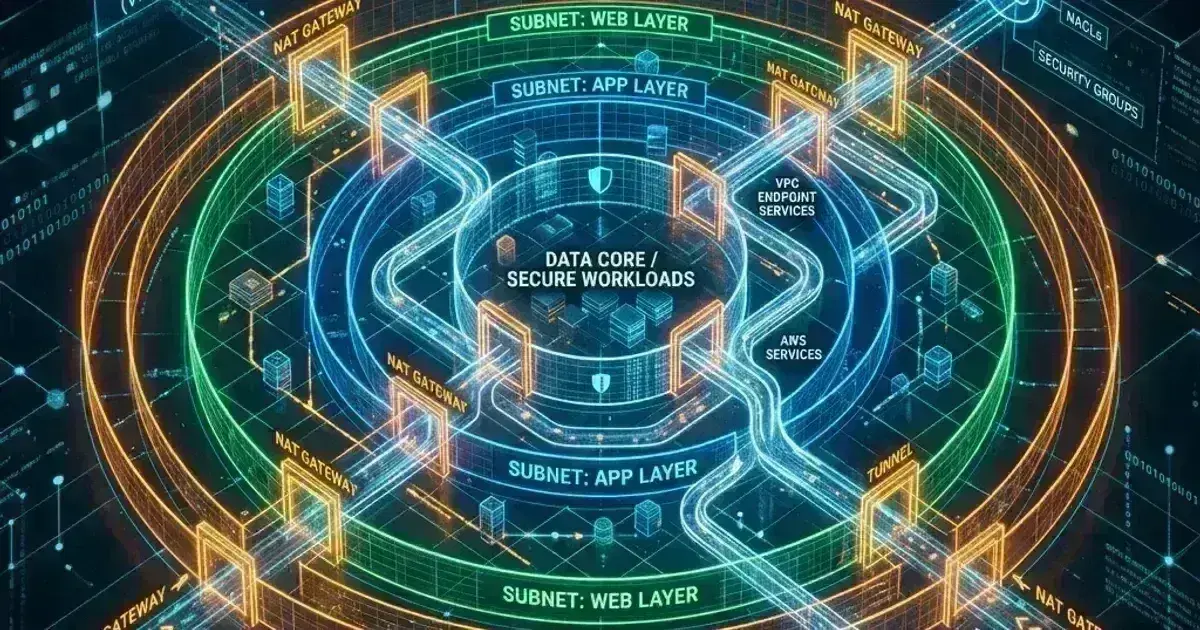
Public subnets: have a route to the Internet Gateway. Host load balancers (ALBs for internet-facing Ingress), NAT Gateways, and optionally bastion hosts. Nodes should NOT run in public subnets — exposed EC2 instance metadata endpoint is a security risk.
Private subnets: no direct internet route. Route internet traffic through NAT Gateway. EKS nodes run here. The private subnets need the tags for EKS to discover them for internal load balancers:
1# Required for EKS to provision internal load balancers in private subnets
2aws ec2 create-tags \
3  --resources subnet-private-1a subnet-private-1b subnet-private-1c \
4  --tags Key=kubernetes.io/cluster/my-cluster,Value=shared \
5         Key=kubernetes.io/role/internal-elb,Value=1
6
7# Required for EKS to provision internet-facing load balancers in public subnets
8aws ec2 create-tags \
9  --resources subnet-public-1a subnet-public-1b subnet-public-1c \
10  --tags Key=kubernetes.io/cluster/my-cluster,Value=shared \
11         Key=kubernetes.io/role/elb,Value=1
Isolated subnets: no route to the internet in either direction. For databases, ElastiCache clusters, and other resources that should only be accessible within the VPC.
NAT Gateway
Private subnet nodes need internet access to pull container images (from Docker Hub, public ECR), download OS updates, and reach AWS APIs. NAT Gateway provides outbound internet access without exposing the instances inbound.
One NAT Gateway vs One Per AZ
Cheaper (single NAT):
Private subnet us-east-1a → NAT GW us-east-1a → Internet Gateway
Private subnet us-east-1b → NAT GW us-east-1a → Internet Gateway (cross-AZ traffic!)
Private subnet us-east-1c → NAT GW us-east-1a → Internet Gateway (cross-AZ traffic!)
HA (one per AZ):
Private subnet us-east-1a → NAT GW us-east-1a → Internet Gateway
Private subnet us-east-1b → NAT GW us-east-1b → Internet Gateway
Private subnet us-east-1c → NAT GW us-east-1c → Internet Gateway
Cross-AZ data transfer costs $0.01/GB in each direction. For a cluster with significant outbound traffic, one NAT Gateway per AZ quickly pays for itself in data transfer savings. For low-traffic clusters, a single NAT Gateway is fine.
NAT Gateway pricing: ~$0.045/hour + $0.045/GB processed. At scale, image pull traffic through NAT Gateway adds up — VPC endpoints for ECR eliminate this cost for ECR traffic.
Route Tables
Each private subnet needs a route table with a default route through the AZ-local NAT Gateway:
1# Create route table for private subnet in us-east-1a
2aws ec2 create-route-table --vpc-id vpc-abc123 --tag-specifications \
3  "ResourceType=route-table,Tags=[{Key=Name,Value=private-rt-1a}]"
4
5# Add default route through NAT Gateway in us-east-1a
6aws ec2 create-route \
7  --route-table-id rtb-abc123 \
8  --destination-cidr-block 0.0.0.0/0 \
9  --nat-gateway-id nat-abc123
10
11# Associate with private subnet in us-east-1a
12aws ec2 associate-route-table \
13  --route-table-id rtb-abc123 \
14  --subnet-id subnet-private-1a
VPC Endpoints
VPC endpoints keep AWS API traffic within the AWS network, eliminating NAT Gateway data transfer charges and removing the internet dependency for AWS service access.
Two types:
- Gateway endpoints: S3 and DynamoDB only. Free. Added as a route in the route table.
- Interface endpoints: all other AWS services. Charged per endpoint per AZ per hour (~$0.01/hour) plus data processing.
Essential endpoints for EKS
1# Gateway endpoints (free — always create these)
2aws ec2 create-vpc-endpoint \
3  --vpc-id vpc-abc123 \
4  --service-name com.amazonaws.us-east-1.s3 \
5  --vpc-endpoint-type Gateway \
6  --route-table-ids rtb-private-1a rtb-private-1b rtb-private-1c
7
8# ECR endpoints (eliminates NAT Gateway charges for image pulls)
9aws ec2 create-vpc-endpoint \
10  --vpc-id vpc-abc123 \
11  --service-name com.amazonaws.us-east-1.ecr.dkr \
12  --vpc-endpoint-type Interface \
13  --subnet-ids subnet-private-1a subnet-private-1b subnet-private-1c \
14  --security-group-ids sg-endpoint
15
16aws ec2 create-vpc-endpoint \
17  --vpc-id vpc-abc123 \
18  --service-name com.amazonaws.us-east-1.ecr.api \
19  --vpc-endpoint-type Interface \
20  --subnet-ids subnet-private-1a subnet-private-1b subnet-private-1c \
21  --security-group-ids sg-endpoint
22
23# EKS control plane endpoint (for kubectl and kubelet)
24aws ec2 create-vpc-endpoint \
25  --vpc-id vpc-abc123 \
26  --service-name com.amazonaws.us-east-1.eks \
27  --vpc-endpoint-type Interface \
28  --subnet-ids subnet-private-1a subnet-private-1b subnet-private-1c \
29  --security-group-ids sg-endpoint
30
31# Secrets Manager, STS, EC2 (for IRSA and node registration)
32# com.amazonaws.us-east-1.secretsmanager
33# com.amazonaws.us-east-1.sts
34# com.amazonaws.us-east-1.ec2
ECR stores image layers in S3, so the S3 gateway endpoint is also required for ECR image pulls to work efficiently via VPC endpoints.
Endpoint Security Group
1# Security group for VPC endpoints — allow HTTPS from node/pod CIDRs
2Ingress:
3  - port: 443
4    source: 10.0.16.0/20    # Private subnet CIDR
5  - port: 443
6    source: 10.0.32.0/20
7  - port: 443
8    source: 10.0.48.0/20
AWS Cost & Architecture Review Checklist
The questions we ask in a paid AWS review — rightsizing, storage classes, network egress, and the usual five-figure surprises. Plain Markdown.
Free. Instant download. You'll also get the occasional deep-dive from the newsletter — unsubscribe anytime.
Security Groups for EKS
Node Security Group
EKS creates a default security group for nodes. For tighter control, create a custom security group and specify it in the node group configuration:
1# Node security group — minimal required rules
2# Inbound
3# - Cluster security group (for control plane to node communication)
4# - Self (node-to-node)
5# - Load balancer (for NodePort services, if used)
6
7# Outbound
8# - All traffic (nodes need to reach ECR, STS, EC2 APIs, etc.)
9# Or more precisely:
10# - 443 to VPC endpoints security group
11# - 443 to 0.0.0.0/0 for internet-facing registries
EKS requires specific ports between the control plane and nodes:
- 443: control plane to node HTTPS (kubelet and metrics)
- 10250: control plane to node (kubelet API)
- 1025-65535: node to control plane (for kubectl exec, port-forward)
1{
2  "SecurityGroupRules": [
3    {
4      "IpProtocol": "tcp",
5      "FromPort": 443,
6      "ToPort": 443,
7      "Description": "Cluster API to node HTTPS"
8    },
9    {
10      "IpProtocol": "tcp",
11      "FromPort": 10250,
12      "ToPort": 10250,
13      "Description": "Cluster API to node kubelet"
14    },
15    {
16      "IpProtocol": "-1",
17      "Description": "Node to node all traffic"
18    }
19  ]
20}
Security Groups for Pods (SGP)
VPC CNI 1.7.7+ (requires EKS cluster version 1.17+) supports assigning security groups directly to pods, independent of the node's security group. This lets you control pod-to-pod and pod-to-RDS traffic at the security group level:
1apiVersion: vpcresources.k8s.aws/v1beta1
2kind: SecurityGroupPolicy
3metadata:
4  name: payments-api-sg
5  namespace: payments
6spec:
7  podSelector:
8    matchLabels:
9      app: payments-api
10  securityGroups:
11    groupIds:
12      - sg-payments-api    # This security group applied to matching pods
Enable SGP on the cluster:
kubectl set env daemonset aws-node -n kube-system ENABLE_POD_ENI=trueLimitations: SGP requires Nitro-based instances (most m5, c5, r5, and newer types). It uses a dedicated branch ENI per pod with SGP — this consumes ENI slots on the node and reduces the node's available pod count for SGP pods.
EKS Cluster Endpoint Access
The EKS API server has two access modes:
1# Public + Private (default): control plane accessible from internet + within VPC
2# Private only: control plane accessible only within VPC (recommended for production)
3# Public only: control plane accessible from internet only (not recommended)
4
5aws eks update-cluster-config \
6  --name my-cluster \
7  --resources-vpc-config endpointPrivateAccess=true,endpointPublicAccess=false
With private-only endpoint access:
kubectlmust run from within the VPC (bastion, VPN, or Direct Connect)- CI/CD pipelines need VPC access to run deployments
- The EKS endpoint DNS name resolves to a private IP
For public+private access, you can restrict which CIDRs can reach the public endpoint:
aws eks update-cluster-config \
  --name my-cluster \
  --resources-vpc-config endpointPublicAccess=true,publicAccessCidrs="203.0.113.0/24,198.51.100.0/24"
VPC Peering vs Transit Gateway
VPC Peering
Direct non-transitive connection between two VPCs. Simple, low latency, no per-GB charge beyond standard data transfer rates. Scales poorly — n clusters require n(n-1)/2 peering connections.
1# Create peering connection
2aws ec2 create-vpc-peering-connection \
3  --vpc-id vpc-cluster-a \
4  --peer-vpc-id vpc-cluster-b
5  # --peer-region is only required for cross-region peering; omit for same-region
6
7# Accept from the other side
8aws ec2 accept-vpc-peering-connection \
9  --vpc-peering-connection-id pcx-abc123
10
11# Add routes on both sides
12aws ec2 create-route \
13  --route-table-id rtb-cluster-a-private \
14  --destination-cidr-block 10.1.0.0/16 \
15  --vpc-peering-connection-id pcx-abc123
VPC peering doesn't support transitive routing — traffic from VPC A can't reach VPC C via VPC B's peering connection with C.
Transit Gateway
A managed regional router that all VPCs attach to. Supports transitive routing. Scales to thousands of VPC attachments. Adds latency (~1ms) and per-attachment cost ($0.05/hour) plus per-GB data processing ($0.02/GB).
1# Create Transit Gateway
2aws ec2 create-transit-gateway \
3  --description "Multi-cluster hub" \
4  --options DefaultRouteTableAssociation=enable,DefaultRouteTablePropagation=enable
5
6# Attach VPC to Transit Gateway
7aws ec2 create-transit-gateway-vpc-attachment \
8  --transit-gateway-id tgw-abc123 \
9  --vpc-id vpc-cluster-a \
10  --subnet-ids subnet-private-1a subnet-private-1b subnet-private-1c
11
12# Add route to Transit Gateway in VPC route table
13aws ec2 create-route \
14  --route-table-id rtb-cluster-a-private \
15  --destination-cidr-block 10.0.0.0/8 \
16  --transit-gateway-id tgw-abc123
Use Transit Gateway when you have 3+ VPCs that need full-mesh connectivity, when you need centralized traffic inspection (connect a firewall VPC), or when managing peering connections becomes operationally complex.
Frequently Asked Questions
How do I avoid IP exhaustion in EKS?
IP exhaustion happens when the subnet runs out of VPC IPs for pods. Prevention:
-
Size subnets generously: at least
/20(4,096 IPs) per AZ per cluster. This is the most important step. -
Enable prefix delegation: increases pod density per node significantly on supported instance types.
-
Use custom networking: assign pods a different CIDR than nodes. Nodes use the VPC's primary CIDR; pods use a secondary CIDR. This separates the IP pools:
1# Add secondary CIDR to VPC
2aws ec2 associate-vpc-cidr-block \
3  --vpc-id vpc-abc123 \
4  --cidr-block 100.64.0.0/16
5
6# Configure VPC CNI to use secondary CIDR for pods
7kubectl set env daemonset aws-node -n kube-system AWS_VPC_K8S_CNI_CUSTOM_NETWORK_CFG=true
8kubectl set env daemonset aws-node -n kube-system ENI_CONFIG_LABEL_DEF=topology.kubernetes.io/zone
Then create ENIConfig resources for each AZ pointing to subnets in the secondary CIDR.
Can I change the VPC after cluster creation?
No. EKS clusters are permanently bound to the VPC and subnets specified at creation time. You cannot migrate a cluster to a different VPC. You also cannot add additional VPCs to an existing cluster (though you can peer VPCs together for cross-VPC access).
To change VPCs, create a new cluster in the new VPC and migrate workloads.
What causes "too many pods" errors on nodes?
Each EC2 instance type has a maximum ENI count and a maximum IP per ENI count, which caps the pod count. The VPC CNI formula is (ENIs × (IPs per ENI - 1)) + 2. Check limits for your instance type:
aws ec2 describe-instance-types \
  --instance-types m5.large \
  --query "InstanceTypes[].NetworkInfo.{MaxENIs: MaximumNetworkInterfaces, MaxIPsPerENI: Ipv4AddressesPerInterface}"
To run more pods than the ENI limit allows, enable prefix delegation or use Fargate for pods that exceed the node's capacity.
Why is my NAT Gateway bandwidth a bottleneck?
NAT Gateway scales automatically up to 100 Gbps per gateway. If you're hitting bandwidth limits, it's likely a routing issue — check that all AZs have their own NAT Gateway and that traffic isn't funneling through a single AZ.
More commonly, NAT Gateway cost is the issue rather than bandwidth. ECR image pull traffic through NAT Gateway can be significant. Move to VPC endpoints for ECR, and consider using Amazon Linux 2023 nodes which cache OS packages and reduce outbound traffic.
For IAM roles that grant EKS pods access to AWS services inside this VPC, see AWS IAM: Roles, Policies, Permission Boundaries, and IRSA for EKS. For RDS instances deployed in the isolated subnets of this VPC, see AWS RDS and Aurora: Managed Database Patterns.
Related AWS networking: security groups vs NACLs, Route 53 DNS, and connecting Amplify to a VPC and RDS.
Designing a VPC architecture for a new EKS cluster, troubleshooting pod IP exhaustion, or implementing private cluster endpoints with VPN-based kubectl access? Talk to us at Coding Protocols — we help platform teams design VPC architectures that support their clusters today and scale with their growth.
Official References
- Amazon EKS pricing — current control-plane, extended-support and Auto Mode rates
- Amazon VPC pricing — NAT Gateway hourly and per-GB processing charges
- Increase available IP addresses (prefix delegation) — the supported configuration and version floor
- amazon-vpc-cni-k8s — source and release notes for every CNI version
- EKS VPC and subnet requirements — subnet sizing and IP planning rules
Was this article helpful?
Be the first to rate this article
Related Topics
Found this useful? Share it.