AWS Lambda Managed Instances: What Actually Changed and When to Use It

Quick answer
Lambda Managed Instances runs your functions on dedicated EC2 in your account — no cold starts, 32 GB memory, multi-concurrent invocations, and EC2 Savings Plans pricing. It's a fundamentally different execution model. Here's what changed, when it's cheaper than standard Lambda, and what it means for AI inference workloads.
- What Lambda Managed Instances actually is
- How it works: capacity providers
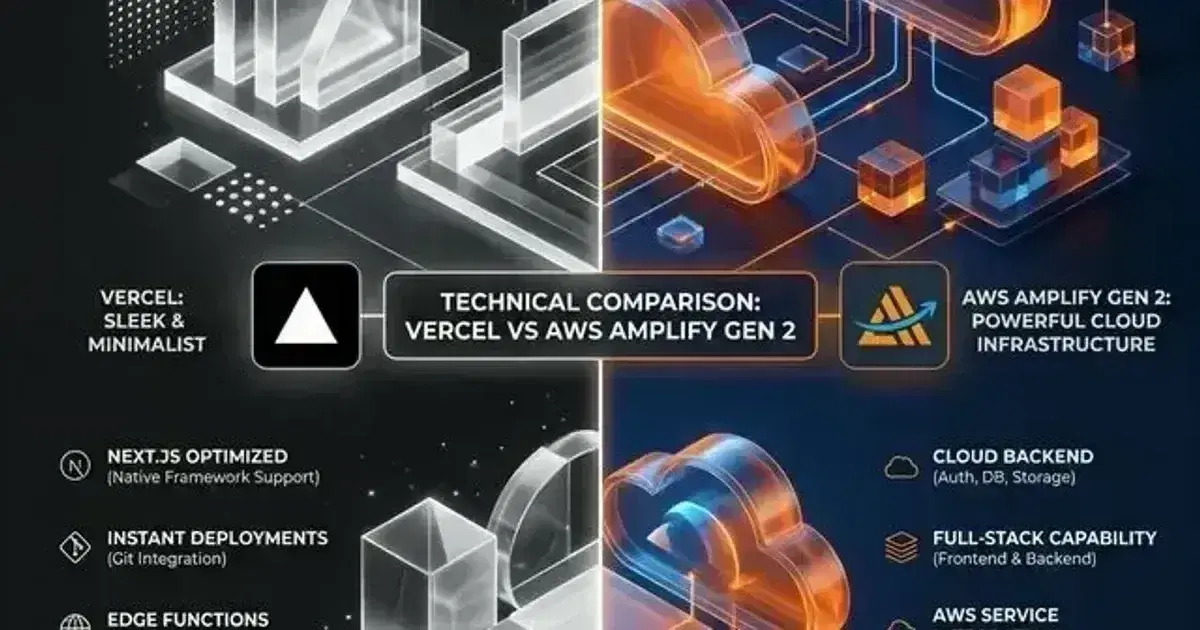
- Comparing the two execution models
- Pricing: when Managed Instances wins
- What it means for AI inference workloads
12 min read · Cloud Engineering
Lambda has always had one fundamental tension: the per-millisecond pricing model that makes it cheap for infrequent workloads becomes expensive at sustained high throughput. A function handling 1,000 requests per second, each taking 200ms, generates costs that a comparably-sized EC2 instance would handle at a fraction of the price. But EC2 means managing instances, patching, load balancers, and scaling policies — the operational overhead that Lambda was built to eliminate.
Lambda Managed Instances, launched at re:Invent 2025, is AWS's answer to that tension. It runs your Lambda functions on dedicated EC2 instances in your own account, managed entirely by AWS, billed at EC2 rates. It's not a replacement for standard Lambda — it's a second execution mode optimized for a different set of workloads. Understanding when to use which is the whole game.
What Lambda Managed Instances actually is
Standard Lambda runs on shared, multi-tenant infrastructure using Firecracker microVMs. You never see the underlying machines. Requests arrive, an execution environment handles one at a time, and you're billed per GB-second of duration.
Managed Instances changes all three of those things.
Your functions run on EC2 instances that AWS launches in your account — you can see them (with adjusted visibility settings), they show up on your EC2 bill, and they're isolated using Nitro containers rather than Firecracker. AWS still manages everything: instance provisioning, OS patching, security updates, load balancing, scaling decisions, and the 14-day instance rotation that keeps the fleet fresh. You configure where and how; AWS operates it.
The concurrency model is the most consequential change. Standard Lambda gives each execution environment exactly one invocation at a time. Managed Instances allows multi-concurrent invocations per execution environment — up to 64 simultaneous invocations per vCPU. For I/O-bound workloads — API calls, database queries, request fan-outs — this multiplier translates directly to fewer instances and lower cost. For CPU-bound workloads like embedding inference, the benefit depends on the runtime: Java and .NET handle multiple invocations on threads within one process, while Python spawns isolated processes (more on this in the configuration section).
How it works: capacity providers
The core primitive is the capacity provider — a configuration that defines the EC2 fleet your functions run on.
Capacity Provider
├── VPC, subnets, security groups
├── Instance requirements (architecture, allowed types)
├── Scaling config (ScalingMode=Auto|Manual, MaxVCpuCount)
└── Functions (up to 100 function versions per provider)
When you publish a function version attached to a capacity provider, Lambda launches a minimum of three EC2 instances across availability zones before marking the version ACTIVE. Three execution environments (one per AZ) is the default floor — you trade scale-to-zero for guaranteed availability and no cold starts.
Scaling is asynchronous and driven by CPU utilization and concurrency saturation — not by incoming request count like standard Lambda. Lambda maintains enough headroom for your traffic to double within five minutes by default. If traffic spikes faster than that, you may see 429 throttle responses while new instances provision. You can reduce this risk by raising MinExecutionEnvironments via put-function-scaling-config.
Instances have a 14-day maximum lifetime. Lambda automatically rotates them — draining connections, spinning up replacements, swapping them in — without any action from you. This is a security hygiene feature, not a limitation you need to work around.
Comparing the two execution models
| Standard Lambda | Managed Instances | |
|---|---|---|
| Isolation | Firecracker microVM, shared fleet | Nitro containers, your account |
| Concurrency | 1 invocation per execution environment | Up to 64 invocations per vCPU |
| Max memory | 10,240 MB | 32,768 MB (32 GB) |
| Cold starts | Yes (unless Provisioned Concurrency) | No — fleet always warm |
| Scale to zero | Yes | No — minimum 3 instances always running |
| Pricing model | Per GB-second of duration | EC2 instance cost + 15% management fee |
| Savings Plans | Compute Savings Plans eligible | EC2 Savings Plans + Reserved Instances (up to 72%) |
| Best for | Bursty, infrequent, unpredictable traffic | High-volume, steady-state, predictable traffic |
The 32 GB memory ceiling deserves attention. Standard Lambda's 10 GB limit rules out a significant class of workloads: in-memory caches that need to hold large datasets, CPU-based ML models (sentence transformers, ONNX Runtime, small instruction-tuned models via llama.cpp), and memory-intensive data processing pipelines. Managed Instances puts those workloads back on the table without the operational burden of EC2.
Pricing: when Managed Instances wins
Standard Lambda charges per GB-second of execution duration. At low to moderate traffic, this is unbeatable — you pay for exactly what you use, including zero when idle. At sustained high traffic, you're effectively paying for the same EC2 capacity as Managed Instances, but at a higher per-unit rate and without Savings Plan discounts.
The crossover depends on your workload's traffic pattern:
Standard Lambda is better when:
- Traffic is bursty or unpredictable
- There are quiet periods where functions are idle (scale-to-zero saves real money)
- Average invocation duration is short (< 50ms)
- Cold starts are acceptable for your latency requirements
Managed Instances is better when:
- Traffic is high-volume and predictable — functions are receiving requests continuously
- You can commit to EC2 Reserved Instances or Savings Plans (up to 72% discount)
- Cold starts cause user-visible latency problems and Provisioned Concurrency on standard Lambda has become expensive
- You need more than 10 GB memory
AWS provides a Lambda Managed Instances pricing calculator to compare the two models against your actual traffic profile. Use it before migrating — the break-even point varies significantly based on average invocation duration and your concurrency pattern.
One important note: the 15% management fee is calculated on the EC2 on-demand price. EC2 pricing discounts (Reserved Instances, Savings Plans) apply to the underlying compute cost, but the management fee is always based on the on-demand rate.
What it means for AI inference workloads
Managed Instances doesn't give you GPU access — supported instance families are general purpose, compute optimized, and memory optimized (C, M, and R families). For GPU inference, EC2 or EKS remain the right path.
What Managed Instances does change is the economics of CPU-based AI inference — the large and growing category of workloads that don't need a GPU:
Embedding generation: Sentence transformer models (384-dimensional, ~90MB model size) run fast on CPU and are often the bottleneck in RAG pipelines. On standard Lambda, the combination of 10 GB memory limit and cold start latency (model load takes 1–3 seconds) makes embedding endpoints painful. On Managed Instances: 32 GB available, always-warm execution environments, and multi-concurrency to handle burst embedding requests efficiently.
Document classification and NER: Fine-tuned BERT-class models for classification or named entity recognition are routinely served on CPU at acceptable latency (50–200ms per document). Multi-concurrency means one execution environment handles many concurrent classification requests — via threads in Java/.NET, or via parallel worker processes in Python — without cold-starting new environments for each burst.
Small instruction models via llama.cpp: A quantized 1B–3B parameter model in GGUF format runs on CPU for use cases where latency requirements are relaxed (document summarization pipelines, batch annotation, offline enrichment). 32 GB of RAM and no cold start makes this viable on Managed Instances in a way it never was on standard Lambda.
Orchestration and preprocessing: Even for GPU-backed deployments, Lambda functions are frequently used as pre/post-processing stages — tokenization, input validation, response formatting. At high throughput, these "thin wrapper" functions benefit from Managed Instances' multi-concurrency and predictable pricing.
AWS Cost & Architecture Review Checklist
The questions we ask in a paid AWS review — rightsizing, storage classes, network egress, and the usual five-figure surprises. Plain Markdown.
Free. Instant download. You'll also get the occasional deep-dive from the newsletter — unsubscribe anytime.
Configuration walkthrough
Creating a capacity provider
aws lambda create-capacity-provider \
  --capacity-provider-name ai-inference-pool \
  --vpc-config SubnetIds=subnet-abc123,subnet-def456,SecurityGroupIds=sg-xyz789 \
  --permissions-config CapacityProviderOperatorRoleArn=arn:aws:iam::123456789:role/LambdaCapacityProviderRole \
  --instance-requirements Architectures=arm64 \
  --capacity-provider-scaling-config ScalingMode=Auto
--permissions-config is required — it specifies the IAM role that allows Lambda to provision and manage EC2 instances in your account. ScalingMode=Auto is the default and lets Lambda scale based on CPU utilization and concurrency saturation. You can optionally pin AllowedInstanceTypes in --instance-requirements, but letting Lambda choose instance types is recommended for better availability.
To set minimum and maximum execution environments per function (useful for ensuring baseline capacity and preventing runaway scale-out), use put-function-scaling-config after publishing a version:
aws lambda put-function-scaling-config \
  --function-name embedding-service \
  --qualifier '$LATEST.PUBLISHED' \
  --function-scaling-config MinExecutionEnvironments=3,MaxExecutionEnvironments=20
The default minimum is 3 execution environments (one per AZ). Setting MinExecutionEnvironments higher pre-provisions capacity for baseline traffic and reduces throttles during sudden bursts.
Attaching a function
Functions attach to a capacity provider at deploy time:
1aws lambda create-function \
2  --function-name embedding-service \
3  --runtime python3.13 \
4  --role arn:aws:iam::123456789:role/lambda-execution-role \
5  --handler handler.embed \
6  --zip-file fileb://function.zip \
7  --memory-size 8192 \
8  --capacity-provider-config 'LambdaManagedInstancesCapacityProviderConfig={CapacityProviderArn=arn:aws:lambda:us-east-1:123456789:capacity-provider:ai-inference-pool}'
Then publish a version to activate it on the capacity provider:
aws lambda publish-version --function-name embedding-serviceThe function version won't receive traffic until Lambda has started three execution environments (one per AZ) and marked the version ACTIVE. On a fresh capacity provider, this means three instances spin up first. On an existing capacity provider already running other functions, Lambda may place the new execution environments on existing instances if capacity is available. GetFunctionConfiguration returns State: Active once it's ready.
Concurrency model differs by runtime
The multi-concurrency model works differently depending on the runtime — this has real implications for how you write initialization code.
Python uses a multi-process model: Lambda spawns multiple worker processes per execution environment, and each process handles exactly one invocation at a time. Thread safety is not a concern in Python. However, each process loads its own copy of any models or caches initialized at module level — total memory = per-process footprint × number of concurrent processes. For a 500 MB model with 16 concurrent processes, that's 8 GB of model memory alone. Size your function memory accordingly.
1from sentence_transformers import SentenceTransformer
2
3# Loaded once per process — each concurrent process has its own copy
4model = SentenceTransformer("all-MiniLM-L6-v2")
5
6def handler(event, context):
7    texts = event["texts"]
8    embeddings = model.encode(texts, convert_to_list=True)
9    return {"embeddings": embeddings}
Note that /tmp is shared across all processes in the same execution environment. Concurrent writes to the same file can corrupt data — use unique per-request filenames or file locking if you write to /tmp.
Java and .NET use a multi-thread model: one execution environment handles multiple concurrent invocations on separate threads. Class-level state initialized once is shared across all concurrent invocations. Any shared mutable state must be thread-safe. Read-only state (like a loaded model) is safe to share.
What Managed Instances does not change
There is no automatic scale-to-zero. The default minimum is three execution environments, and while you can set MinExecutionEnvironments and MaxExecutionEnvironments to 0 to deactivate a function version (or schedule that with EventBridge Scheduler), a deactivated function does not come back on its own — reactivation requires an explicit PutFunctionScalingConfig call with non-zero values. For low-traffic functions or functions with significant quiet periods, standard Lambda remains cheaper. Don't migrate functions that are idle most of the day.
Execution timeout is still 15 minutes. The maximum function timeout hasn't changed. If you need longer-running processes, ECS or Kubernetes remains the answer.
No GPU. Supported instance families are general purpose, compute optimized, and memory optimized. For GPU inference, you need EC2 or EKS. Managed Instances is not a path to serverless GPU.
Cold start elimination has a catch. Managed Instances eliminates cold starts for invocations hitting an active execution environment. If your traffic spikes beyond available headroom before new instances come online, new execution environments are created on existing instances — without a full cold start, but with a short initialization delay for your function code.
Migration checklist
Before migrating an existing Lambda function to Managed Instances:
Validate concurrency correctness. Run your function under concurrent load in a test environment. For Java and .NET (thread-based multi-concurrency), check for shared mutable state. For Python (process-based), check that your function's memory footprint is acceptable at full concurrency and that any writes to /tmp use unique filenames or file locking. Watch for MemoryThrottles in CloudWatch during load testing.
Model your traffic pattern. Use the Lambda Managed Instances pricing calculator with your CloudWatch metrics (invocation count, average duration, peak concurrency). If the break-even is months away, stay on standard Lambda.
Size the capacity provider correctly. Start with ScalingMode=Auto (the default) and use put-function-scaling-config to set MinExecutionEnvironments=3 to match your AZ count. Watch ConcurrencyThrottles, CPUThrottles, and MemoryThrottles CloudWatch metrics for the first week and increase the minimum if you see sustained throttling. Under-provisioning causes 429s; over-provisioning wastes money.
Check your event sources. Lambda Managed Instances supports the same event-source integrations as standard Lambda, including API Gateway, ALB, S3, SNS, EventBridge, SQS, DynamoDB Streams, Kinesis, MSK, and Kafka. Direct invocation (API Gateway, ALB, SDK) works without any changes. If you rely on event source mappings (SQS, DynamoDB Streams, Kinesis), verify your specific configuration against the supported event sources documentation.
Related posts
For GPU-backed AI inference on Kubernetes with vLLM: Running Llama 3 70B on Kubernetes: AWQ Quantization and Tensor Parallelism
For KEDA-based autoscaling of inference deployments on EKS: KEDA: Event-Driven Autoscaling for Kubernetes
For Kubernetes cost optimization patterns including spot and right-sizing: Kubernetes Cost Optimization and FinOps
Lambda Managed Instances doesn't replace Lambda — it completes it. The original model handles unpredictable, bursty workloads well. Managed Instances handles sustained, high-throughput workloads at EC2 economics with Lambda operations. If you're currently fighting cold starts with Provisioned Concurrency or watching Lambda duration costs exceed what an equivalent EC2 instance would cost, Managed Instances is worth evaluating seriously. If you're at Coding Protocols and want to work through the break-even analysis for your specific workload, reach out via the contact page.
Official documentation
- AWS Lambda Managed Instances — official docs
- Lambda Managed Instances quotas
- Capacity providers configuration
- Lambda Managed Instances pricing calculator
- AWS announcement blog post
See also
Frequently Asked Questions
Does Lambda Managed Instances support GPU instance types?
No. Supported instance families are general purpose (M), compute optimized (C), and memory optimized (R). GPU instance families (P, G, Trn) are not supported. For GPU inference, you need EC2 directly or Kubernetes (EKS).
Can I use Lambda Managed Instances with existing Lambda functions without code changes?
Usually, yes — with runtime-specific caveats. Python functions run in isolated processes, so thread safety is not a concern, but you need to account for higher memory usage (model/cache × number of concurrent processes). Java and .NET functions share thread state, so any shared mutable state needs to be thread-safe. Functions that are fully stateless (read inputs, compute output, return) work across all runtimes without changes.
How does the 14-day instance rotation affect long-running state?
Lambda rotates instances gracefully — draining invocations before terminating — so in-flight requests complete normally. Any in-memory state (loaded models, caches) is lost on rotation and re-initialized on the new instance. Design your initialization code to be fast, and don't store durable state in Lambda memory regardless of compute type.
Can I use EC2 Reserved Instances I already own?
Yes. If you have existing EC2 Savings Plans or Reserved Instances that match the instance types Lambda Managed Instances provisions, those reservations apply automatically to the underlying EC2 costs. The 15% management fee is calculated on the on-demand rate regardless.
What happens during the scaling gap when a traffic spike exceeds current capacity?
Lambda scales asynchronously based on CPU utilization and concurrency saturation — it's designed to handle traffic doubling within five minutes by default. If traffic spikes faster than that, execution environments can reach their concurrency limit and Lambda routes invocations elsewhere while scaling out new environments and instances. Requests that can't be routed receive 429 throttle responses. To reduce this risk, raise MinExecutionEnvironments via put-function-scaling-config to pre-provision headroom for expected burst peaks.
Official References
- Managed Instances scaling — MinExecutionEnvironments, MaxExecutionEnvironments and their valid ranges
- Lambda Managed Instances — the feature overview and supported runtimes
Was this article helpful?
Be the first to rate this article
Related Topics
Found this useful? Share it.