KEDA: Event-Driven Autoscaling for Kubernetes Beyond CPU and Memory

Quick answer
HPA only scales on CPU and memory — KEDA adds SQS queue depth, Kafka lag, Redis list length, and 60+ other triggers, including scale-to-zero. Here's how to use it without tripping over the gotchas.
- Why HPA Alone Is Insufficient for Async Workloads
- How KEDA Works
- ScaledObject: Scaling Deployments and StatefulSets
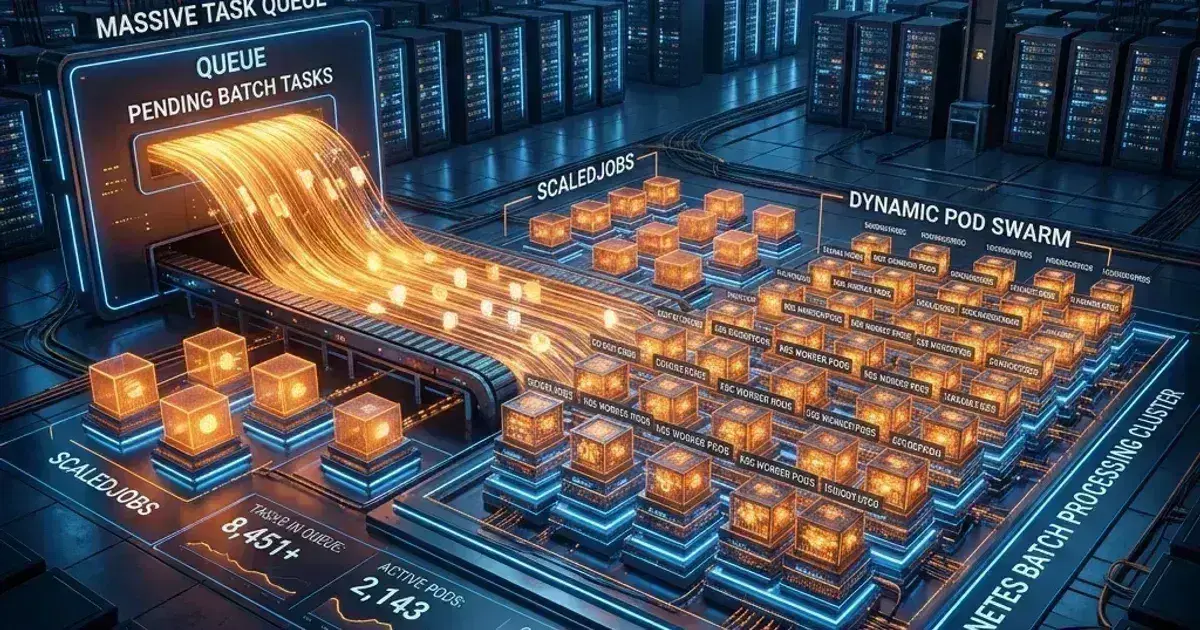
- ScaledJob: Scaling Batch Workloads
- Kafka Consumer Lag Scaler
11 min read · Kubernetes
HPA — the Horizontal Pod Autoscaler — does one thing well: scale based on CPU and memory. For web servers where CPU correlates with request rate, that's often enough. But for async processing systems — workers draining SQS queues, Kafka consumers, batch jobs processing Redis streams — CPU is a terrible proxy for load. A worker sitting idle waiting for messages uses almost no CPU. HPA won't scale it up, even if there are 50,000 messages in the queue.
KEDA (Kubernetes Event-Driven Autoscaler) solves this. It extends HPA to support 80+ event sources as scaling triggers. More importantly, it supports true scale-to-zero — your worker fleet can drop to zero replicas when there's nothing to process.
Why HPA Alone Is Insufficient for Async Workloads
Consider an SQS worker. It polls for messages, processes them, deletes them. When the queue is empty, it loops and polls again — nearly zero CPU. When the queue has 10,000 messages, it might be at 40% CPU. HPA with a target of 50% CPU would not scale up until CPU exceeds 50%. By that time, message lag is already significant.
The fundamental problem: CPU doesn't correlate with queue depth for polling-based workers. You need to scale on queue depth directly.
The same applies to:
- Kafka consumers: scale on consumer group lag
- Redis workers: scale on list/stream length
- Prometheus metrics: scale on any queryable metric
- HTTP requests: scale on request rate or pending connections
- Cron: scale to a specific replica count on schedule
KEDA handles all of these through a unified ScaledObject/ScaledJob API.
How KEDA Works
KEDA deploys a metrics adapter that acts as a bridge between external event sources and the Kubernetes metrics API. When you create a ScaledObject, KEDA:
- Creates or takes ownership of an HPA for the target workload
- Registers a metrics adapter that polls the external scaler
- Feeds external metrics into the HPA so it can make scaling decisions
The architecture means KEDA is additive — it works with existing HPA, not against it. You can have a ScaledObject managing scale-to-zero based on SQS depth, and still use the underlying HPA for CPU-based scaling as a floor.
Installation
1helm repo add kedacore https://kedacore.github.io/charts
2helm repo update
3
4helm install keda kedacore/keda \
5  --namespace keda \
6  --create-namespace \
7  --set podIdentity.aws.irsa.enabled=true \
8  --set podIdentity.aws.irsa.stsRegionalEndpoints=true
The irsa flags are important for EKS — they configure KEDA to use IAM Roles for Service Accounts rather than static credentials when accessing AWS services.
ScaledObject: Scaling Deployments and StatefulSets
ScaledObject is the primary resource for scaling long-running workloads. It wraps a Deployment, StatefulSet, or any resource that implements the scale subresource.
SQS Queue Depth Scaler
The most common use case I've deployed: scale an SQS worker based on queue depth.
1apiVersion: keda.sh/v1alpha1
2kind: ScaledObject
3metadata:
4  name: sqs-worker-scaler
5  namespace: processing
6spec:
7  scaleTargetRef:
8    name: sqs-worker
9  pollingInterval: 15      # Check queue depth every 15 seconds
10  cooldownPeriod: 60       # Wait 60s after last trigger before scaling to zero
11  idleReplicaCount: 0      # Scale to zero when idle
12  minReplicaCount: 0       # Allow zero replicas
13  maxReplicaCount: 50
14  triggers:
15  - type: aws-sqs-queue
16    authenticationRef:
17      name: keda-aws-credentials
18    metadata:
19      queueURL: https://sqs.us-east-1.amazonaws.com/123456789/my-queue
20      queueLength: "10"     # Target: 10 messages per replica
21      awsRegion: us-east-1
22      identityOwner: operator
With queueLength: "10", KEDA will aim for 10 messages per replica. If the queue has 100 messages, it scales to 10 replicas. 500 messages → 50 replicas (capped at maxReplicaCount). 0 messages → scale to 0 after cooldownPeriod seconds.
The IAM permissions needed for the KEDA service account:
1{
2  "Version": "2012-10-17",
3  "Statement": [
4    {
5      "Effect": "Allow",
6      "Action": [
7        "sqs:GetQueueAttributes",
8        "sqs:GetQueueUrl"
9      ],
10      "Resource": "arn:aws:sqs:us-east-1:123456789:my-queue"
11    }
12  ]
13}
TriggerAuthentication for IRSA
Rather than embedding credentials in the ScaledObject, use TriggerAuthentication with IRSA:
1apiVersion: keda.sh/v1alpha1
2kind: TriggerAuthentication
3metadata:
4  name: keda-aws-credentials
5  namespace: processing
6spec:
7  podIdentity:
8    provider: aws  # Use IRSA (EKS Pod Identity / IRSA)
Then annotate the KEDA service account with the IAM role:
kubectl annotate serviceaccount keda-operator \
  -n keda \
  eks.amazonaws.com/role-arn=arn:aws:iam::123456789:role/keda-operator-role
ScaledJob: Scaling Batch Workloads
ScaledJob is different from ScaledObject. Instead of scaling replicas of a Deployment, it creates new Kubernetes Jobs — one Job per trigger event (or batch of events). This is the right pattern for work that needs isolation, has a finite duration, or can't be parallelized within a single pod.
Per-Message Job Processing
1apiVersion: keda.sh/v1alpha1
2kind: ScaledJob
3metadata:
4  name: image-processor
5  namespace: processing
6spec:
7  jobTargetRef:
8    parallelism: 1
9    completions: 1
10    activeDeadlineSeconds: 600
11    backoffLimit: 3
12    template:
13      spec:
14        containers:
15        - name: processor
16          image: my-registry/image-processor:latest
17          env:
18          - name: QUEUE_URL
19            value: https://sqs.us-east-1.amazonaws.com/123456789/images
20          resources:
21            requests:
22              cpu: 500m
23              memory: 512Mi
24            limits:
25              cpu: 2
26              memory: 2Gi
27        restartPolicy: Never
28  pollingInterval: 10
29  maxReplicaCount: 20
30  scalingStrategy:
31    strategy: "accurate"  # One job per message
32  triggers:
33  - type: aws-sqs-queue
34    authenticationRef:
35      name: keda-aws-credentials
36    metadata:
37      queueURL: https://sqs.us-east-1.amazonaws.com/123456789/images
38      queueLength: "1"   # One job per message
39      awsRegion: us-east-1
The scalingStrategy: accurate tells KEDA to create exactly one Job per message, taking into account already-running Jobs. Without this, you can end up creating more Jobs than messages.
Kubernetes Production Readiness Checklist
The pre-launch checks we run before calling a cluster production-ready — probes, resources, RBAC, upgrades, and backups. Plain Markdown you can commit to your repo.
Free. Instant download. You'll also get the occasional deep-dive from the newsletter — unsubscribe anytime.
Kafka Consumer Lag Scaler
For Kafka consumers, you scale on consumer group lag rather than partition count:
1apiVersion: keda.sh/v1alpha1
2kind: ScaledObject
3metadata:
4  name: kafka-consumer-scaler
5  namespace: streaming
6spec:
7  scaleTargetRef:
8    name: event-consumer
9  minReplicaCount: 1        # Don't scale to zero for Kafka (commit offset implications)
10  maxReplicaCount: 30
11  triggers:
12  - type: kafka
13    metadata:
14      bootstrapServers: kafka-broker-1:9092,kafka-broker-2:9092
15      consumerGroup: event-processors
16      topic: user-events
17      lagThreshold: "100"   # Scale up when lag exceeds 100 per replica
18      offsetResetPolicy: latest
A note on minReplicaCount: 1 for Kafka: I don't recommend scale-to-zero for Kafka consumers. When a consumer group has zero active members, the offsets still accumulate. When a new consumer starts, it may or may not process historical messages depending on offsetResetPolicy. This can cause either message loss or unexpected reprocessing. Keep at least one replica running and use Kafka's partition count as a natural ceiling on parallelism.
Prometheus Scaler
The Prometheus scaler is the escape hatch when no purpose-built scaler exists. Any metric exposed to Prometheus can drive autoscaling (This is particularly powerful when scaling based on SLOs and error budgets):
1apiVersion: keda.sh/v1alpha1
2kind: ScaledObject
3metadata:
4  name: api-latency-scaler
5  namespace: production
6spec:
7  scaleTargetRef:
8    name: api-server
9  minReplicaCount: 2
10  maxReplicaCount: 40
11  triggers:
12  - type: prometheus
13    metadata:
14      serverAddress: http://prometheus.monitoring.svc:9090
15      metricName: http_requests_pending
16      query: |
17        sum(rate(http_requests_total{job="api-server",status="pending"}[2m]))
18      threshold: "50"    # Scale up when pending requests exceed 50 per replica
This gives you extreme flexibility — scale on request queue depth, database connection pool exhaustion, custom business metrics. I've used this to scale on the number of pending webhook deliveries for a notification service.
Scale-to-Zero: The Cold Start Problem
Scale-to-zero is compelling for cost optimization, especially for dev/staging environments or sporadic batch workloads. The problem is cold start latency: when a new event arrives and zero pods are running, KEDA needs to:
- Detect the event (up to
pollingIntervalseconds) - Trigger HPA to scale up
- Kubernetes schedules a new pod
- Container image pulls (if not cached)
- Pod initializes and starts processing
On EKS with a warm image cache, this is 15-45 seconds. With a cold image pull, it can be 2-3 minutes. For SQS workers processing background jobs where a 1-minute delay is acceptable, scale-to-zero is great. For anything latency-sensitive, keep minReplicaCount: 1.
You can mitigate cold start with a "pause container" approach — a minimal container that stays alive when scaled to zero and is replaced by the real container when work arrives. But this defeats much of the cost-saving purpose.
My rule: scale-to-zero for batch/async workloads in non-production, keep at least one replica in production unless the cost savings are significant enough to justify the latency. GPU inference is the case where the savings usually are that significant — Scale-to-Zero LLM Inference on Kubernetes works through the much longer cold start you get when the image is 10GB and a model has to load into VRAM.
KEDA vs Karpenter: A Common Confusion
KEDA and Karpenter are often mentioned together but they solve different problems:
| KEDA | Karpenter | |
|---|---|---|
| What it scales | Pods (replicas) | Nodes (EC2 instances) |
| Trigger basis | External events, metrics | Pending pod resource requests |
| Scale to zero | Yes (pods) | Yes (nodes, when no pods need them) |
| Primary concern | Workload replicas | Cluster node capacity |
They work well together: KEDA scales up pods based on SQS depth, Karpenter notices the pending pods and provisions new nodes to run them. When the queue drains, KEDA scales pods to zero, and Karpenter terminates the now-empty nodes.
Using KEDA for node scaling or Karpenter for pod replication is a misuse of both tools. They're complementary, not competing.
Scaler Comparison
| Scaler | Use Case | Minimum Replicas Recommendation |
|---|---|---|
| aws-sqs-queue | SQS queue processing | 0 (scale-to-zero friendly) |
| kafka | Kafka consumer groups | 1+ (offset management) |
| redis-lists | Redis list/stream workers | 0 |
| prometheus | Any Prometheus metric | Depends on use case |
| cron | Scheduled scaling | 0 (scale up before cron job) |
| azure-servicebus | Azure Service Bus | 0 |
| rabbitmq | RabbitMQ queue | 0 |
Gotchas I've Hit in Production
Metric server conflicts: KEDA installs a metrics server. If you already have metrics-server installed, you'll have two metrics adapters and HPA will be confused. KEDA's metrics adapter and the standard metrics server serve different API groups (external.metrics.k8s.io vs metrics.k8s.io), so they don't technically conflict, but watch for this in clusters with custom metrics adapters.
cooldownPeriod too short: If you set cooldownPeriod: 0, pods scale to zero the moment the queue is empty. If your queue has bursty traffic, you'll thrash — constant scale-up/scale-down cycles. Start with 300 seconds and tune down.
SQS visibility timeout vs processing time: SQS has a visibility timeout that hides messages from other consumers while one is processing. If your worker takes longer than the visibility timeout, the message becomes visible again and KEDA thinks there's more work — it scales up more workers, which start processing the same message. Make sure your visibility timeout is longer than your maximum processing time.
IRSA permissions on the ScaledObject namespace: KEDA needs its own service account to have SQS/Kafka permissions, not the worker's service account. The TriggerAuthentication resource specifies which credentials KEDA uses to query the scaler — this is separate from what the worker pod uses to read from the queue.
Try the toolkit: Generate ScaledObject and HPA YAML without writing it from scratch — the KEDA Config Builder supports SQS, Kafka, Prometheus, Cron, and more triggers with configurable min/max replicas and cooldown periods.
Building event-driven workloads on Kubernetes and struggling with SQS queue depth not translating to the right replica count? Talk to us at Coding Protocols. We design and implement autoscaling strategies for async processing systems that handle real production traffic patterns.
For batch work rather than long-running consumers, see KEDA ScaledJob for batch workloads.
Frequently Asked Questions
Why does CPU-based scaling fail for queue workers?
Because a worker waiting on I/O uses almost no CPU while the backlog grows. The metric that matters is queue depth, and CPU stays flat regardless of how far behind you are. Scaling on the wrong signal is worse than not scaling, because the graph looks healthy.
Does KEDA replace the HPA?
No — it creates and manages one for you. KEDA translates external triggers into metrics the HPA consumes, so the scaling mechanism is unchanged and you are only changing how the target is expressed. That also means HPA behaviour such as stabilisation windows still applies.
When should I use ScaledJob instead of ScaledObject?
ScaledObject for long-running deployments that scale replica count. ScaledJob for work where each item should be processed by its own short-lived Job — batch processing, per-message isolation, or workloads where a failure should not affect other items in flight.
What happens if the metric source goes down?
By default KEDA cannot evaluate the trigger and holds the current replica count rather than scaling to zero, so a Redis or Prometheus outage silently freezes autoscaling. spec.fallback overrides that — after a set number of consecutive scaler failures it pins the workload to a replica count you choose, which is usually better than freezing. Alert on KEDA's own metrics either way.
Official References
- KEDA scaling deployments — ScaledObject fields including cooldownPeriod and minReplicaCount
- KEDA scalers — every supported event source and its trigger metadata
Was this article helpful?
Be the first to rate this article
Related Topics
Found this useful? Share it.