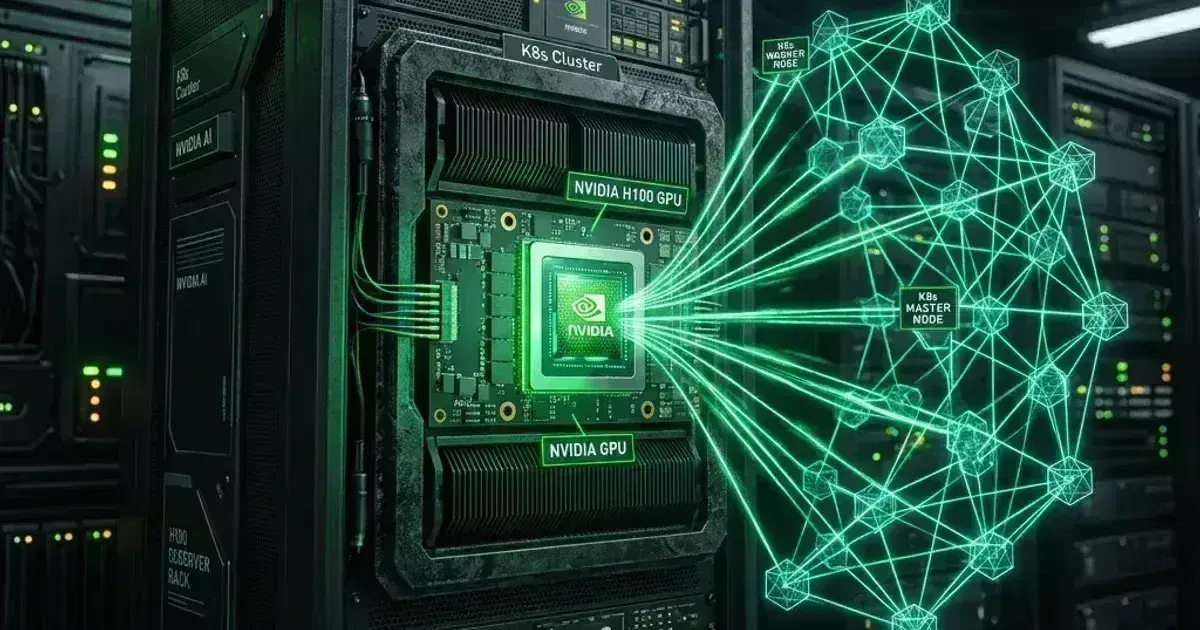
Kubernetes GPU Workloads: Scheduling Machine Learning Jobs on EKS

Quick answer
Running GPU workloads in Kubernetes requires the right node configuration (NVIDIA device plugin, appropriate instance types), the right scheduling primitives (resource requests, node selectors, tolerations), and the right job patterns for training vs inference. Getting any of these wrong means GPU memory errors, CUDA version mismatches, or expensive GPU nodes sitting idle.
13 min read · Kubernetes
GPU nodes are expensive — a single p3.8xlarge (4 x V100) costs ~$12/hour. Idle GPU time is pure waste. Running ML workloads in Kubernetes gives you two efficiency advantages: bin-packing multiple inference replicas onto GPU nodes, and Karpenter's ability to provision GPU nodes on demand and deprovision them when jobs complete.
The infrastructure layer is the foundation: NVIDIA device plugin, CUDA container toolkit, correct AMI for GPU support. Get this right and the rest of the scheduling is standard Kubernetes.
GPU Node Configuration on EKS
Karpenter NodeClass for GPU Nodes
1apiVersion: karpenter.k8s.aws/v1
2kind: EC2NodeClass
3metadata:
4  name: gpu-nodes
5spec:
6  amiFamily: AL2023
7  amiSelectorTerms:
8    - alias: al2023@latest
9  instanceStorePolicy: RAID0    # Use NVMe instance store for fast temporary storage
10
11  userData: |
12    #!/bin/bash
13    # Install NVIDIA container toolkit (required for GPU workloads)
14    # AL2023-based EKS GPU-optimized AMIs include this by default
15    # For custom AMIs, install manually:
16    # curl -s -L https://nvidia.github.io/libnvidia-container/stable/rpm/nvidia-container-toolkit.repo | \
17    #   sudo tee /etc/yum.repos.d/nvidia-container-toolkit.repo
18    # sudo dnf install -y nvidia-container-toolkit
19
20---
21apiVersion: karpenter.sh/v1
22kind: NodePool
23metadata:
24  name: gpu
25spec:
26  template:
27    metadata:
28      labels:
29        node-type: gpu
30    spec:
31      nodeClassRef:
32        group: karpenter.k8s.aws
33        kind: EC2NodeClass
34        name: gpu-nodes
35      requirements:
36        - key: karpenter.sh/capacity-type
37          operator: In
38          values: ["on-demand"]    # Spot for training is viable; on-demand for inference
39        - key: karpenter.k8s.aws/instance-family
40          operator: In
41          values: ["p3", "p4d", "p5", "g4dn", "g5"]    # GPU families
42        - key: karpenter.k8s.aws/instance-size
43          operator: In
44          values: ["xlarge", "2xlarge", "8xlarge", "12xlarge"]
45        - key: kubernetes.io/arch
46          operator: In
47          values: ["amd64"]    # GPU instances are x86 only
48      taints:
49        - key: nvidia.com/gpu
50          effect: NoSchedule    # Prevent non-GPU workloads from landing on GPU nodes
51
52  disruption:
53    consolidationPolicy: WhenEmpty    # Only consolidate empty GPU nodes (training jobs completing)
54    consolidateAfter: 5m
55
56  limits:
57    cpu: "500"
58    memory: 2000Gi
NVIDIA Device Plugin
# Install NVIDIA device plugin — exposes GPUs as Kubernetes resources
kubectl apply -f https://raw.githubusercontent.com/NVIDIA/k8s-device-plugin/v0.17.0/deployments/static/nvidia-device-plugin.yml
Or via Helm:
1helm repo add nvdp https://nvidia.github.io/k8s-device-plugin
2helm repo update
3
4helm install nvdp nvdp/nvidia-device-plugin \
5  --namespace nvidia-device-plugin \
6  --create-namespace \
7  --version 0.17.0 \
8  --set failOnInitError=false
After installation, GPU nodes expose nvidia.com/gpu as a resource:
kubectl describe node gpu-node-1 | grep nvidia.com/gpu
# Capacity:
#   nvidia.com/gpu:  4
# Allocatable:
#   nvidia.com/gpu:  4
Requesting GPUs in Pods
1spec:
2  containers:
3    - name: training
4      image: pytorch/pytorch:2.3.0-cuda12.1-cudnn8-runtime
5      resources:
6        requests:
7          nvidia.com/gpu: 1    # Request 1 GPU — also sets the limit
8          memory: 16Gi
9          cpu: "4"
10        limits:
11          nvidia.com/gpu: 1    # Limit must equal request for GPU resources
12      env:
13        - name: CUDA_VISIBLE_DEVICES
14          value: "0"    # Use GPU 0 (optional — Kubernetes handles device assignment)
15  tolerations:
16    - key: nvidia.com/gpu
17      operator: Exists
18      effect: NoSchedule    # Tolerate the GPU taint
19  nodeSelector:
20    node-type: gpu
GPU resource rules:
requestsmust equallimitsfornvidia.com/gpu— partial GPU allocation isn't supported by the NVIDIA device plugin (unlike fractional GPU with MIG or GPU sharing)- Requesting
nvidia.com/gpu: 0excludes a pod from GPU scheduling — it won't be placed on GPU nodes
Batch Training Jobs
For distributed training, use Kubernetes Job for single-node training or Kubeflow's PyTorchJob for multi-node distributed training:
Single-Node Training Job
1apiVersion: batch/v1
2kind: Job
3metadata:
4  name: resnet-training-2026-05-09
5  namespace: ml-training
6spec:
7  backoffLimit: 2    # Retry failed training runs up to 2 times
8  template:
9    spec:
10      restartPolicy: OnFailure
11      containers:
12        - name: trainer
13          image: 123456789.dkr.ecr.us-east-1.amazonaws.com/ml-training:latest
14          command: ["python", "train.py", "--epochs=100", "--batch-size=256"]
15          resources:
16            requests:
17              nvidia.com/gpu: 4    # Use all 4 GPUs on a p3.8xlarge
18              memory: 60Gi
19              cpu: "28"
20            limits:
21              nvidia.com/gpu: 4
22          env:
23            - name: NCCL_DEBUG
24              value: INFO    # NCCL distributed training debug output
25          volumeMounts:
26            - name: training-data
27              mountPath: /data
28            - name: model-output
29              mountPath: /output
30            - name: dshm               # Shared memory for PyTorch DataLoader
31              mountPath: /dev/shm
32      volumes:
33        - name: training-data
34          persistentVolumeClaim:
35            claimName: training-dataset
36        - name: model-output
37          persistentVolumeClaim:
38            claimName: model-output
39        - name: dshm
40          emptyDir:
41            medium: Memory
42            sizeLimit: 8Gi    # /dev/shm for PyTorch multi-process DataLoader
43      tolerations:
44        - key: nvidia.com/gpu
45          operator: Exists
46          effect: NoSchedule
The dshm volume (memory-backed emptyDir for /dev/shm) is required for PyTorch DataLoader with num_workers > 0 — without it, workers fail with a shared memory size error.
Distributed Training with PyTorchJob (Kubeflow)
# Install Kubeflow Training Operator v1 (provides the kubeflow.org/v1 PyTorchJob
# used below). The repo was renamed kubeflow/training-operator -> kubeflow/trainer,
# and releases no longer publish a manifests.yaml, so install via kustomize:
kubectl apply --server-side -k "https://github.com/kubeflow/trainer.git/manifests/overlays/standalone?ref=v1.9.4"
Note the version split before you pin anything: the v1.9.x line is Training Operator v1, which is what serves the kubeflow.org/v1 PyTorchJob API below. Kubeflow Trainer v2 (v2.x) is a rewrite with a different API — a single TrainJob under trainer.kubeflow.org, replacing the per-framework job kinds. The manifest below targets v1; migrating to v2 is a rewrite of the job spec, not a version bump.
1apiVersion: kubeflow.org/v1
2kind: PyTorchJob
3metadata:
4  name: resnet-distributed
5  namespace: ml-training
6spec:
7  pytorchReplicaSpecs:
8    Master:
9      replicas: 1
10      restartPolicy: OnFailure
11      template:
12        spec:
13          containers:
14            - name: pytorch
15              image: 123456789.dkr.ecr.us-east-1.amazonaws.com/ml-training:latest
16              command:
17                - torchrun
18                - --nproc_per_node=4
19                - train.py
20              resources:
21                requests:
22                  nvidia.com/gpu: 4
23                limits:
24                  nvidia.com/gpu: 4
25          tolerations:
26            - key: nvidia.com/gpu
27              operator: Exists
28              effect: NoSchedule
29    Worker:
30      replicas: 3    # 3 workers + 1 master = 4 nodes, 16 GPUs total
31      restartPolicy: OnFailure
32      template:
33        spec:
34          containers:
35            - name: pytorch
36              image: 123456789.dkr.ecr.us-east-1.amazonaws.com/ml-training:latest
37              command:
38                - torchrun
39                - --nproc_per_node=4
40                - train.py
41              resources:
42                requests:
43                  nvidia.com/gpu: 4
44                limits:
45                  nvidia.com/gpu: 4
46          tolerations:
47            - key: nvidia.com/gpu
48              operator: Exists
49              effect: NoSchedule
Kubernetes Production Readiness Checklist
The pre-launch checks we run before calling a cluster production-ready — probes, resources, RBAC, upgrades, and backups. Plain Markdown you can commit to your repo.
Free. Instant download. You'll also get the occasional deep-dive from the newsletter — unsubscribe anytime.
Inference Deployment
For inference (serving a trained model), use a standard Deployment with GPU resources and autoscaling based on GPU utilization or request rate:
1apiVersion: apps/v1
2kind: Deployment
3metadata:
4  name: resnet-inference
5  namespace: ml-serving
6spec:
7  replicas: 2
8  selector:
9    matchLabels:
10      app: resnet-inference
11  template:
12    metadata:
13      labels:
14        app: resnet-inference
15    spec:
16      containers:
17        - name: server
18          image: 123456789.dkr.ecr.us-east-1.amazonaws.com/model-server:latest
19          ports:
20            - containerPort: 8080   # REST API
21            - containerPort: 8081   # gRPC
22            - containerPort: 8082   # Metrics (Prometheus)
23          resources:
24            requests:
25              nvidia.com/gpu: 1
26              memory: 16Gi
27              cpu: "4"
28            limits:
29              nvidia.com/gpu: 1
30          readinessProbe:
31            httpGet:
32              path: /v2/health/ready
33              port: 8080
34            initialDelaySeconds: 60    # Model loading takes time
35            periodSeconds: 10
36      tolerations:
37        - key: nvidia.com/gpu
38          operator: Exists
39          effect: NoSchedule
Autoscaling Inference on GPU Utilization
1# KEDA ScaledObject — scale on DCGM GPU utilization metric
2apiVersion: keda.sh/v1alpha1
3kind: ScaledObject
4metadata:
5  name: resnet-inference-scaler
6  namespace: ml-serving
7spec:
8  scaleTargetRef:
9    name: resnet-inference
10  minReplicaCount: 1
11  maxReplicaCount: 10
12  triggers:
13    - type: prometheus
14      metadata:
15        serverAddress: http://kube-prometheus-stack-prometheus.monitoring:9090
16        metricName: gpu_utilization
17        query: avg(DCGM_FI_DEV_GPU_UTIL{app="resnet-inference"})
18        threshold: "70"    # Scale up when avg GPU utilization > 70%
The DCGM (Data Center GPU Manager) metrics require the dcgm-exporter DaemonSet, which exports NVIDIA GPU metrics to Prometheus.
Frequently Asked Questions
What's the difference between g5 and p3 instances for ML workloads?
p3 instances use NVIDIA V100 GPUs (optimized for training), g4dn uses T4 GPUs (cheaper, better for inference), g5 uses A10G GPUs (good balance of training and inference), and p4d/p5 use A100/H100 GPUs for the most demanding training workloads. For inference, g4dn.xlarge (1 x T4) is often the most cost-efficient. For training, right-size based on batch size and model complexity — bigger GPUs don't always mean faster training if communication overhead dominates.
How do I share a GPU across multiple inference pods?
The NVIDIA MIG (Multi-Instance GPU) feature on A100/H100 GPUs allows partitioning a single GPU into isolated instances. Enable MIG mode and configure the device plugin to expose MIG slices as resources (nvidia.com/mig-1g.5gb, nvidia.com/mig-2g.10gb). For less hardware-level isolation, NVIDIA's time-slicing feature allows multiple pods to share a GPU by time-multiplexing — less isolation than MIG but works on all CUDA-capable GPUs.
For Karpenter NodePool configuration that provisions GPU nodes on demand and removes them when jobs complete, see Kubernetes Cost Optimization and FinOps. For KEDA event-driven autoscaling that scales inference deployments on GPU utilization or request queue depth, see KEDA: Event-Driven Autoscaling for Kubernetes. For running the same workloads without installing the driver stack or device plugin yourself, and the node lifecycle limits that come with it, see EKS Auto Mode for GPU Workloads.
Running ML training and inference workloads on Kubernetes? Talk to us at Coding Protocols — we help ML platform teams design GPU cluster infrastructure that balances utilization, cost, and reliability.
Official References
- Amazon EKS pricing — current control-plane, extended-support and Auto Mode rates
- Assigning Pods to Nodes — nodeSelector, affinity and anti-affinity semantics
- Taints and Tolerations — how taints repel pods and how tolerations override them
- Amazon EKS User Guide — cluster architecture, versions and add-ons
- EKS Kubernetes versions — the version support and extended support policy
Was this article helpful?
Be the first to rate this article
Related Topics
Found this useful? Share it.