Introducing Podscape: The Premium Kubernetes IDE for Human Beings
Quick answer
Managing Kubernetes doesn't have to be a terminal-heavy nightmare. Meet Podscape, the high-performance, native K8s IDE built for clarity, security, and developer speed.
- The Vision: Complexity Without the Complication
- Key Features
- Built for the Community
- How to Get Started
6 min read · Kubernetes
Kubernetes has won the container orchestration war, but for many developers, the day-to-day experience is still a fragmented mess of kubectl commands, YAML indentation errors, and opaque logs.
Today, we are thrilled to announce the official release of Podscape—a premium, native-performance Kubernetes IDE designed to bring clarity to the cluster.
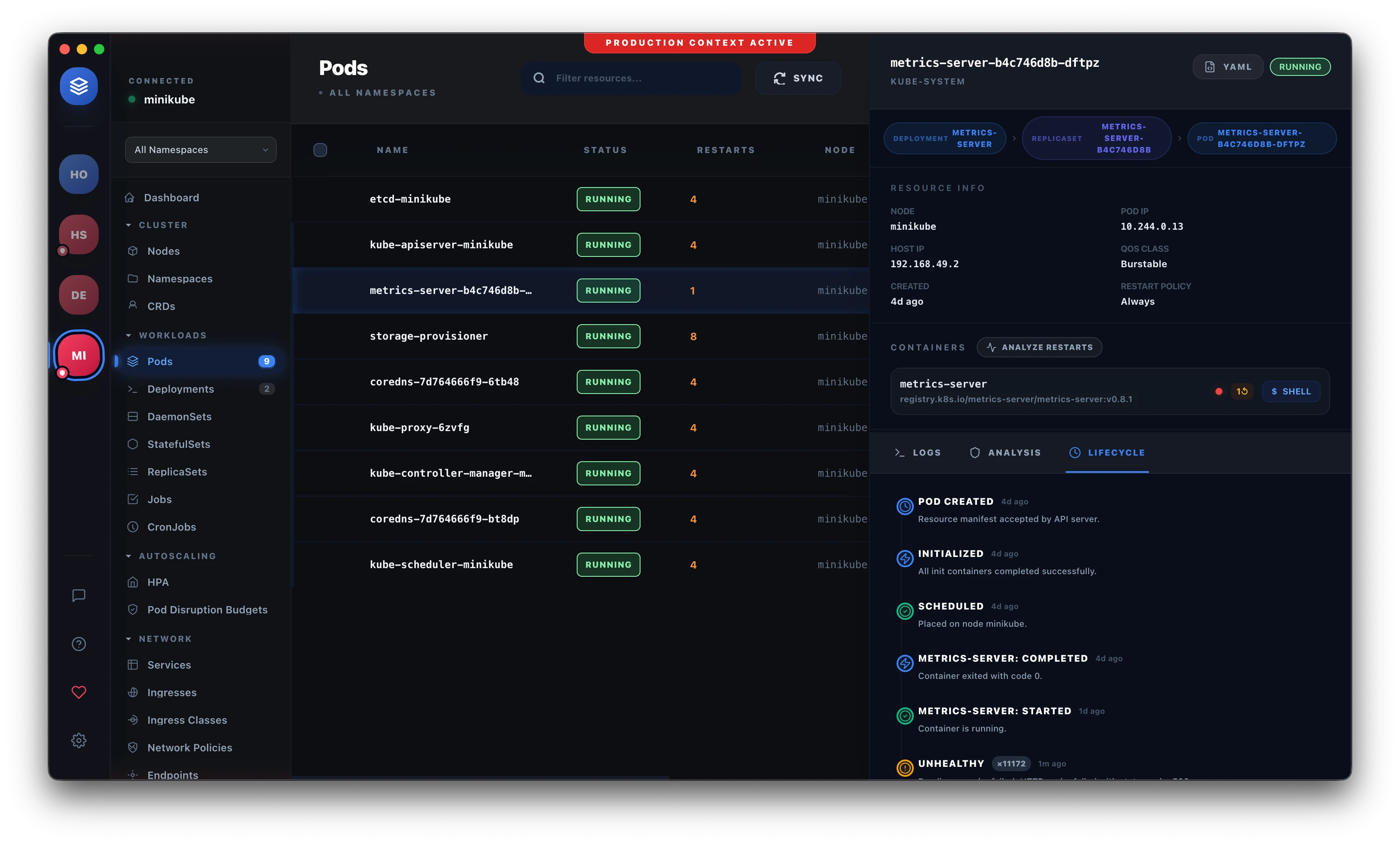 Podscape Dashboard
The Vision: Complexity Without the Complication
Podscape wasn't built to just be another dashboard. It was built to be a Precision Engineering Tool. We believe that your IDE should proactive, not just reactive. It should tell you why something is broken, not just that it is broken.
By leveraging a high-performance Go-powered sidecar, Podscape delivers real-time cluster state updates with negligible latency, wrapped in a stunning glassmorphism interface that feels right at home on macOS, Windows, and Linux.
Key Features
1. Smart Restart Analyzer 🧠
Stop guessing why your pods are stuck in CrashLoopBackOff. Our intelligent analyzer parses events and logs to provide root-cause diagnosis and actionable suggestions. It identifies OOMKills, config errors, and probes failures instantly.
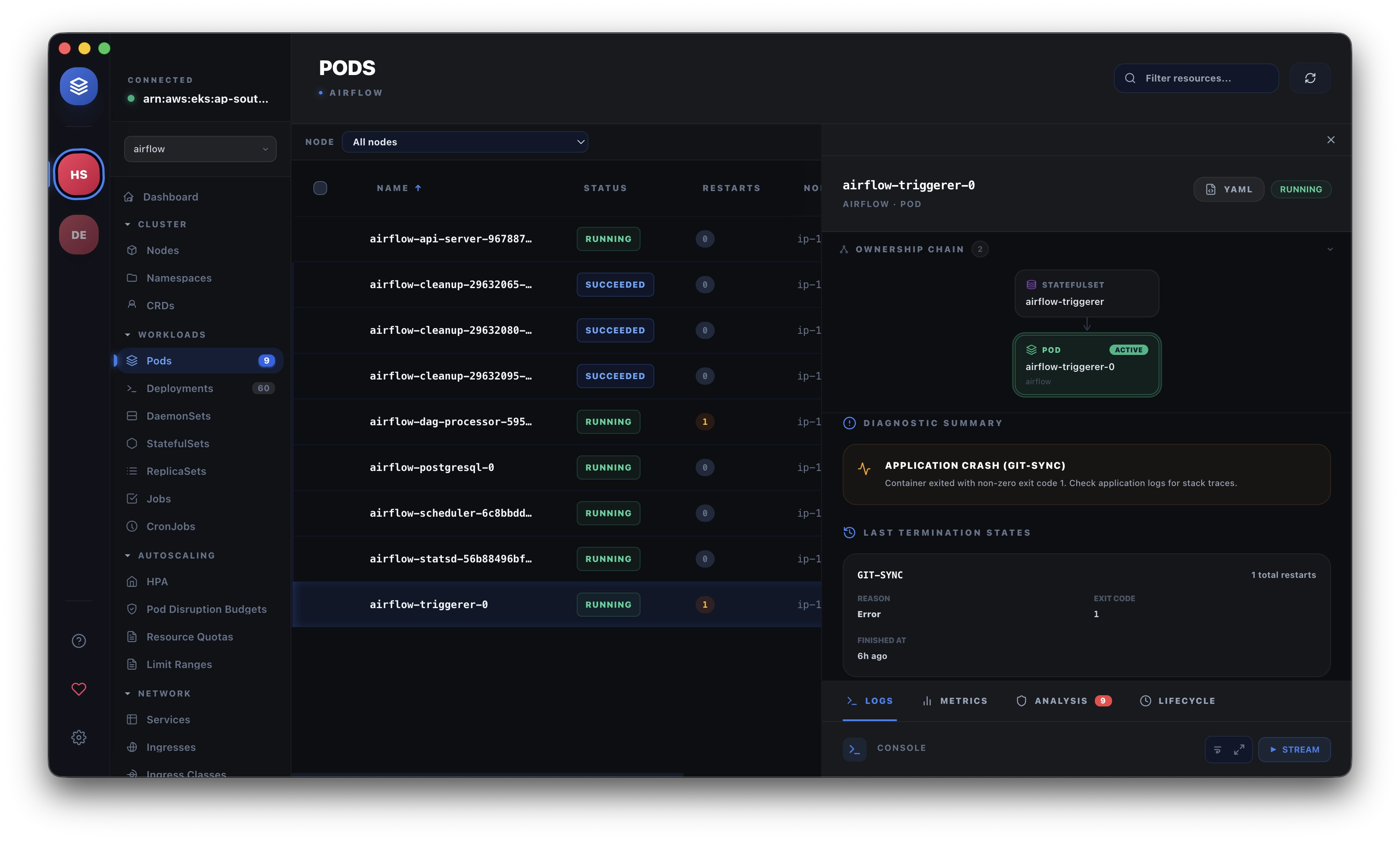 Restart Analyzer
2. Debug Pod Launcher 🚀
Need to poke around inside a running deployment? Instead of hunting for the right image and writing complex YAML for an ephemeral container, just use the Debug Pod Launcher. Spin up pre-configured troubleshooters with one click.
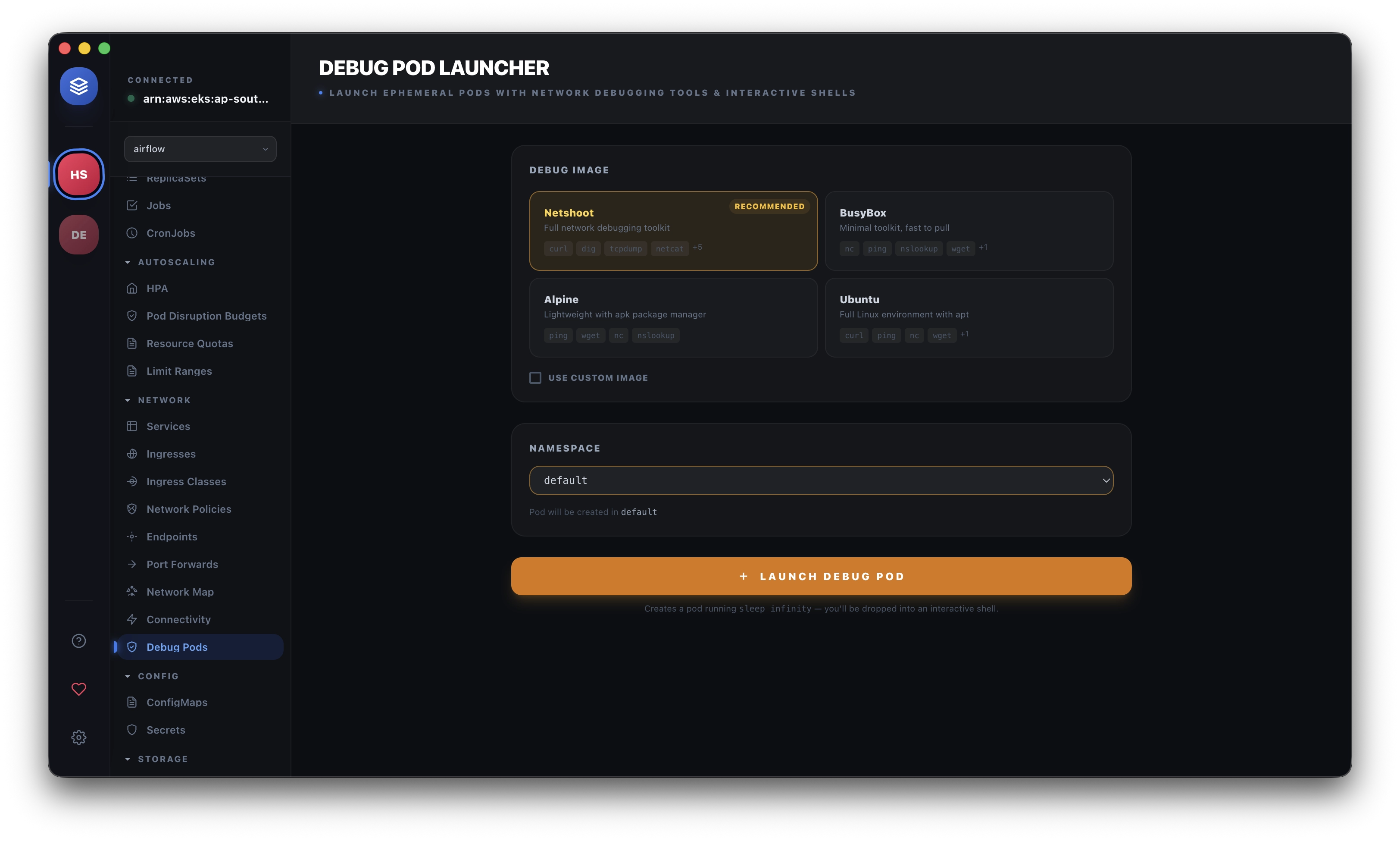 Debug Launcher
3. Network Intelligence & Visual Map 🌐
Kubernetes networking is notoriously difficult to visualize. Podscape includes a built-in Connectivity Tester and Network Map, allowing you to see how traffic flows between services and identify service mesh or network policy bottlenecks visually.
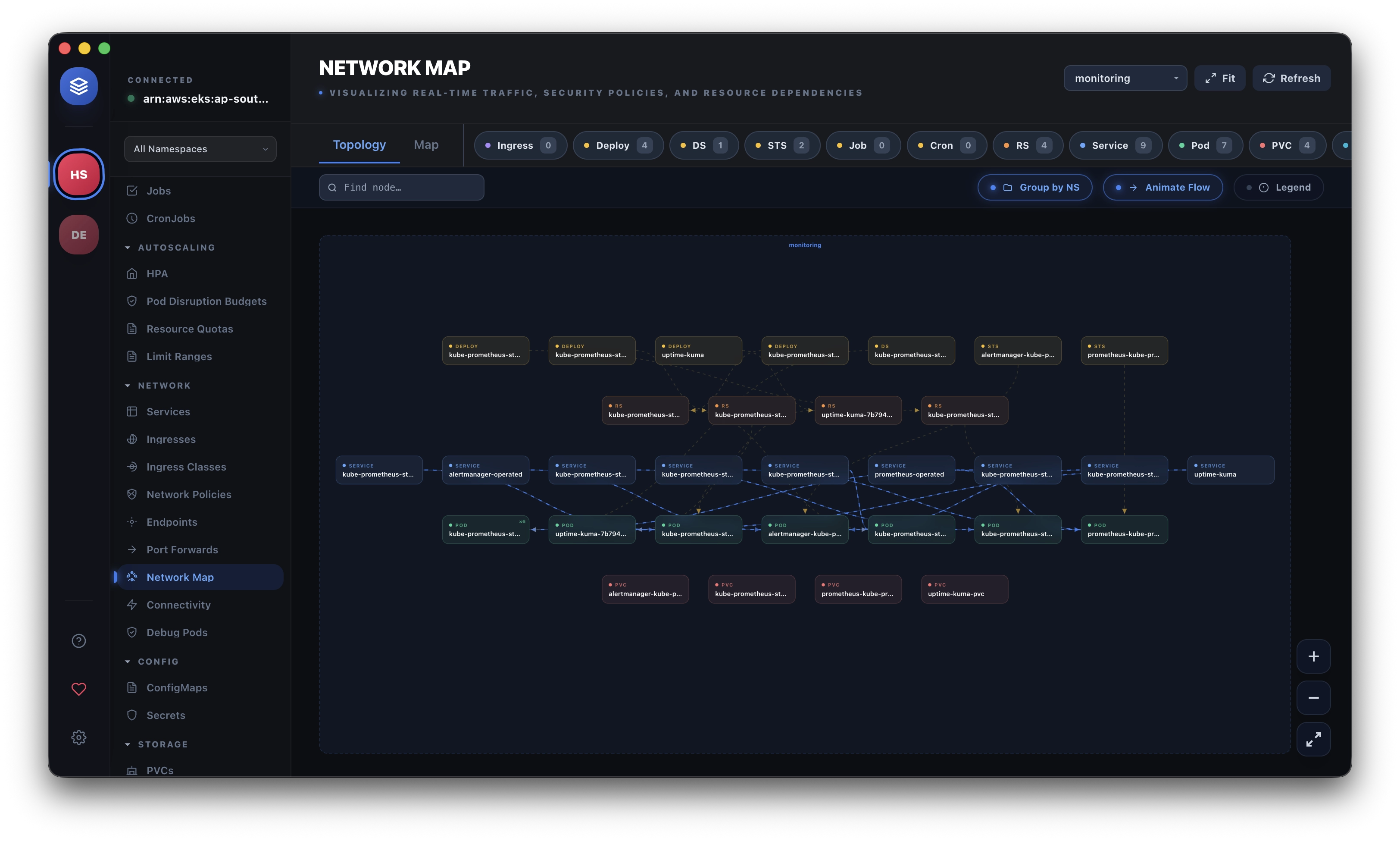 Network Map Visualization
4. Unified Log Multi-streaming 📑
Stop tailing logs one by one. Podscape's Unified Multi-Log Streamer allows you to aggregate real-time logs from multiple containers and pods into a single, high-performance view. With full ANSI color support and instant filtering, identifying inter-service issues becomes trivial.
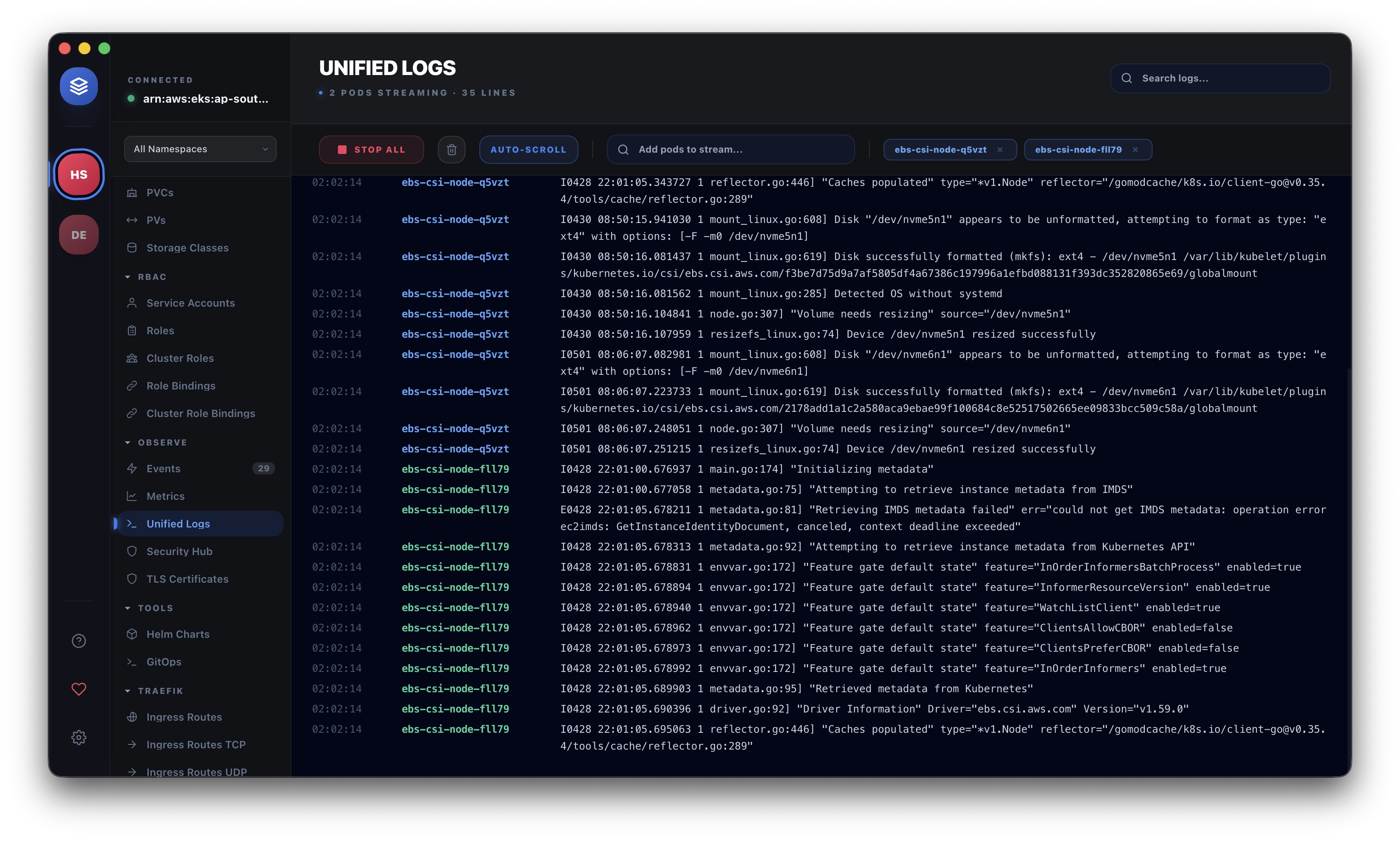 Unified Log Streaming
5. Integrated Native Terminal ⌨️
Sometimes you just need a shell. Podscape features a high-performance Integrated Terminal that lets you exec into any container with a single click. No more context switching or messy CLI commands—just instant, secure access.
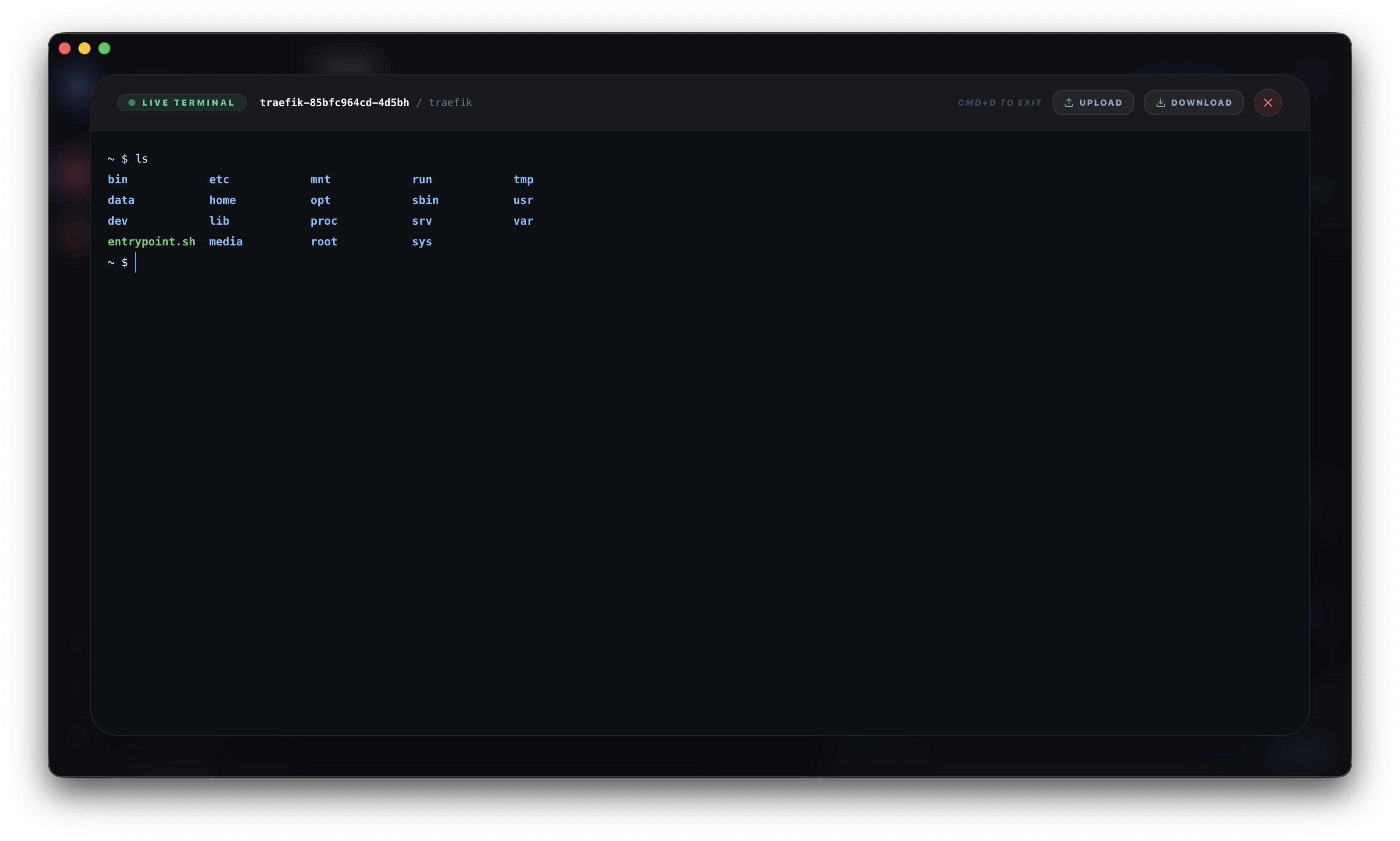 Integrated Terminal
6. Open Core & Integrated Security 🛡️
Security shouldn't be an afterthought. We've integrated Trivy vulnerability scanning and Kubesec manifest audits directly into the dashboard. See your cluster's security posture at a glance without ever leaving the app.
Built for the Community
Podscape is proud to be Open Core. Our community repository serves as the central hub for documentation, release binaries, and feedback.
We've designed the release to be stable, fast, and ready for production-heavy engineering teams. Whether you're managing three nodes or three hundred, Podscape scale with you.
How to Get Started
You can download the release for your preferred platform directly from our repository:
If you love what we're building and want to support the project's long-term sustainability, consider Sponsoring us on GitHub.
Podscape is more than just a tool; it's a commitment to a better developer experience. Welcome to the landscape.
Frequently Asked Questions
What is Podscape?
A desktop Kubernetes IDE built around the idea that cluster management should be usable by humans, not just YAML experts — multi-cluster visibility, logs, and resource management in one polished interface. The Podscape page has the full feature tour and downloads.
How is Podscape different from Lens or k9s?
Lens is the established heavyweight GUI, k9s is the keyboard-driven terminal UI, and Podscape aims at the gap between them: a modern, fast desktop experience with opinionated workflows. We maintain an honest side-by-side at Podscape vs Lens vs k9s.
Do I need to change anything in my cluster to use Podscape?
No. Podscape works with your existing kubeconfig contexts and your existing RBAC — it sees exactly what your credentials allow and nothing more. There's no agent or CRD to install to get started.
Was this article helpful?
Be the first to rate this article
Related Topics
Found this useful? Share it.