eBPF Observability: Tetragon, Hubble, and Pixie in Production
Quick answer
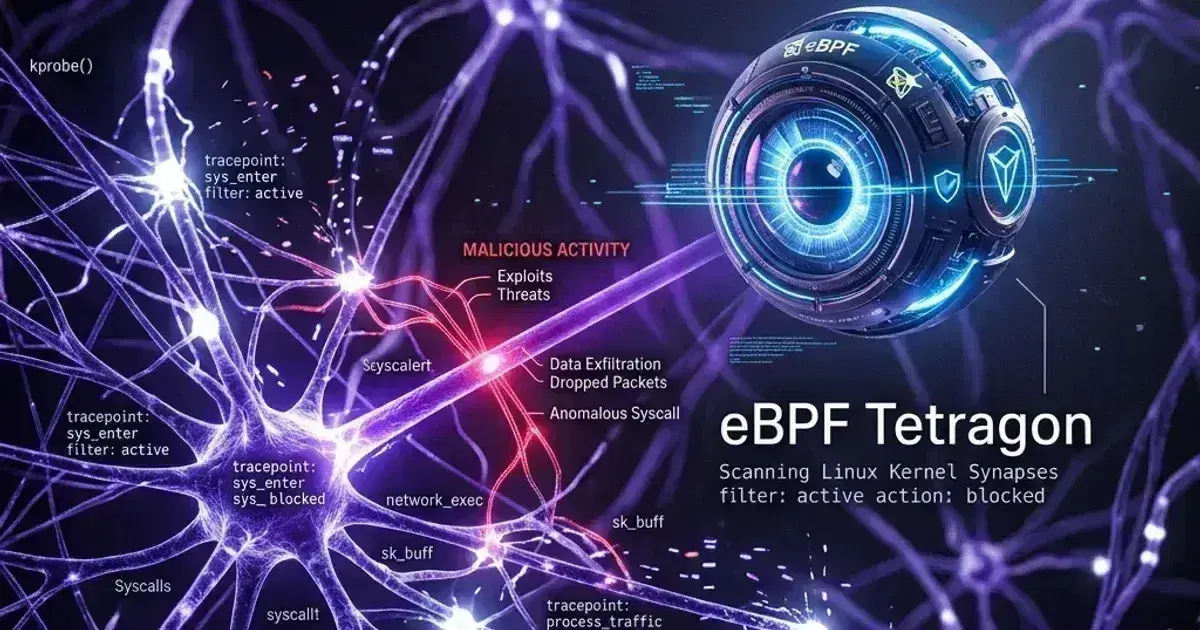
Three eBPF-based observability tools that operate below the application layer: Tetragon (kernel-level security events — process execution, network syscalls, file access), Hubble (Cilium network flow observability at L4/L7), and Pixie (auto-instrumented application performance without code changes). They solve different problems and are often used together.
- Tetragon: Kernel-Level Security Observability
- Hubble: Network Flow Observability for Cilium Clusters
- Pixie: Auto-Instrumented Application Performance
- How the Three Tools Fit Together
- Event Pipeline: Shipping Tetragon Events to Your SIEM
14 min read · Kubernetes
Metrics and logs give you an application-layer view of what happened. They can tell you that a request returned a 500, that memory usage spiked at 14:32, or that the error log captured an exception stack trace. What they cannot tell you is which process inside a container made an outbound TCP connection to 185.234.218.95 on port 4444 at 14:31 — one minute before that spike. They cannot tell you whether your payments container executed /bin/bash after the last deployment, or why a specific PostgreSQL query started taking 800ms without adding any instrumentation to your application code.
eBPF changes this. By attaching probes directly to Linux kernel functions — execve, tcp_connect, do_sys_open — eBPF-based tools see what the kernel sees: every process execution, every file open, every network syscall, every memory allocation. No code changes, no sidecars, no userspace agents proxying traffic. The kernel is the agent.
The three tools I use cover distinct layers: Tetragon handles kernel-level security event visibility and enforcement (think Falco but eBPF-native, with the option to kill a process mid-syscall). Hubble handles Cilium network flow visibility — which pod connected to which service, on which port, with what HTTP status, and which policy allowed or dropped it. Pixie handles application performance — HTTP request latencies, slow database queries, and CPU flame graphs — auto-instrumented at the kernel level without touching your application code.
Running all three is not overhead. It is coverage at different layers of the stack. Understanding the boundary between them is what prevents you from shipping three tools that all alert on the same thing.
Tetragon: Kernel-Level Security Observability
Tetragon is a CNCF incubating project, co-maintained under the Cilium umbrella. It uses eBPF kprobes to intercept kernel function calls — process execution via security_bprm_check, network connections via tcp_connect, file opens via security_file_open, and Linux capability checks. Events are emitted as structured JSON on stdout. If you configure enforcement, Tetragon can send SIGKILL to a process before a syscall completes — not after the connection has been established, but during it.
That distinction matters for security. Traditional alerting catches what already happened. Tetragon can prevent it.
Installing Tetragon
Tetragon ships as a Helm chart under the Cilium project. It does not require Cilium as your CNI — it is a standalone DaemonSet that uses eBPF directly. It works on any CNI.
1helm repo add cilium https://helm.cilium.io
2helm repo update
3
4helm install tetragon cilium/tetragon \
5  --namespace kube-system \
6  --version 1.2.0 \
7  --set tetragon.enablePolicyEnforcement=true
After install, verify the DaemonSet is running and the eBPF programs are loaded:
kubectl -n kube-system rollout status daemonset/tetragon
kubectl -n kube-system exec ds/tetragon -- tetra status
TracingPolicy: The Core Tetragon Resource
TracingPolicy is a cluster-scoped CRD that defines which kernel functions to hook and what to do when they fire. Every policy consists of kprobes (kernel function probes), argument extraction, selectors (filters), and actions.
Here is a policy that detects unexpected outbound connections — processes making TCP connections to ports other than 80 or 443:
1apiVersion: cilium.io/v1alpha1
2kind: TracingPolicy
3metadata:
4  name: detect-unexpected-outbound
5spec:
6  kprobes:
7    - call: "tcp_connect"
8      syscall: false
9      return: false
10      args:
11        - index: 0
12          type: "sock"
13      selectors:
14        - matchArgs:
15            - index: 0
16              operator: "NotDPort"
17              values:
18                - "443"
19                - "80"
20          matchActions:
21            - action: Sigkill
The Sigkill action sends SIGKILL to the process during the tcp_connect kernel call — before the connection is established. Change it to Post to only emit an event without enforcement. I recommend starting with Post in any new environment and switching to Sigkill once you have confirmed the policy does not fire on legitimate traffic.
A second policy I run on every production cluster: detect when curl, wget, or any other download tool is executed inside a container. This catches C2 beacon callbacks and lateral movement attempts:
1apiVersion: cilium.io/v1alpha1
2kind: TracingPolicy
3metadata:
4  name: detect-download-tools
5spec:
6  kprobes:
7    - call: "security_bprm_check"
8      syscall: false
9      return: false
10      args:
11        - index: 0
12          type: "linux_binprm"
13      selectors:
14        - matchBinaries:
15            - operator: "In"
16              values:
17                - "/usr/bin/curl"
18                - "/usr/bin/wget"
19                - "/bin/curl"
20                - "/usr/bin/python3"
21                - "/usr/bin/python"
22          matchActions:
23            - action: Post
The matchBinaries selector filters on the binary being executed. Note that this matches the full path — if your container ships curl at a non-standard path, you need to add it. You can discover binary paths at runtime from Tetragon's process_exec events before writing the enforcement policy.
Reading Tetragon Events
Install the tetra CLI on your local machine (or on a jump host):
GOOS=linux GOARCH=amd64
curl -L --remote-name-all \
  https://github.com/cilium/tetragon/releases/latest/download/tetra-${GOOS}-${GOARCH}.tar.gz{,.sha256sum}
sha256sum --check tetra-${GOOS}-${GOARCH}.tar.gz.sha256sum
sudo tar -C /usr/local/bin -xzf tetra-${GOOS}-${GOARCH}.tar.gz
rm tetra-${GOOS}-${GOARCH}.tar.gz{,.sha256sum}
Stream events directly from the Tetragon agent:
kubectl exec -n kube-system ds/tetragon -- tetra getevents -o compactThe compact output is readable in a terminal:
🚀 process default/payments-api-6d9f7b-xxx /bin/sh -c "ls /etc/secrets"
📂 open   default/payments-api-6d9f7b-xxx /etc/secrets/db-password
🔌 connect default/payments-api-6d9f7b-xxx tcp 10.0.1.4:42312 -> 185.234.218.95:4444
For production, you want structured JSON. Switch to --output json and pipe to your log shipper.
Exporting Tetragon Events for Persistence
Tetragon writes events to stdout. Configure which event types to export in the Helm values:
1tetragon:
2  export:
3    stdout:
4      enabledFields:
5        - process_exec
6        - process_exit
7        - process_kprobe
Tetragon does not persist events internally. You need your log shipper to capture them from the container's stdout. I cover the FluentBit pipeline in the event pipeline section below.
Hubble: Network Flow Observability for Cilium Clusters
Hubble is built into Cilium. If you are running Cilium as your CNI, Hubble requires no additional DaemonSet, no additional agent, and no additional network overhead. It is a ring buffer inside the Cilium agent that captures flow records. When you enable the Hubble Relay, those per-node ring buffers become queryable from a central endpoint.
Enabling Hubble
If Cilium is already installed, enable Hubble with a Helm upgrade:
1helm upgrade cilium cilium/cilium \
2  --namespace kube-system \
3  --reuse-values \
4  --set hubble.enabled=true \
5  --set hubble.relay.enabled=true \
6  --set hubble.ui.enabled=true \
7  --set hubble.metrics.enabled="{dns,drop,tcp,flow,port-distribution,icmp,http}"
The hubble.metrics.enabled list controls which Prometheus metrics Hubble exposes. Start with this set — it covers the most actionable signals (drops, DNS queries, HTTP status codes). HTTP metrics only contain status code and method; full URL paths require an active CiliumNetworkPolicy with L7 visibility or an explicit CiliumClusterwideNetworkPolicy with toFQDNs rules.
Verify Hubble came up:
kubectl -n kube-system rollout status deployment/hubble-relay
kubectl -n kube-system rollout status deployment/hubble-ui
Hubble CLI
Install the hubble CLI:
curl -L --fail --remote-name-all \
  https://github.com/cilium/hubble/releases/latest/download/hubble-linux-amd64.tar.gz
tar xzvf hubble-linux-amd64.tar.gz
sudo mv hubble /usr/local/bin/
Port-forward to the Hubble Relay (the aggregated endpoint that spans all nodes):
kubectl port-forward -n kube-system svc/hubble-relay 4245:80 &
export HUBBLE_SERVER=localhost:4245
Now query flows:
1hubble observe --namespace payments --follow
2
3hubble observe --namespace payments --verdict DROPPED --follow
4
5hubble observe --namespace payments --protocol http --follow
6
7hubble observe \
8  --from-pod payments/payments-api-xxx \
9  --to-pod payments/postgres-0 \
10  --follow
The --verdict DROPPED filter is the one I use most. After a policy change, running this for 5 minutes tells me immediately whether I have misconfigured egress rules. The output includes the policy name that caused the drop, so you can go directly to the specific CiliumNetworkPolicy rather than guessing.
Practical Hubble Use Cases
Service dependency mapping: Before you write network policies, you need a ground-truth service graph. Hubble gives you one:
hubble observe \
  --namespace production \
  --output json \
  --last 50000 \
  | jq -r '[.source.namespace + "/" + .source.pod_name, .destination.namespace + "/" + .destination.pod_name] | @tsv' \
  | sort | uniq
Run this for 24 hours across business hours and you have a complete picture of which pods communicate — including the ones that only communicate during nightly batch jobs, which are always missed in hand-crafted dependency diagrams.
Debugging policy drops: When a service starts returning connection timeouts after a policy rollout, the first thing I do is check Hubble before I look at the policy YAML:
hubble observe \
  --namespace production \
  --verdict DROPPED \
  --output json \
  | jq '{src: .source.pod_name, dst: .destination.pod_name, dst_port: .destination.port, policy: .drop_reason_desc}'
The drop_reason_desc field tells you exactly which policy rule matched. This cuts policy debugging from 30 minutes of YAML reading to 2 minutes of flow inspection.
Hubble Metrics and Prometheus Alerting
With hubble.metrics.enabled, Cilium agent pods expose metrics at :9965/metrics. Key signals:
hubble_drop_total{reason,direction,namespace}— dropped packets by reason and namespacehubble_flows_processed_total{node_name}— total flow volume per nodehubble_http_requests_total{method,protocol,reporter,status_code}— HTTP metrics (requires L7 policy)hubble_dns_queries_total{qtypes,rcode}— DNS query volume and failure codes
A useful alert for production namespaces:
1groups:
2  - name: hubble.rules
3    rules:
4      - alert: CiliumPolicyDropsSpike
5        expr: |
6          sum by (namespace) (
7            rate(hubble_drop_total{namespace="production"}[5m])
8          ) > 10
9        for: 2m
10        labels:
11          severity: warning
12        annotations:
13          summary: "Cilium dropping >10 flows/s in namespace {{ $labels.namespace }}"
14          description: "Check Hubble UI or run: hubble observe --namespace {{ $labels.namespace }} --verdict DROPPED"
15
16      - alert: HubbleDNSNXDOMAINSpike
17        expr: |
18          sum(rate(hubble_dns_queries_total{rcode="Non-Existent Domain"}[5m])) > 20
19        for: 3m
20        labels:
21          severity: warning
22        annotations:
23          summary: "High rate of DNS NXDOMAIN responses — possible misconfigured DNS or service discovery failure"
Kubernetes Production Readiness Checklist
The pre-launch checks we run before calling a cluster production-ready — probes, resources, RBAC, upgrades, and backups. Plain Markdown you can commit to your repo.
Free. Instant download. You'll also get the occasional deep-dive from the newsletter — unsubscribe anytime.
Pixie: Auto-Instrumented Application Performance
Pixie (CNCF sandbox, maintained by New Relic since the 2021 acquisition) uses eBPF uprobes and kprobes to capture application-level telemetry without modifying application code. The mechanisms differ by protocol: for HTTP/1.1 it intercepts socket reads and writes; for PostgreSQL it parses the wire protocol; for TLS it uses uprobes on OpenSSL's SSL_read and SSL_write functions in the process's address space (not the kernel TLS path).
Each node runs a vizier-pem pod (the eBPF data collector). Data is stored in per-node memory — 60 minutes of retention by default, no external storage backend required. You query it via PxL, Pixie's pandas-like scripting language, either from the Pixie UI or the px CLI.
Installing Pixie
bash -c "$(curl -fsSL https://withpixie.ai/install.sh)"

px deploy
The px deploy command walks through connecting to a Pixie Cloud organization (managed or self-hosted). The cluster-side component is entirely in-cluster; Pixie Cloud only handles authentication and the query interface. If you are running air-gapped, self-hosted Pixie Cloud is the path — but it is significantly more operational overhead than the managed offering.
After deploy, verify the Pixie components:
kubectl -n pl get podsYou want kelvin, cloud-conn, metadata, and at least one vizier-pem per node all in Running state.
PxL Scripts: Built-In and Custom
Pixie ships a library of pre-written scripts for common debugging tasks. Run them directly from the CLI:
px run px/http_data_filtered -- --namespace=production

px run px/service_stats

px run px/sql_query_stats
The px/http_data_filtered script shows per-request HTTP data for a namespace: URL, method, status code, latency, pod name. You get this with zero instrumentation in your application. The px/sql_query_stats script does the same for PostgreSQL, MySQL, and Redis.
For custom analysis, PxL is Python-like:
1import px
2
3df = px.DataFrame(table='pgsql_events', start_time='-10m')
4
5df = df[df.latency_ns > 100 * 1000 * 1000]
6
7df.latency_ms = df.latency_ns / 1000 / 1000
8df.pod = df.ctx['pod']
9
10df = df.groupby(['pod', 'req_body']).agg(
11    count=('req_body', px.count),
12    p50_ms=('latency_ms', px.p50),
13    p99_ms=('latency_ms', px.p99),
14)
15df = df.sort('p99_ms', ascending=False)
16
17px.display(df, 'slow_postgres_queries')
This script finds PostgreSQL queries with P99 latency above 100ms in the last 10 minutes, grouped by pod and query text. You can run this during an incident in 30 seconds without adding a single line of instrumentation to your application.
Pixie Limitations You Need to Know
Pixie is a debugging and investigation tool. It is not a replacement for OpenTelemetry-based distributed tracing.
First, the retention ceiling. Sixty minutes of in-memory data means you cannot answer "what was the query latency last Tuesday at 14:00?" You can only answer questions about the recent past. For anything requiring longer retention, you need to export Pixie data via the Pixie Plugin API to a backend like Grafana Cloud or Honeycomb — which adds operational complexity.
Second, TLS inspection is protocol-path-dependent. Pixie's TLS visibility uses uprobes on SSL_read/SSL_write in OpenSSL and BoringSSL. If your application uses a Go TLS implementation (the standard crypto/tls package), Pixie cannot see inside the encrypted traffic because Go does not use OpenSSL. This is a hard limitation — not a configuration issue.
Third, there is no distributed trace context propagation. Pixie sees individual request/response pairs at the pod boundary, not end-to-end traces. If you need to understand a request's path across 8 microservices, you need OpenTelemetry with a trace backend. Pixie tells you what is happening at each hop; it does not connect the hops into a trace.
Use Pixie for: rapid incident debugging (what queries is this pod running right now?), initial performance profiling before you write OTel instrumentation, and network dependency discovery. Use OpenTelemetry for production-grade distributed tracing and long-term performance analysis.
How the Three Tools Fit Together
The tools operate at different layers, have different prerequisites, and answer different questions. Overlap is minimal:
| Tool | Kernel Layer | Primary Use Case | Sidecar Required | Requires Cilium |
|---|---|---|---|---|
| Tetragon | Syscall / kernel function | Security events: process exec, file access, network enforcement | No | No |
| Hubble | Network L4 / L7 | Flow visibility, policy debugging, network metrics | No | Yes |
| Pixie | Application protocol | HTTP/DB performance, auto-instrumented request tracing | No | No |
If you are on Cilium, enable Hubble first. It costs almost nothing — a ring buffer inside the already-running Cilium agent. The signal you get (policy drops, flow volume, DNS failures) is immediately actionable and requires no additional infrastructure.
Add Tetragon for security observability. Even with Post-only actions (no enforcement), the ability to see which binaries are being executed inside your containers, which files are being opened, and which unexpected outbound connections are being made is a material improvement over log-based detection. Security teams that previously needed kernel module-based agents or eBPF Falco can get equivalent visibility with a Helm install.
Add Pixie for debugging cycles. Particularly useful during the development and initial production rollout of a new service, when you do not yet have full OpenTelemetry instrumentation in place. Pixie fills the gap: you can see HTTP error rates and slow queries from day one, without modifying application code.
The three tools are additive, not competing. Running all three on a production cluster is common — Tetragon as a security DaemonSet, Hubble as part of Cilium, and Pixie as an on-demand debugging tool (you can install and uninstall Pixie between incidents if you want to avoid the steady-state memory footprint).
Event Pipeline: Shipping Tetragon Events to Your SIEM
Tetragon events exist only in the container's stdout buffer until something reads them. In production, you need those events in your SIEM or log aggregation system — for incident investigation, compliance audit trails, and detection rules that fire on historical patterns.
The simplest approach is FluentBit running as a DaemonSet (which you likely already have), configured to tail Tetragon container logs and forward to Elasticsearch or Loki.
1[INPUT]
2    Name             tail
3    Path             /var/log/containers/tetragon-*.log
4    Parser           docker
5    Tag              tetragon.*
6    Mem_Buf_Limit    5MB
7    Skip_Long_Lines  On
8
9[FILTER]
10    Name             grep
11    Match            tetragon.*
12    Regex            log process_exec|process_kprobe|process_exit
13
14[FILTER]
15    Name             parser
16    Match            tetragon.*
17    Key_Name         log
18    Parser           json
19    Reserve_Data     On
20
21[OUTPUT]
22    Name             es
23    Match            tetragon.*
24    Host             elasticsearch.logging.svc.cluster.local
25    Port             9200
26    Index            tetragon-events
27    Type             _doc
28    Logstash_Format  On
29    Logstash_Prefix  tetragon
30    Retry_Limit      5
For Loki, replace the [OUTPUT] block:
1[OUTPUT]
2    Name             loki
3    Match            tetragon.*
4    Host             loki.logging.svc.cluster.local
5    Port             3100
6    Labels           job=tetragon,node=$NODE_NAME
7    Label_Keys       $process_exec.process.pod_name,$process_exec.process.namespace
The [FILTER] grep step drops log lines that are not Tetragon events — for example, Tetragon's own startup logs and health check output. The process_exec|process_kprobe|process_exit regex matches only the event type fields present in Tetragon's structured JSON.
If you are using Vector instead of FluentBit, the equivalent source is a kubernetes_logs source with a filter transform targeting the Tetragon pod selector, followed by a remap transform to parse the nested JSON and a elasticsearch or loki sink.
One operational note: Tetragon events can be high-volume on busy nodes. A cluster running many short-lived Jobs or CronJobs will generate a process_exec event for every container entrypoint invocation. Apply the matchNamespaces selector in your TracingPolicy to limit event scope to namespaces that matter, or use the matchLabels selector to target specific workloads.
Frequently Asked Questions
Does Tetragon require Cilium as the cluster CNI?
No. Tetragon is an independent DaemonSet that attaches eBPF programs directly to kernel functions using kprobes and tracepoints. It does not depend on Cilium's eBPF maps or datapath. You can run Tetragon on clusters using Flannel, Calico, AWS VPC CNI, or any other CNI. The Cilium project co-maintains Tetragon, but the operational dependency is one-way: Hubble requires Cilium, Tetragon does not.
Does Hubble work with Cilium in CNI chaining mode on EKS?
Yes. EKS with Cilium in chaining mode — AWS VPC CNI handles IPAM, Cilium runs on top for network policy — still runs the full Cilium agent, and Hubble is a feature of that agent. Enable it with hubble.enabled=true in your Cilium Helm values. Flow data covers all traffic through Cilium's datapath (network policy enforcement, service load-balancing) but not VPC-level routing — you'll see inter-pod flows, not flows that bypass Cilium at the AWS network level.
How does Pixie compare to OpenTelemetry auto-instrumentation?
Pixie needs zero config for HTTP, gRPC, PostgreSQL, MySQL, Redis, Kafka, and DNS — install it and see request data immediately. OTel needs a language agent (Java agent JAR, Python's opentelemetry-instrument, Node's auto-instrumentations-node) plus a Collector, but gives distributed traces with context propagation and long-term retention. Pixie gives 60-minute local retention, no propagation, zero app changes. Use Pixie for incident investigation, OTel for production tracing.
Can Tetragon replace Falco?
They solve similar problems differently. Falco uses a kernel module or its own eBPF probe to check syscalls against rules, with a large community rules library and mature SIEM integrations. Tetragon uses eBPF kprobes plus one capability Falco lacks: in-kernel enforcement via SIGKILL before a syscall completes. Need prevention? Use Tetragon. Want detection-only with a rich rules library and no YAML to write? Falco is lower-friction. They coexist fine on one cluster.
What kernel version do these tools require?
Tetragon needs Linux kernel 5.4+ for basic functionality; some TracingPolicy features (BTF-based type-aware argument extraction) need 5.8+. Hubble is a Cilium component — Cilium 1.14+ needs kernel 4.19.57+ for eBPF socket-based load balancing. Pixie needs kernel 4.14+ for basic eBPF support, but TLS visibility via uprobes needs 4.17+. Most managed Kubernetes (EKS 1.29+, GKE 1.28+, AKS 1.28+) ships kernels in the 5.15–6.x range, so this is rarely a blocker.
Further Reading
For the eBPF datapath mechanics that make Hubble possible — how Cilium replaces kube-proxy, implements network policy at the kernel level, and connects eBPF maps to Kubernetes objects — see Cilium eBPF Kubernetes Networking. That post covers the foundational layer that Hubble is built on.
For Hubble's role in Cilium's advanced networking features — WireGuard transparent encryption, FQDN-based egress policies, and Hubble metrics integration with Grafana — see Cilium Advanced Networking and Observability.
For the broader eBPF platform engineering context — eBPF program types, the BPF CO-RE portability model, and how Tetragon fits into a runtime security architecture alongside Cilium — see eBPF Platform Engineering with Cilium and Tetragon.
For the Prometheus, Grafana, and OpenTelemetry stack that eBPF-based tools complement (rather than replace), see Kubernetes Observability with Prometheus, Grafana, and OpenTelemetry. Hubble metrics feed into the same Prometheus stack; Pixie can export to the same Grafana instance via the Pixie Plugin.
For CiliumNetworkPolicy and CiliumClusterwideNetworkPolicy patterns — including egress lockdown, namespace isolation, and L7 HTTP rules — see Kubernetes Network Policy Patterns. Hubble's flow visibility is most useful when you have non-trivial policies in place and need to understand which policy is dropping which flow.
Building observability for a Kubernetes platform and unsure which layer eBPF tools cover? Talk to us at Coding Protocols — we help platform teams integrate Tetragon, Hubble, and Pixie into their observability stack alongside Prometheus and OpenTelemetry.
Official References
- Cilium introduction — the eBPF dataplane and what replaces kube-proxy
- Cilium network policy — L3/L4/L7 policy and identity-based enforcement
Was this article helpful?
Be the first to rate this article
Related Topics
Found this useful? Share it.