AWS CDK: Infrastructure as Code in TypeScript and Python

Quick answer
The AWS CDK lets you define cloud infrastructure using real programming languages — TypeScript, Python, Java, Go, and others — instead of YAML or JSON templates. This covers CDK concepts (Constructs, Stacks, Apps), the L1/L2/L3 construct hierarchy, CDK Pipelines for CI/CD, testing CDK stacks with CDK Assertions, common patterns for EKS and RDS provisioning, environment-specific configuration, and CDK vs Terraform trade-offs.
14 min read · AWS
CloudFormation is the foundational IaC layer on AWS, but writing raw CloudFormation JSON or YAML is tedious. The AWS CDK compiles high-level infrastructure code written in TypeScript, Python, Go, Java, or C# into CloudFormation templates. You get real language features — loops, conditionals, abstractions, type safety — instead of copy-pasted YAML blocks.
The CDK also has a rich construct library. Instead of writing 100 lines of CloudFormation to create an EKS cluster, you call new eks.Cluster(this, 'cluster', { ... }) and get sensible defaults with the ability to override anything.
Core Concepts
App, Stacks, and Constructs
The CDK hierarchy:
App
└── Stack (maps to one CloudFormation stack)
    └── Constructs (AWS resources or groups of resources)
App: the root of a CDK application. Synthesizes all stacks into CloudFormation templates.
Stack: maps to one CloudFormation stack in one account and region. Each stack deploys together atomically.
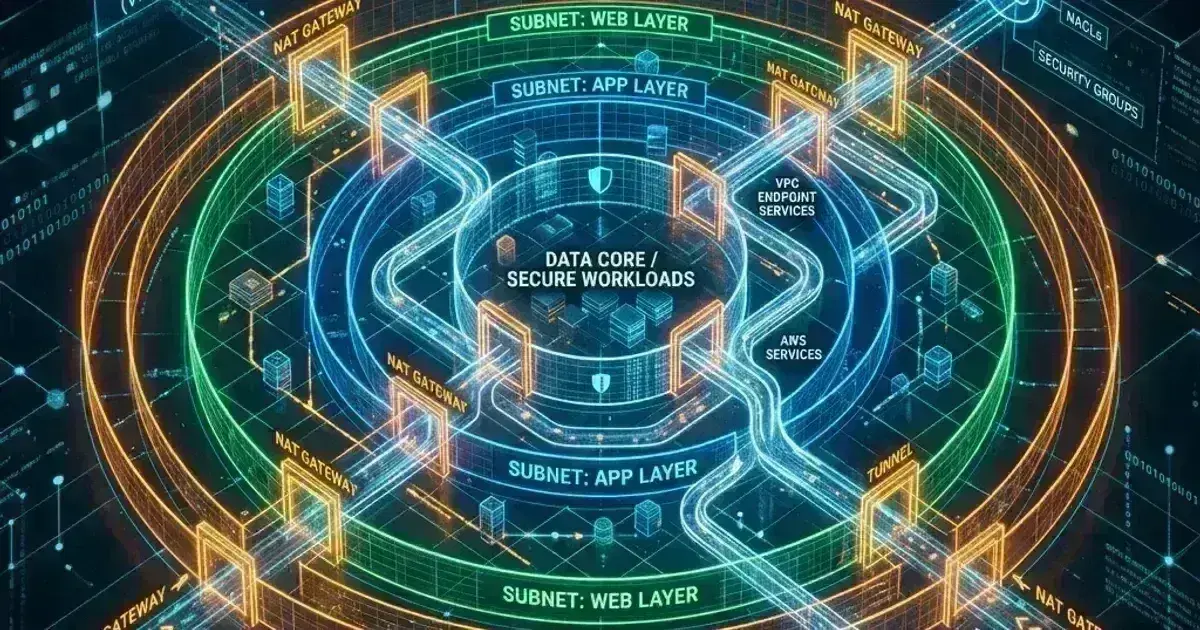
Construct: any cloud component — from a single S3 bucket to a full VPC with subnets and NAT gateways. Constructs can contain other constructs.
1import * as cdk from 'aws-cdk-lib';
2import * as ec2 from 'aws-cdk-lib/aws-ec2';
3import * as rds from 'aws-cdk-lib/aws-rds';
4import * as secretsmanager from 'aws-cdk-lib/aws-secretsmanager';
5import { Construct } from 'constructs';
6
7export class DatabaseStack extends cdk.Stack {
8  constructor(scope: Construct, id: string, props?: cdk.StackProps) {
9    super(scope, id, props);
10
11    const vpc = new ec2.Vpc(this, 'Vpc', {
12      maxAzs: 3,
13      natGateways: 1,
14      subnetConfiguration: [
15        { name: 'public', subnetType: ec2.SubnetType.PUBLIC },
16        { name: 'private', subnetType: ec2.SubnetType.PRIVATE_WITH_EGRESS },
17        { name: 'isolated', subnetType: ec2.SubnetType.PRIVATE_ISOLATED },
18      ],
19    });
20
21    const dbSecret = new secretsmanager.Secret(this, 'DbSecret', {
22      generateSecretString: {
23        secretStringTemplate: JSON.stringify({ username: 'postgres' }),
24        generateStringKey: 'password',
25        excludePunctuation: true,
26        passwordLength: 32,
27      },
28    });
29
30    const cluster = new rds.DatabaseCluster(this, 'Database', {
31      engine: rds.DatabaseClusterEngine.auroraPostgres({
32        version: rds.AuroraPostgresEngineVersion.VER_16_6,
33      }),
34      credentials: rds.Credentials.fromSecret(dbSecret),
35      writer: rds.ClusterInstance.provisioned('Writer', {
36        instanceType: ec2.InstanceType.of(ec2.InstanceClass.R6G, ec2.InstanceSize.XLARGE),
37      }),
38      readers: [
39        rds.ClusterInstance.provisioned('Reader', {
40          instanceType: ec2.InstanceType.of(ec2.InstanceClass.R6G, ec2.InstanceSize.XLARGE),
41        }),
42      ],
43      vpc,
44      vpcSubnets: { subnetType: ec2.SubnetType.PRIVATE_ISOLATED },
45      deletionProtection: true,
46      backup: {
47        retention: cdk.Duration.days(14),
48        preferredWindow: '02:00-03:00',
49      },
50    });
51  }
52}
L1, L2, and L3 Constructs
CDK constructs come in three levels:
L1 (CloudFormation resources): direct 1:1 mapping to CloudFormation resources. All properties map exactly to the CloudFormation spec. No defaults, no opinions. Prefixed with Cfn:
// L1 — direct CloudFormation resource
const bucket = new s3.CfnBucket(this, 'Bucket', {
  bucketName: 'my-raw-bucket',
  versioningConfiguration: { status: 'Enabled' },
});
L2 (curated constructs): higher-level abstractions with sensible defaults and helper methods. The most commonly used level:
1// L2 — opinionated, sensible defaults
2const bucket = new s3.Bucket(this, 'Bucket', {
3  versioned: true,
4  encryption: s3.BucketEncryption.S3_MANAGED,
5  blockPublicAccess: s3.BlockPublicAccess.BLOCK_ALL,
6  removalPolicy: cdk.RemovalPolicy.RETAIN,
7});
8
9// L2 helper methods — grant IAM permissions cleanly
10bucket.grantRead(lambdaFunction);
11bucket.grantPut(ecsTask);
L3 (patterns): high-level patterns that combine multiple L2 constructs into a common architecture:
1// L3 — ApplicationLoadBalancedFargateService provisions ALB + ECS + Fargate + Target Group + Security Groups
2import { ApplicationLoadBalancedFargateService } from 'aws-cdk-lib/aws-ecs-patterns';
3
4const service = new ApplicationLoadBalancedFargateService(this, 'PaymentsApi', {
5  cluster,
6  cpu: 512,
7  memoryLimitMiB: 1024,
8  desiredCount: 3,
9  taskImageOptions: {
10    image: ecs.ContainerImage.fromEcrRepository(repo, 'latest'),
11    containerPort: 8080,
12  },
13  publicLoadBalancer: false,
14});
Environment Configuration
CDK supports environment-specific configuration via context, environment variables, or props:
1// bin/app.ts — entry point
2const app = new cdk.App();
3
4// Define a custom props interface that extends StackProps to pass config
5interface DatabaseStackProps extends cdk.StackProps {
6  instanceClass: ec2.InstanceClass;
7  instanceSize: ec2.InstanceSize;
8  replicas: number;
9}
10
11const envConfig = {
12  prod: {
13    account: '012345678901',
14    region: 'us-east-1',
15    instanceClass: ec2.InstanceClass.R6G,
16    instanceSize: ec2.InstanceSize.XLARGE,
17    replicas: 3,
18  },
19  staging: {
20    account: '111111111111',
21    region: 'us-east-1',
22    instanceClass: ec2.InstanceClass.T4G,
23    instanceSize: ec2.InstanceSize.MEDIUM,
24    replicas: 1,
25  },
26} as const;
27
28type Env = keyof typeof envConfig;
29
30const env = (app.node.tryGetContext('env') ?? 'staging') as Env;
31const config = envConfig[env];
32
33new DatabaseStack(app, `DatabaseStack-${env}`, {
34  env: { account: config.account, region: config.region },
35  instanceClass: config.instanceClass,
36  instanceSize: config.instanceSize,
37  replicas: config.replicas,
38});
Deploy to a specific environment:
cdk deploy DatabaseStack-prod --context env=prodContext and CDK.json
1{
2  "app": "npx ts-node --prefer-ts-exts bin/app.ts",
3  "context": {
4    "@aws-cdk/aws-apigateway:usagePlanKeyOrderInsensitiveId": true,
5    "@aws-cdk/core:stackRelativeExports": true,
6    "vpcId": "vpc-abc123"
7  }
8}
Retrieve context values in your stack with this.node.getContext('vpcId').
For environment-specific values that should not be checked into git (account IDs, secret names), use SSM Parameter Store lookups:
// Look up existing VPC at synth time
const vpc = ec2.Vpc.fromLookup(this, 'Vpc', {
  vpcId: ssm.StringParameter.valueFromLookup(this, '/prod/vpc/id'),
});
fromLookup makes an AWS API call during cdk synth and caches the result in cdk.context.json. Commit cdk.context.json to git to make builds deterministic.
EKS Cluster with CDK
1import * as eks from 'aws-cdk-lib/aws-eks';
2import * as iam from 'aws-cdk-lib/aws-iam';
3// Install the matching kubectl layer package for your EKS version:
4// e.g., @aws-cdk/lambda-layer-kubectl-v32 for Kubernetes 1.32, @aws-cdk/lambda-layer-kubectl-v31 for 1.31
5import { KubectlV32Layer } from '@aws-cdk/lambda-layer-kubectl-v32';
6
7export class EksStack extends cdk.Stack {
8  constructor(scope: Construct, id: string, props?: cdk.StackProps) {
9    super(scope, id, props);
10
11    const vpc = new ec2.Vpc(this, 'Vpc', {
12      maxAzs: 3,
13      natGateways: 1,
14      subnetConfiguration: [
15        { name: 'public', subnetType: ec2.SubnetType.PUBLIC },
16        { name: 'private', subnetType: ec2.SubnetType.PRIVATE_WITH_EGRESS },
17      ],
18    });
19
20    const cluster = new eks.Cluster(this, 'Cluster', {
21      version: eks.KubernetesVersion.V1_32,
22      kubectlLayer: new KubectlV32Layer(this, 'KubectlLayer'),
23      clusterName: 'prod-cluster',
24      vpc,
25      vpcSubnets: [{ subnetType: ec2.SubnetType.PRIVATE_WITH_EGRESS }],
26      defaultCapacity: 0,    // Don't create the default node group; use managed node groups
27      endpointAccess: eks.EndpointAccess.PRIVATE,
28    });
29
30    // Managed node group — all instance types must share the same architecture.
31    // Mixing ARM64 (m6g) and x86 (m6i, m5) in one node group is invalid.
32    cluster.addNodegroupCapacity('Workers', {
33      instanceTypes: [
34        new ec2.InstanceType('m6i.xlarge'),
35        new ec2.InstanceType('m5.xlarge'),
36        new ec2.InstanceType('c6i.xlarge'),
37      ],
38      minSize: 3,
39      maxSize: 50,
40      desiredSize: 6,
41      subnets: { subnetType: ec2.SubnetType.PRIVATE_WITH_EGRESS },
42      amiType: eks.NodegroupAmiType.AL2023_X86_64_STANDARD,
43    });
44
45    // Deploy a Kubernetes manifest
46    cluster.addManifest('PaymentsNamespace', {
47      apiVersion: 'v1',
48      kind: 'Namespace',
49      metadata: { name: 'payments' },
50    });
51
52    // IRSA — addServiceAccount creates the IAM role and annotates the K8s service account.
53    // Attach permissions to the returned .role rather than creating a separate iam.Role.
54    const sa = cluster.addServiceAccount('PaymentsServiceAccount', {
55      name: 'payments-api',
56      namespace: 'payments',
57    });
58
59    sa.role.addManagedPolicy(
60      iam.ManagedPolicy.fromAwsManagedPolicyName('AmazonS3ReadOnlyAccess')
61    );
62  }
63}
Terraform Day-2 Operations Checklist
State hygiene, drift, imports, policy checks, and upgrade routines — everything after `terraform apply` works. Plain Markdown, commit it to your repo.
Free. Instant download. You'll also get the occasional deep-dive from the newsletter — unsubscribe anytime.
CDK Pipelines
CDK Pipelines is a construct library for self-mutating CI/CD pipelines. The pipeline deploys your CDK application and updates itself when you change the pipeline definition:
1import * as pipelines from 'aws-cdk-lib/pipelines';
2
3export class PipelineStack extends cdk.Stack {
4  constructor(scope: Construct, id: string, props?: cdk.StackProps) {
5    super(scope, id, props);
6
7    const pipeline = new pipelines.CodePipeline(this, 'Pipeline', {
8      pipelineName: 'InfrastructurePipeline',
9      synth: new pipelines.ShellStep('Synth', {
10        input: pipelines.CodePipelineSource.connection(
11          'my-org/infra-repo',
12          'main',
13          { connectionArn: 'arn:aws:codestar-connections:us-east-1:012345678901:connection/abc123' }
14        ),
15        commands: [
16          'npm ci',
17          'npm run build',
18          'npx cdk synth',
19        ],
20      }),
21    });
22
23    // Staging stage
24    pipeline.addStage(new AppStage(this, 'Staging', {
25      env: { account: '111111111111', region: 'us-east-1' },
26    }), {
27      pre: [new pipelines.ManualApprovalStep('ApproveStaging')],
28      post: [
29        new pipelines.ShellStep('IntegrationTest', {
30          commands: ['npm run test:integration'],
31          envFromCfnOutputs: {
32            API_URL: /* CfnOutput from AppStage */ undefined!,
33          },
34        }),
35      ],
36    });
37
38    // Production stage — requires approval
39    pipeline.addStage(new AppStage(this, 'Prod', {
40      env: { account: '012345678901', region: 'us-east-1' },
41    }), {
42      pre: [new pipelines.ManualApprovalStep('ApproveProd')],
43    });
44  }
45}
When you push a change that modifies PipelineStack, CDK Pipelines adds an explicit SelfMutate step as the first action after source and synth. This step runs cdk deploy PipelineStack to update the pipeline's own CodePipeline definition. Only after SelfMutate succeeds does the pipeline continue to deploy application stages. If the self-mutation step fails (for example, missing IAM permissions for the pipeline role), the pipeline halts there and does not proceed. This design means you never need to manually update the pipeline — merging to main is enough.
Testing CDK Stacks
CDK Assertions lets you test the synthesized CloudFormation template against expectations:
1// database-stack.test.ts
2import { App } from 'aws-cdk-lib';
3import { Template, Match } from 'aws-cdk-lib/assertions';
4import { DatabaseStack } from '../lib/database-stack';
5
6describe('DatabaseStack', () => {
7  let template: Template;
8
9  beforeEach(() => {
10    const app = new App();
11    const stack = new DatabaseStack(app, 'TestDatabaseStack', {
12      env: { account: '123456789012', region: 'us-east-1' },
13    });
14    template = Template.fromStack(stack);
15  });
16
17  test('creates an Aurora cluster with deletion protection', () => {
18    template.hasResourceProperties('AWS::RDS::DBCluster', {
19      DeletionProtection: true,
20      Engine: 'aurora-postgresql',
21    });
22  });
23
24  test('VPC has 3 AZs and isolated subnets', () => {
25    template.resourceCountIs('AWS::EC2::Subnet', 9); // 3 tiers × 3 AZs
26  });
27
28  test('RDS security group only allows access from the VPC', () => {
29    template.hasResourceProperties('AWS::EC2::SecurityGroup', {
30      SecurityGroupIngress: Match.arrayWith([
31        Match.objectLike({
32          IpProtocol: 'tcp',
33          FromPort: 5432,
34          ToPort: 5432,
35        }),
36      ]),
37    });
38  });
39
40  test('snapshot matches', () => {
41    expect(template.toJSON()).toMatchSnapshot();
42  });
43});
Snapshot tests catch unexpected template changes between CDK code runs — useful for catching unintended changes introduced by CDK library upgrades or code refactors. They test the synthesized template, not the deployed stack (CloudFormation drift detection is a separate AWS feature).
CDK vs Terraform
| AWS CDK | Terraform | |
|---|---|---|
| Language | TypeScript, Python, Go, Java, C# | HCL (HashiCorp Configuration Language) |
| Multi-cloud | AWS only | Extensive multi-cloud provider support (CDK for Terraform is a separate HashiCorp project, not an extension of AWS CDK) |
| State management | CloudFormation manages state | Terraform state file (local or remote) |
| AWS integration | Native — uses CloudFormation under the hood | Via AWS provider (not native CloudFormation) |
| Drift detection | CloudFormation drift detection | terraform plan shows drift |
| Ecosystem | CDK construct libraries, CDKpatterns.com | Terraform Registry (thousands of modules) |
| Team adoption | Requires programming language knowledge | HCL is learnable without programming background |
| Refactoring | cdk diff shows changes; rename requires resource replacement | moved block supports refactoring without replacement |
| Testing | CDK Assertions, snapshot tests | Terratest, terraform validate |
Choose CDK when: your team already writes TypeScript or Python, you're AWS-only, or you want to create reusable infrastructure libraries that teams can npm install. CDK's type system and IDE integration catch misconfigurations at development time that Terraform only catches at apply time.
Choose Terraform when: you need multi-cloud support, your team prefers HCL's declarative style over a programming language, you have existing Terraform modules and expertise, or you need the Terraform provider ecosystem for services CDK doesn't cover.
Many organizations use both: Terraform for shared foundational infrastructure (VPCs, DNS, shared accounts), CDK for application-level infrastructure (EKS clusters, RDS instances, Lambda functions) that application teams own.
Frequently Asked Questions
How does CDK handle existing resources?
CDK can import existing CloudFormation stacks and their resources. For resources not created by CDK (manually created), use fromLookup or from* methods to reference them without managing them:
// Reference existing resources without managing them
const existingVpc = ec2.Vpc.fromLookup(this, 'ExistingVpc', { vpcId: 'vpc-abc123' });
const existingRole = iam.Role.fromRoleName(this, 'ExistingRole', 'my-role-name');
const existingBucket = s3.Bucket.fromBucketName(this, 'ExistingBucket', 'my-bucket');
These are read-only references — CDK won't modify or delete the underlying resources.
What happens when I rename a CDK construct?
Construct IDs are used to generate CloudFormation logical IDs. Renaming a construct ID generates a new logical ID, which causes CloudFormation to delete the old resource and create a new one. For stateful resources (RDS, S3, DynamoDB), this is destructive.
To rename without replacement, override the CloudFormation logical ID:
const bucket = new s3.Bucket(this, 'NewBucketId');
// Override the logical ID to match the old one
(bucket.node.defaultChild as s3.CfnBucket).overrideLogicalId('OldBucketId');
Can CDK and Terraform manage resources in the same account?
Yes — they operate independently. CDK deploys via CloudFormation and knows nothing about Terraform-managed resources. Terraform manages its own state and knows nothing about CloudFormation stacks. The resources coexist in AWS without conflict as long as they don't try to create the same named resource.
How do I handle secrets in CDK?
Never hardcode secrets in CDK code or cdk.json. Use:
secretsmanager.Secretto create Secrets Manager secrets (CDK generates the value) or reference existing ones — this is the most reliable patterncdk.SecretValue.secretsManager('secret-name')to reference an existing secret valuecdk.SecretValue.ssmSecure('/path/to/param')resolves an SSM SecureString via a CloudFormation dynamic reference at deployment time — note that not all CloudFormation resource properties support dynamic references, so test that the construct you're using actually supports it
const dbPassword = cdk.SecretValue.secretsManager('prod/db/password', {
  jsonField: 'password',
});
For the EKS clusters that CDK can provision and manage, see Kubernetes Cluster Autoscaler and Karpenter: Node Autoscaling on EKS. For the IAM roles and IRSA that CDK generates for EKS workloads, see AWS IAM: Roles, Policies, Permission Boundaries, and IRSA for EKS.
Migrating a CloudFormation stack to CDK, building a CDK Pipelines multi-account deployment workflow, or designing CDK constructs as a shared library for multiple application teams? Talk to us at Coding Protocols — we help platform teams build CDK-based infrastructure that gives application teams self-service infrastructure with guardrails built in.
Official References
- Amazon EKS User Guide — cluster architecture, versions and add-ons
- EKS Kubernetes versions — the version support and extended support policy
Was this article helpful?
Be the first to rate this article
Related Topics
Found this useful? Share it.